Integrating SonarQube SAST with AccuKnox in a GitLab CI/CD Pipeline
This guide demonstrates how to incorporate AccuKnox into a CI/CD pipeline using GitLab to enhance security. We'll use SonarQube SAST scanning to identify code vulnerabilities and send the results to AccuKnox for further analysis and remediation.
Pre-requisites
-
GitLab Access
-
AccuKnox Platform Access
-
SonarQube Access
Steps for Integration
Step 1: Log in to AccuKnox. Navigate to Settings → Tokens to create an AccuKnox token for forwarding scan results to SaaS. For details on generating tokens, refer to How to Create Tokens.
Step 2: Configure GitLab CI/CD Variables. For details on configuring variables, refer to How to Create CI/CD Variables in GitLab. 1. ACCUKNOX_TOKEN: AccuKnox API token for authorization.
-
ACCUKNOX_ENDPOINT: The AccuKnox API URL (e.g., cspm.demo.accuknox.com).
-
ACCUKNOX_LABEL: The label for your scan.
-
SONAR_TOKEN: Your SonarQube API token.
-
SONAR_HOST_URL: The URL of your SonarQube server.
-
SONAR_PROJECT_KEY: The project key for your SonarQube project.
Configuration Parameters
| Parameter | Description | Default Value |
|---|---|---|
STAGE |
Specifies the pipeline stage. | test |
SONAR_TOKEN |
Token for authenticating with SonarQube. | N/A (Required) |
SONAR_HOST_URL |
The SonarQube host URL. | N/A (Required) |
SONAR_PROJECT_KEY |
The project key in SonarQube. | N/A (Required) |
ACCUKNOX_TOKEN |
Token for authenticating with the CSPM panel. | N/A (Required) |
ACCUKNOX_ENDPOINT |
The URL of the CSPM panel to push the scan results to. | cspm.demo.accuknox.com |
ACCUKNOX_LABEL |
Label created in AccuKnox SaaS for associating scan results. | N/A (Required) |
SOFT_FAIL |
Do not return an error code if there are failed checks. | true (boolean) |
SKIP_SONAR_SCAN |
If true, skips the SonarQube scan entirely. |
false (boolean) |
Step 3: Set Up GitLab CI/CD Pipeline
Create a new pipeline in your GitLab project with the following YAML configuration:
include:
  - component: $CI_SERVER_FQDN/accu-knox/scan/sq-sast-scan@2.4.0
    inputs:
      STAGE: test
      SONAR_TOKEN: ${SONAR_TOKEN}
      SONAR_HOST_URL: ${SONAR_HOST_URL}
      SONAR_PROJECT_KEY: ${SONAR_PROJECT_KEY}
      ACCUKNOX_TOKEN: ${ACCUKNOX_TOKEN}
      ACCUKNOX_ENDPOINT: ${ACCUKNOX_ENDPOINT}
      ACCUKNOX_LABEL: ${ACCUKNOX_LABEL}
Initial CI/CD Pipeline Without AccuKnox Scan
Initially, the CI/CD pipeline does not include the AccuKnox scan. Vulnerabilities in the code could go unnoticed without security checks.
CI/CD Pipeline After AccuKnox Integration
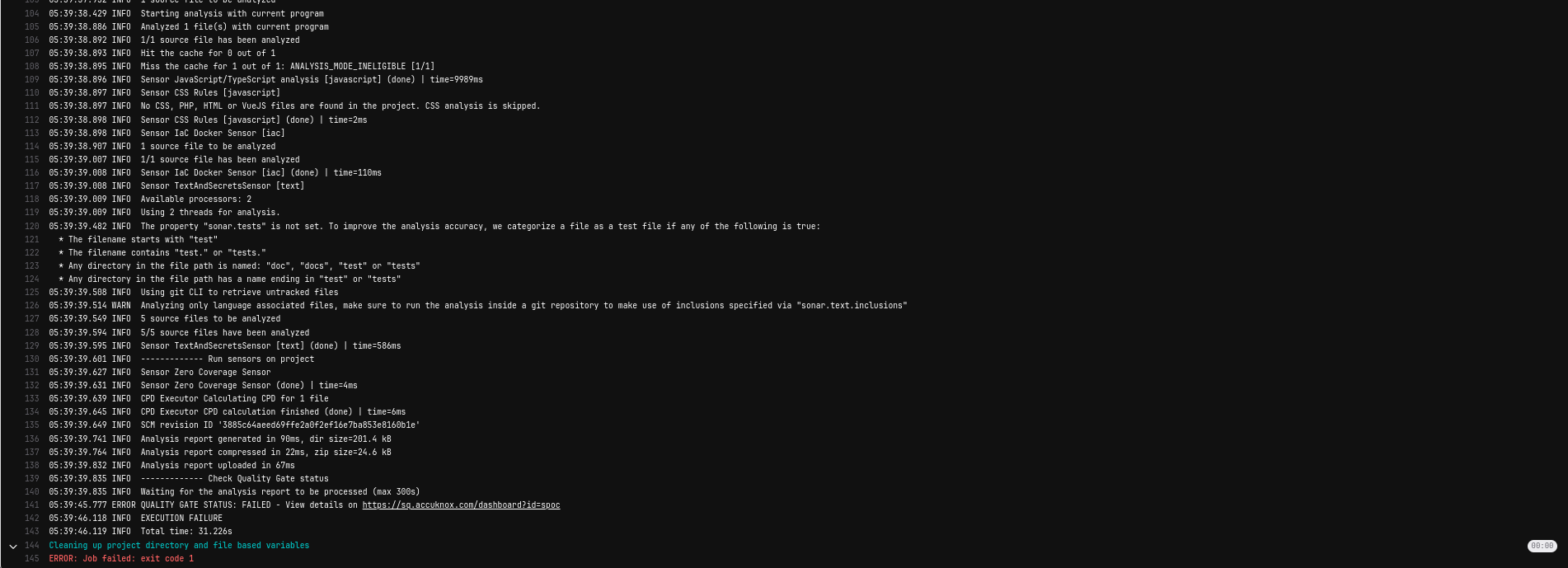
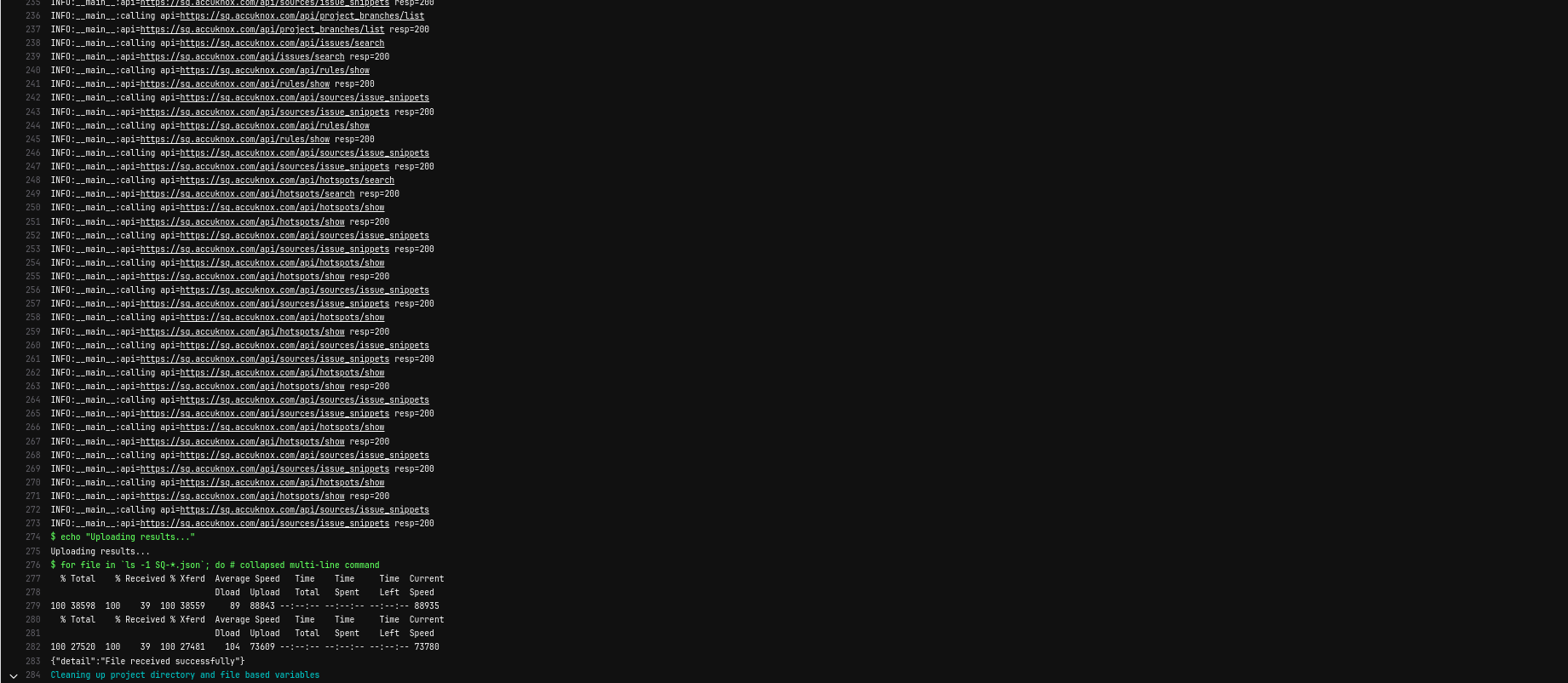
After integrating AccuKnox into the pipeline, pushing changes triggers the SonarQube scan, and results are sent to AccuKnox. AccuKnox helps identify potential code vulnerabilities.
View Results in AccuKnox SaaS
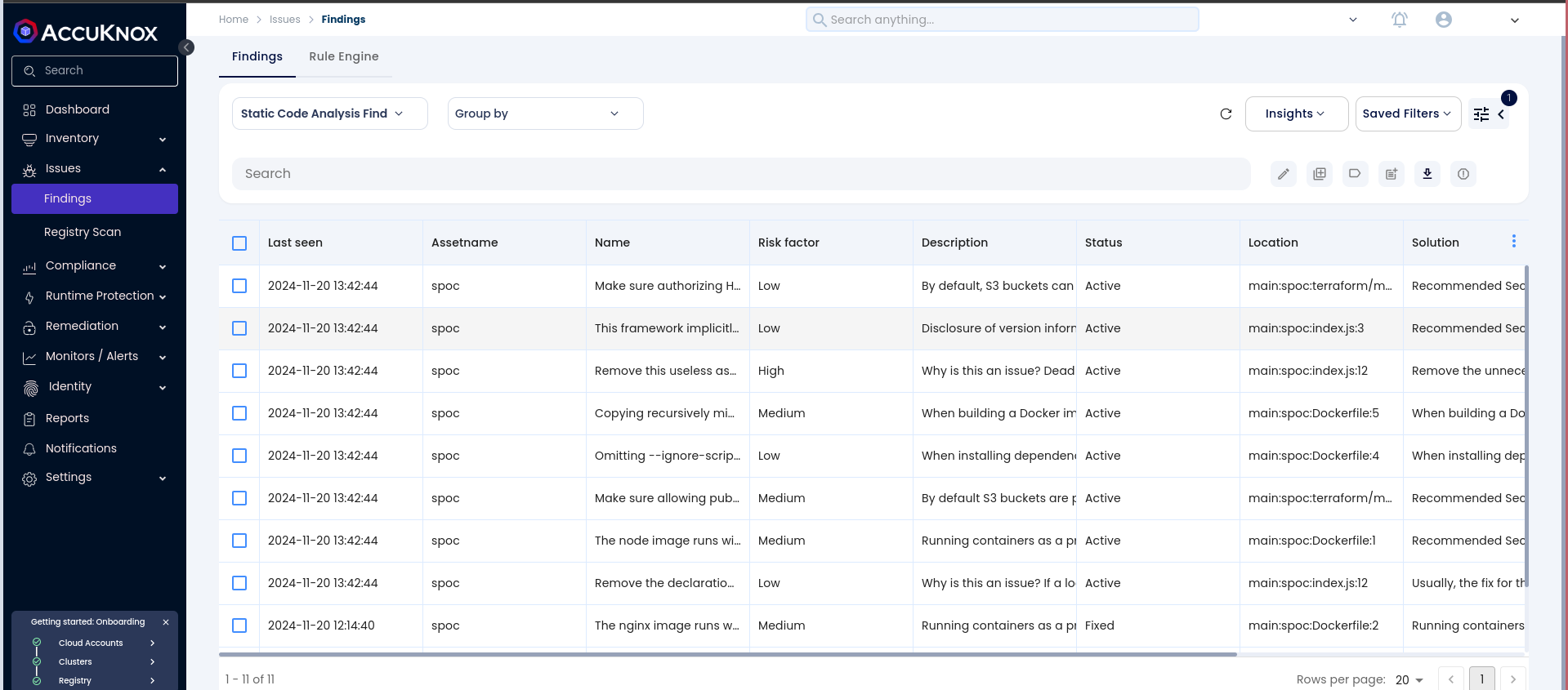
Step 1: After the workflow completes, navigate to the AccuKnox SaaS dashboard.
Step 2: Go to Issues > Findings and select SAST Findings to see identified vulnerabilities.
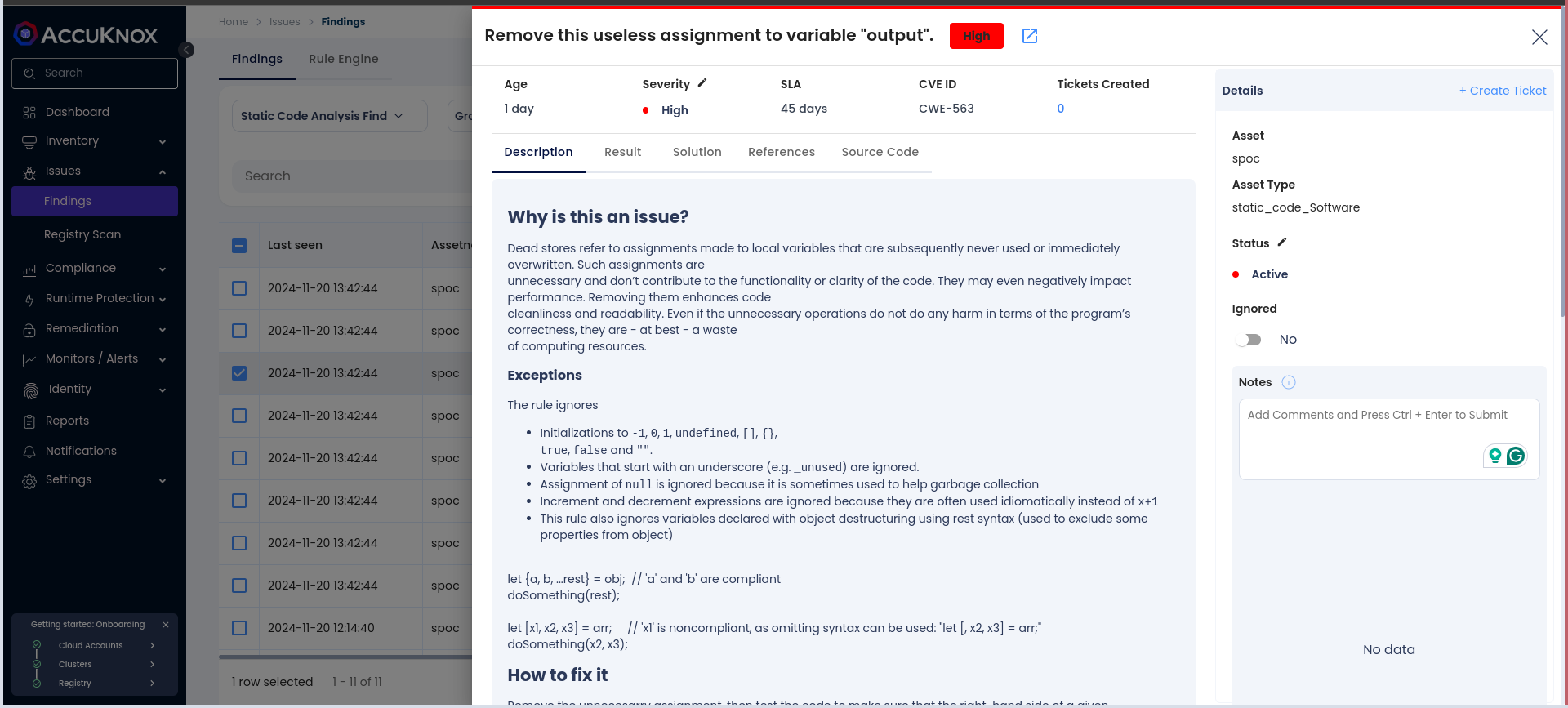
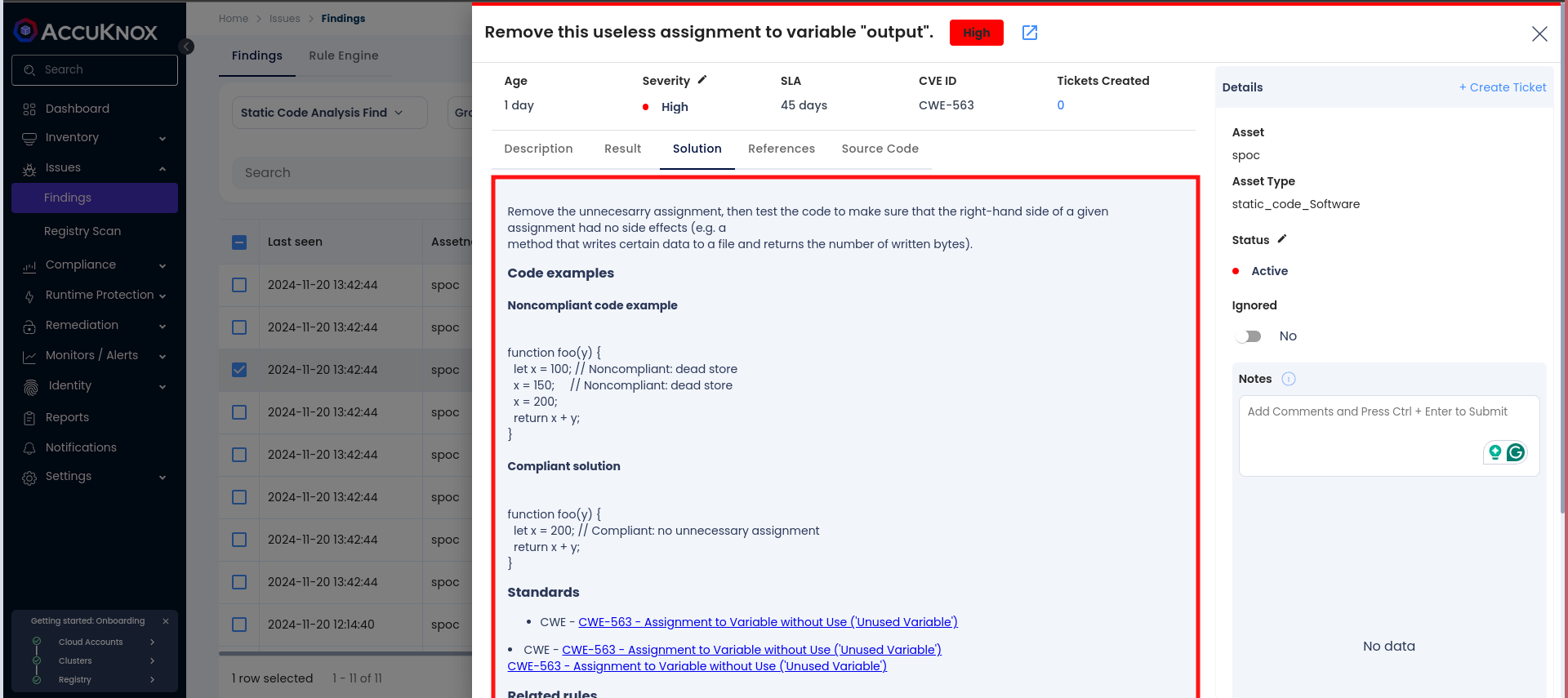
Step 3: Click on a vulnerability to view more details.
Step 4: Fix the Vulnerability
Follow the instructions in the Solutions tab to fix the vulnerability
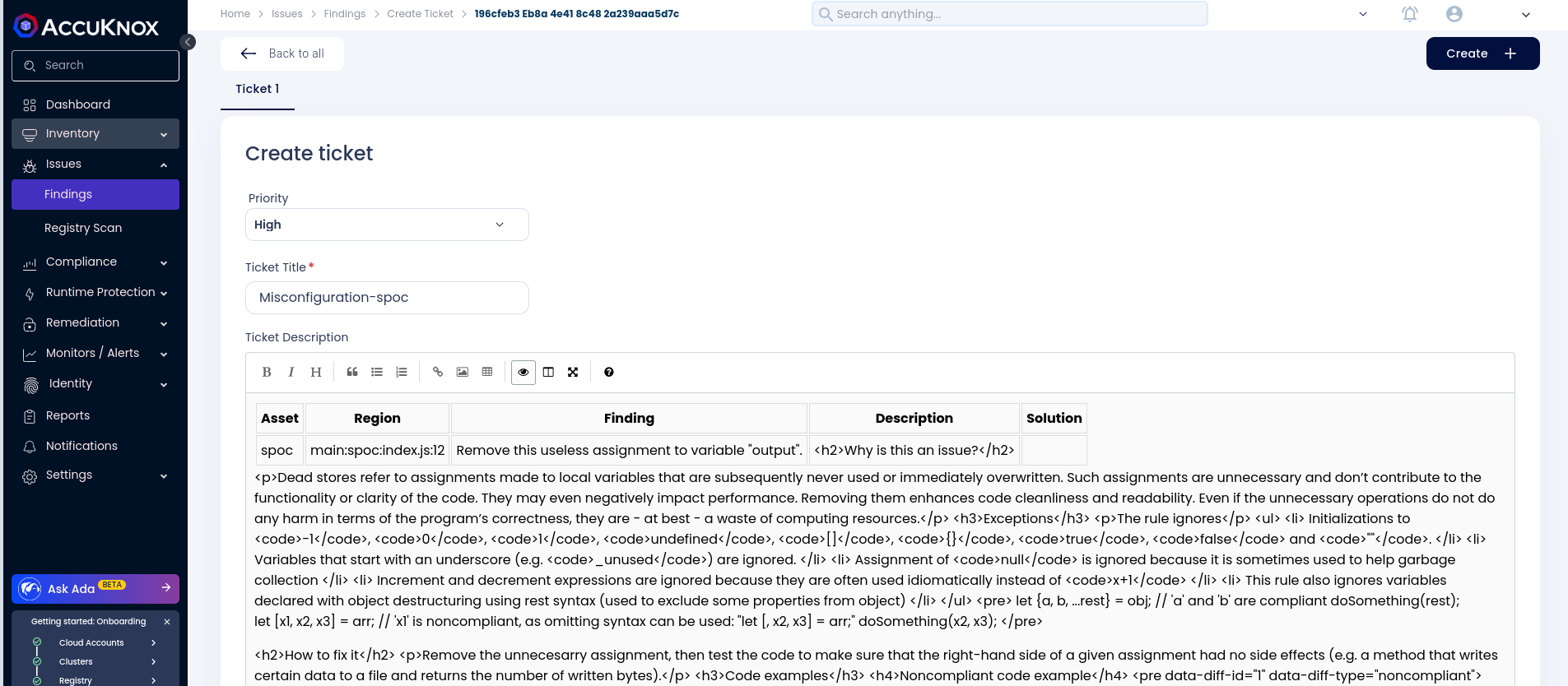
Step 5: Create a Ticket for Fixing the Vulnerability
Create a ticket in your issue-tracking system to address the identified vulnerability.
Step 6: Review Updated Results
-
After fixing the vulnerability, rerun the GitLab CI/CD pipeline.
-
Navigate to the AccuKnox SaaS dashboard and verify that the vulnerability has been resolved.
Conclusion
By integrating SonarQube SAST with AccuKnox in a GitLab CI/CD pipeline, you enhance the security of your codebase. This integration helps detect and address potential vulnerabilities early in the development lifecycle, ensuring a secure deployment environment.