Pre-requisite for Azure Cloud Account Onboarding
CSPM Pre-requisite for Azure
When the AccuKnox control plane is hosted in a cloud environment, scanning is performed using Cloud account Readonly Access permissions.

For Azure Onboarding it is required to register an App and grant Security read access to that App from the Azure portal.
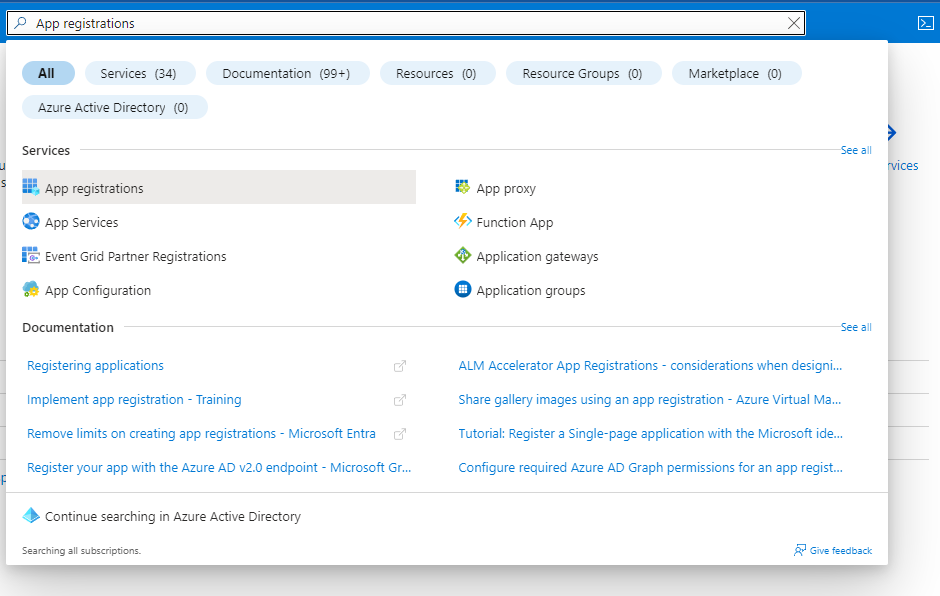
Step 1: Go to your Azure Portal and search for App registrations and open it
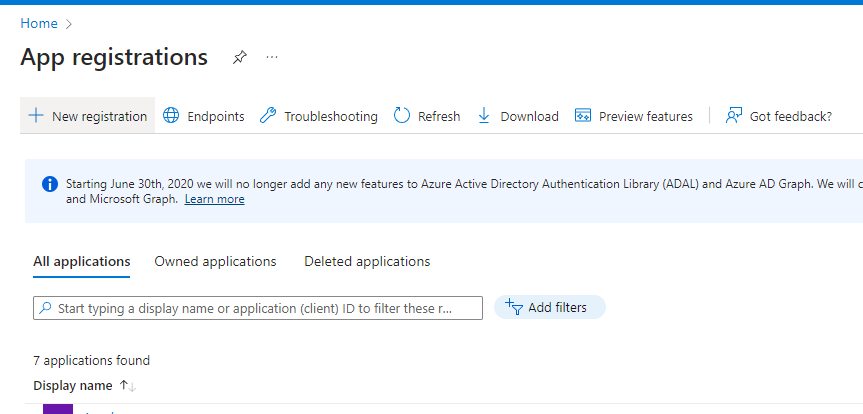
Step 2: Here click on New registration
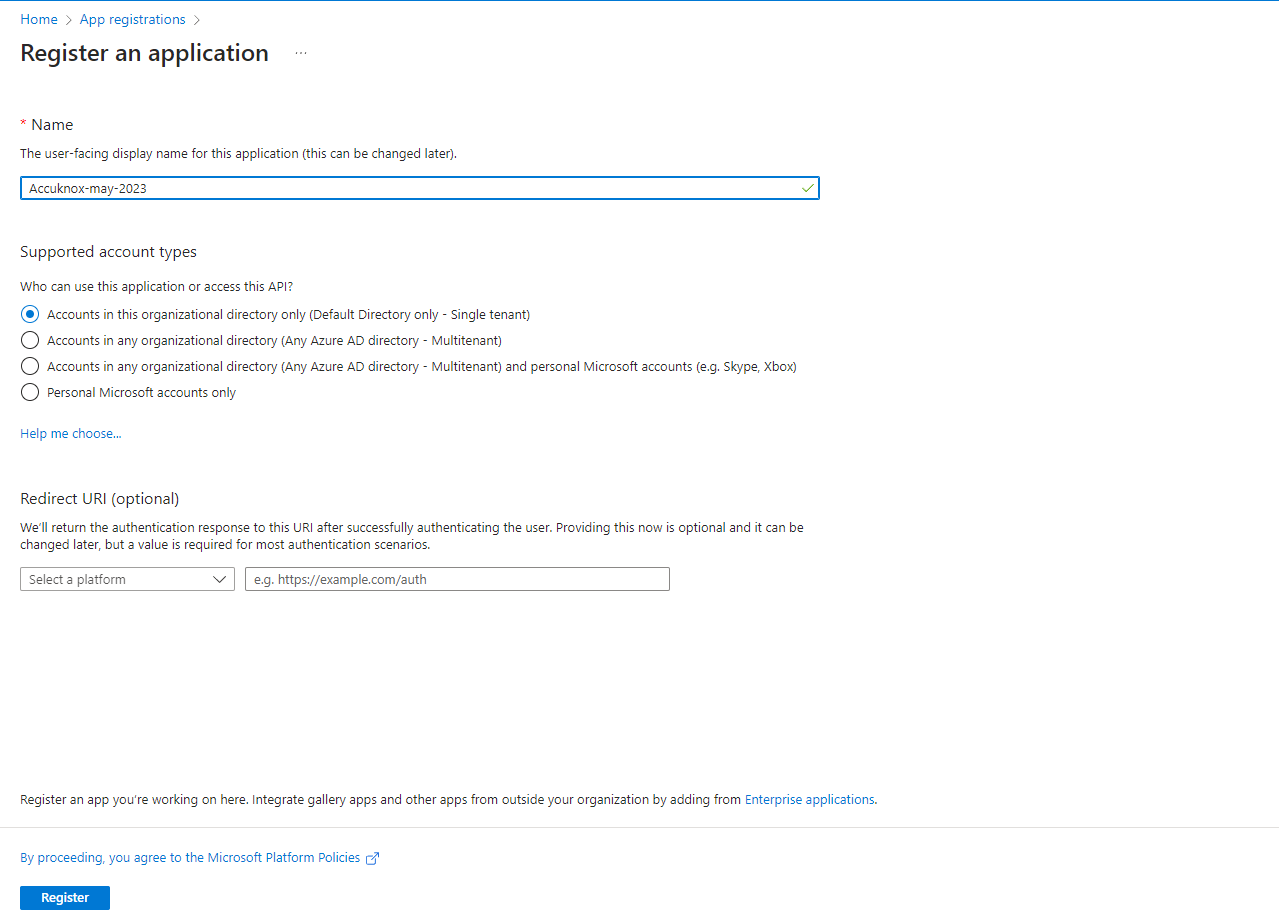
Step 3: Give your application a name, remember this name as it will be used again later, For the rest keep the default settings
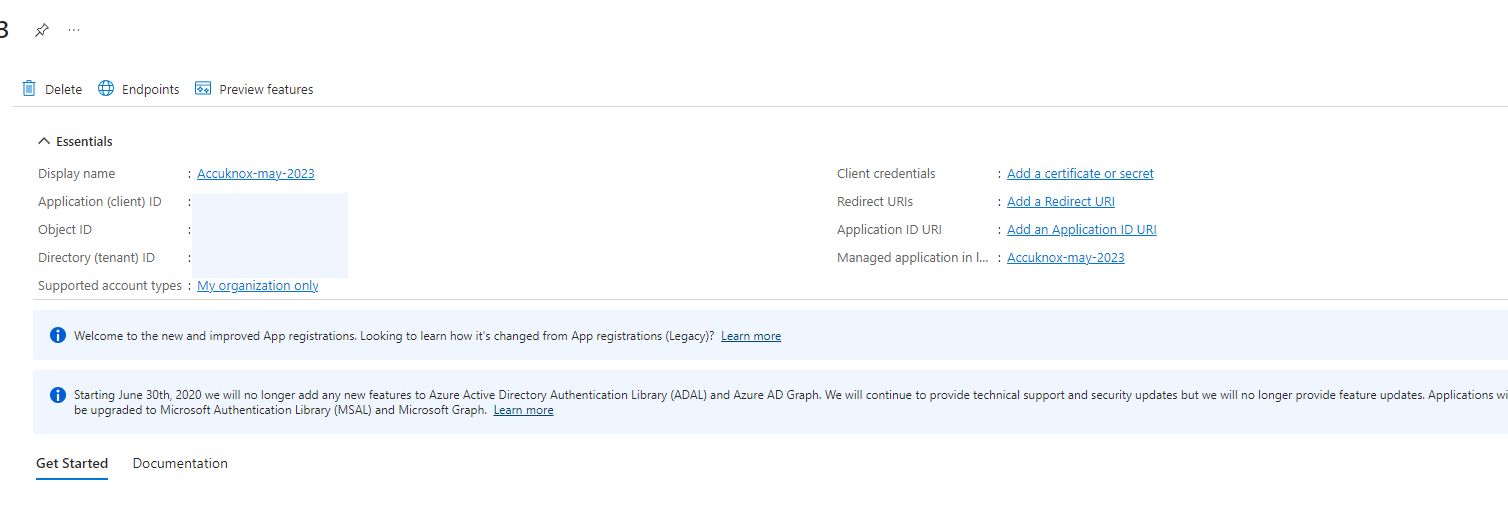
Step 4: Now your application is created. Save the Application ID and Directory ID as they will be needed for onboarding on AccuKnox SaaS, then click on 'Add a certificate or secret'
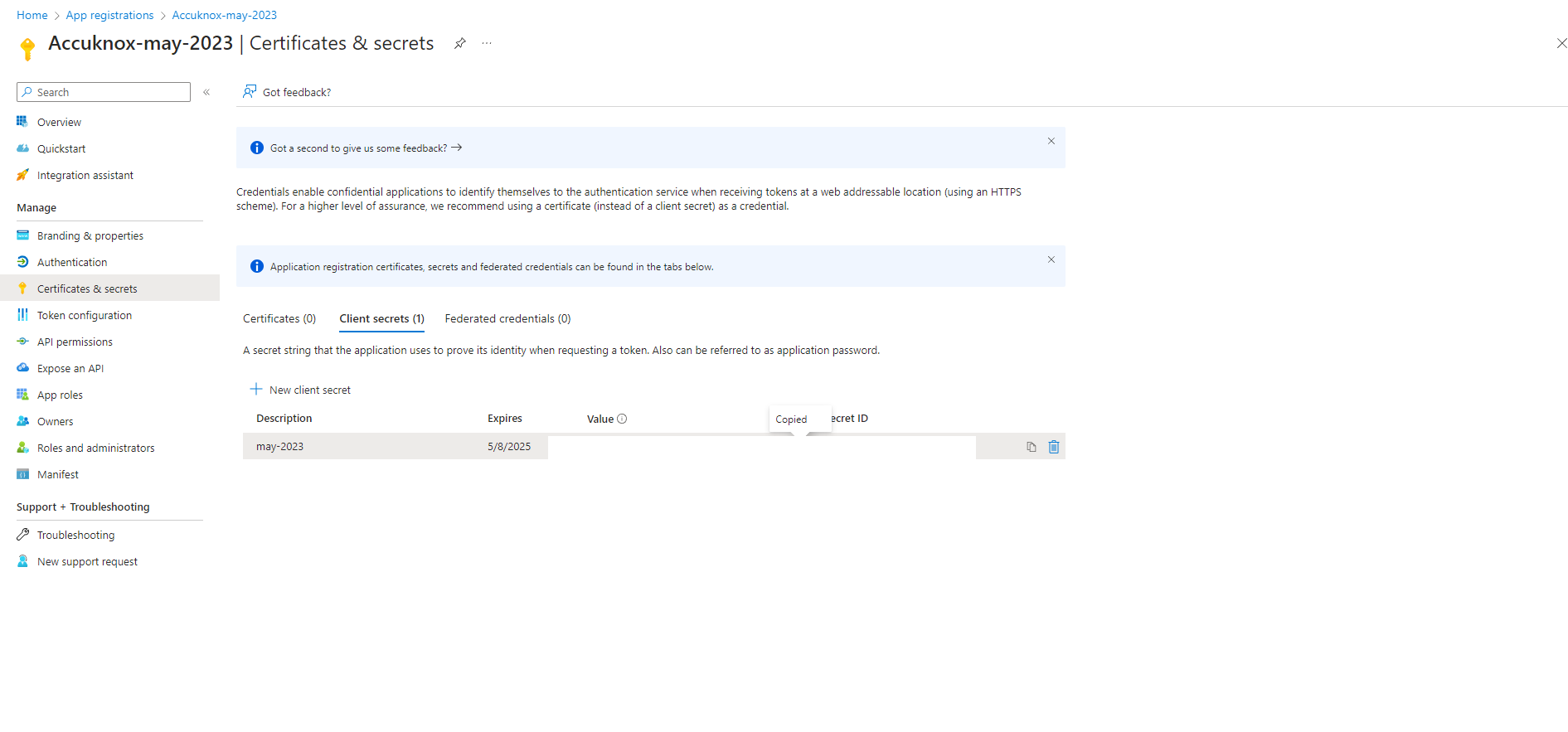
Step 5: Click on new client secret and enter the name and expiration date to get secret id and secret value, save this secret value as this will also be needed for onboarding.
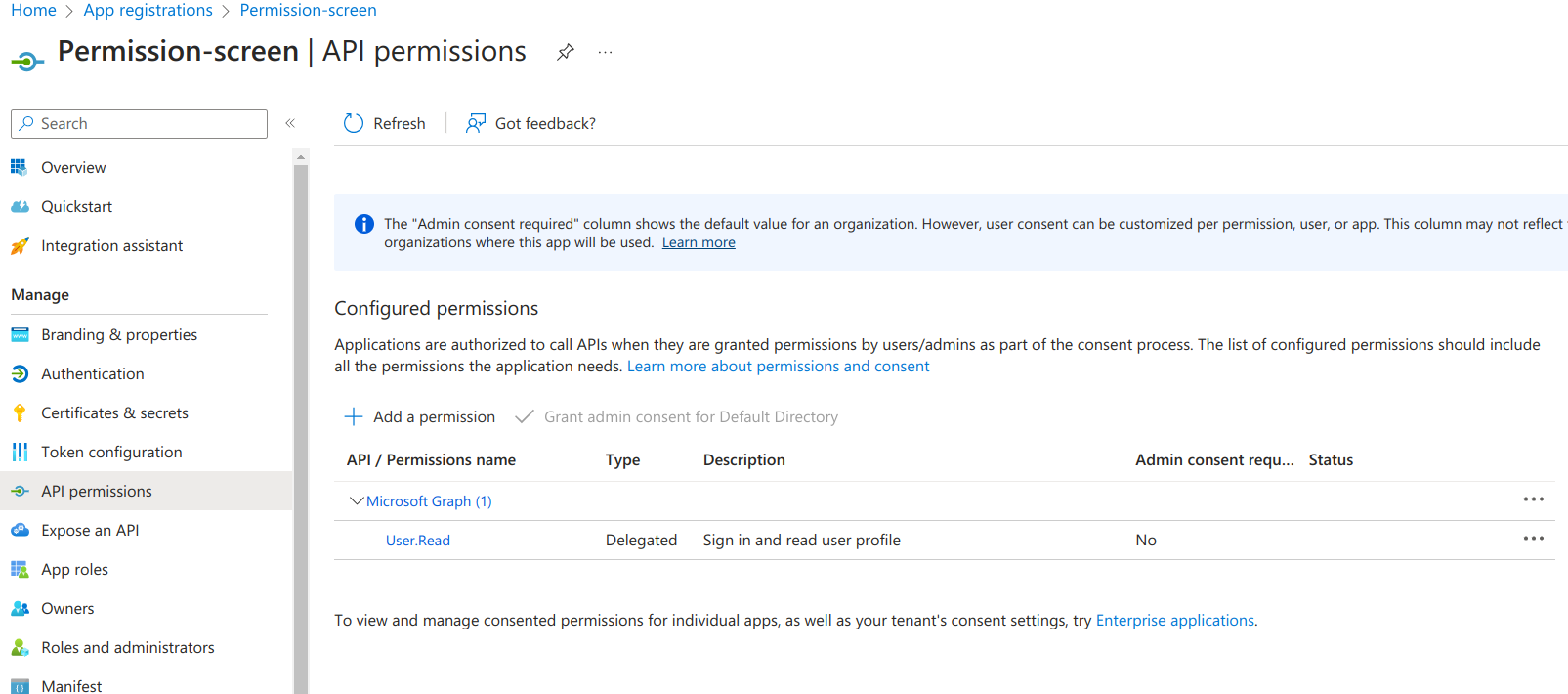
Step 6: Next, go to API permissions tab and click on 'Add permission'
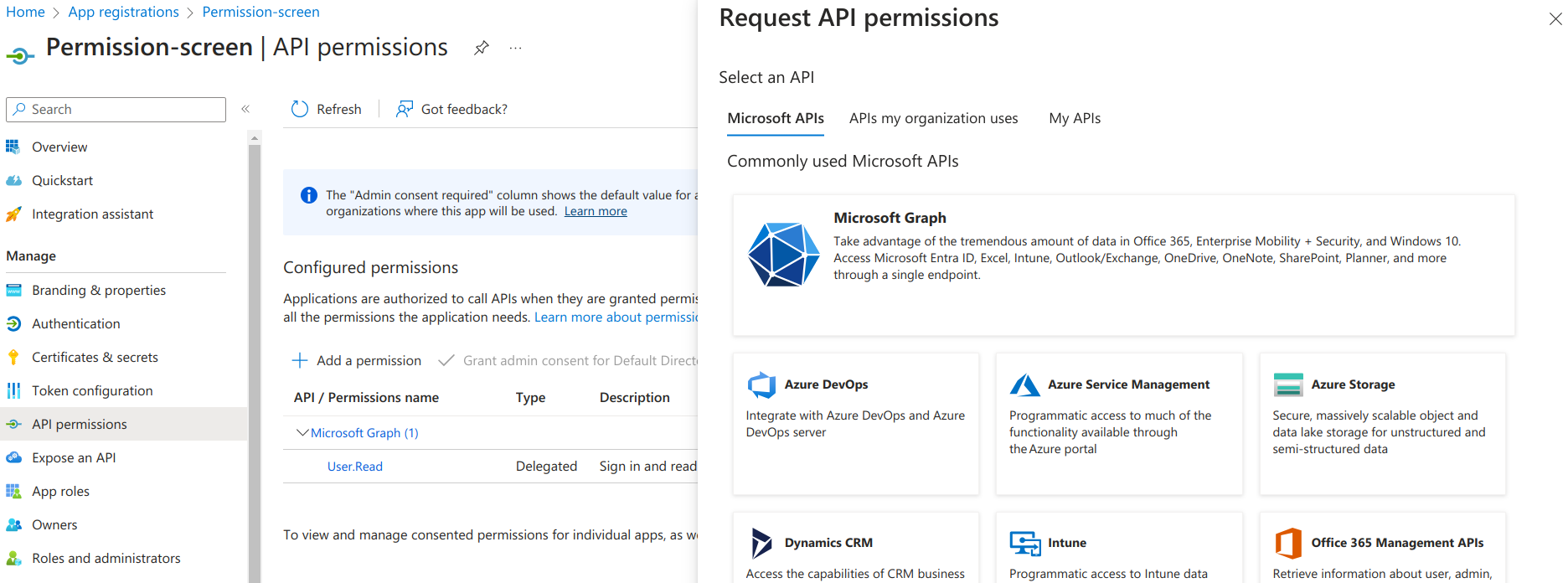
Step 7: On the screen that appears, click on 'Microsoft Graph'
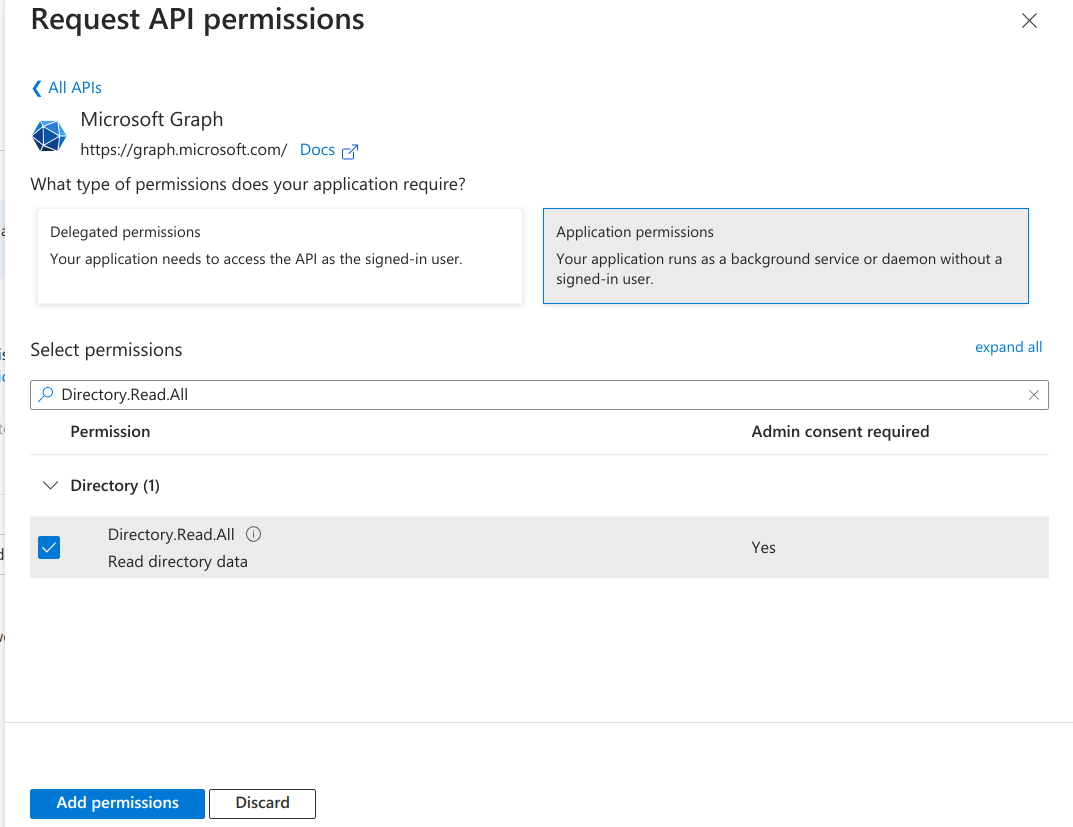
Step 8: Next, select Application Permissions and then search for Directory.Read.All and click on Add permissions
Step 9: Select ‘Grant Admin Consent’ for Default Directory and click on ‘Yes’
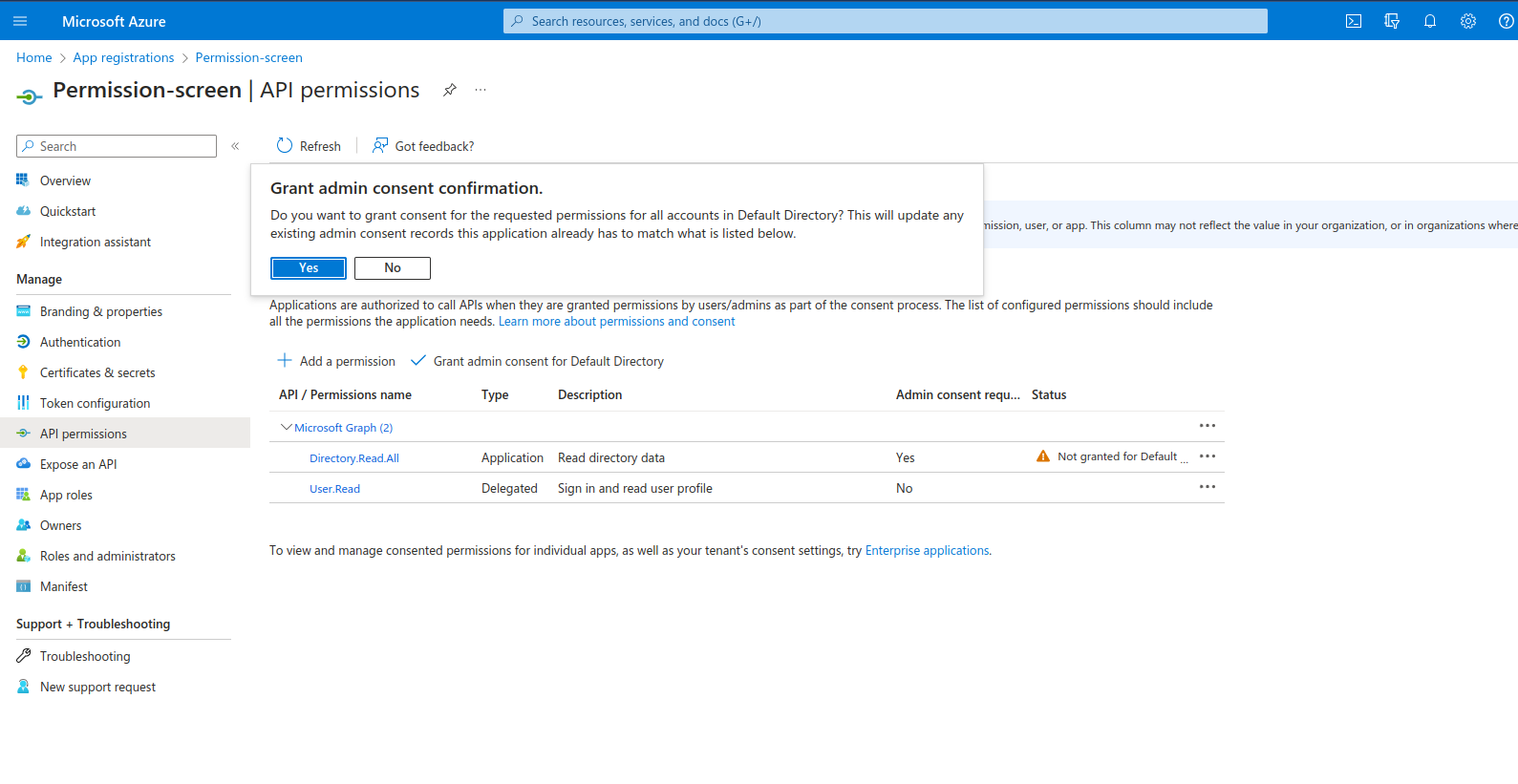
Step 10: Now we need to give Security read permissions to this registered Application , to do that go to subscriptions
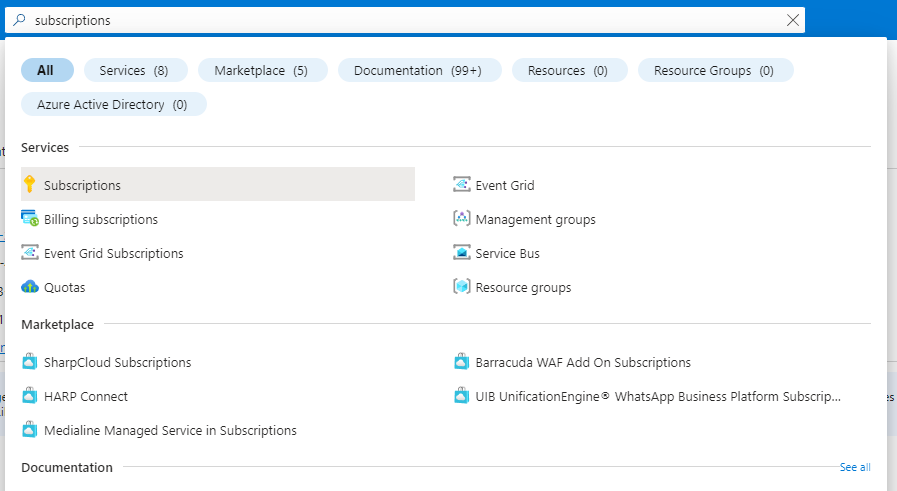
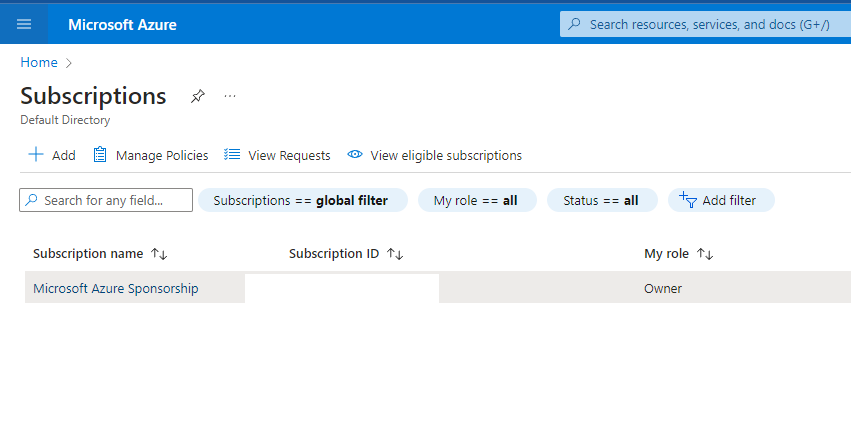
Step 11: First save the subscription ID and click on the subscription name , here it is “Microsoft Azure Sponsorship“
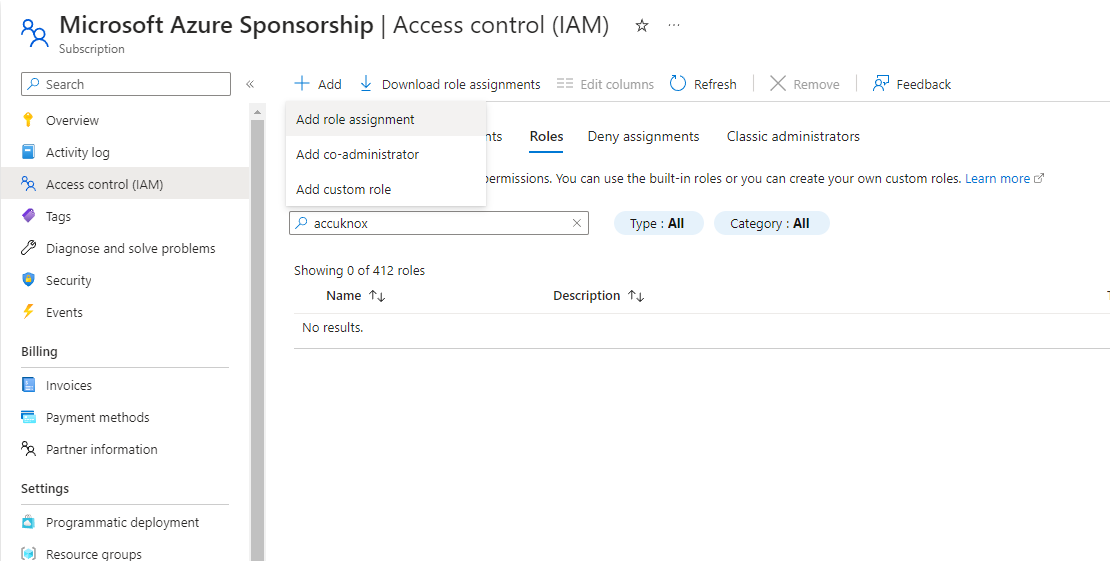
Step 12: Navigate to Access control(IAM) and go to Roles , here select Add and Add role assignment
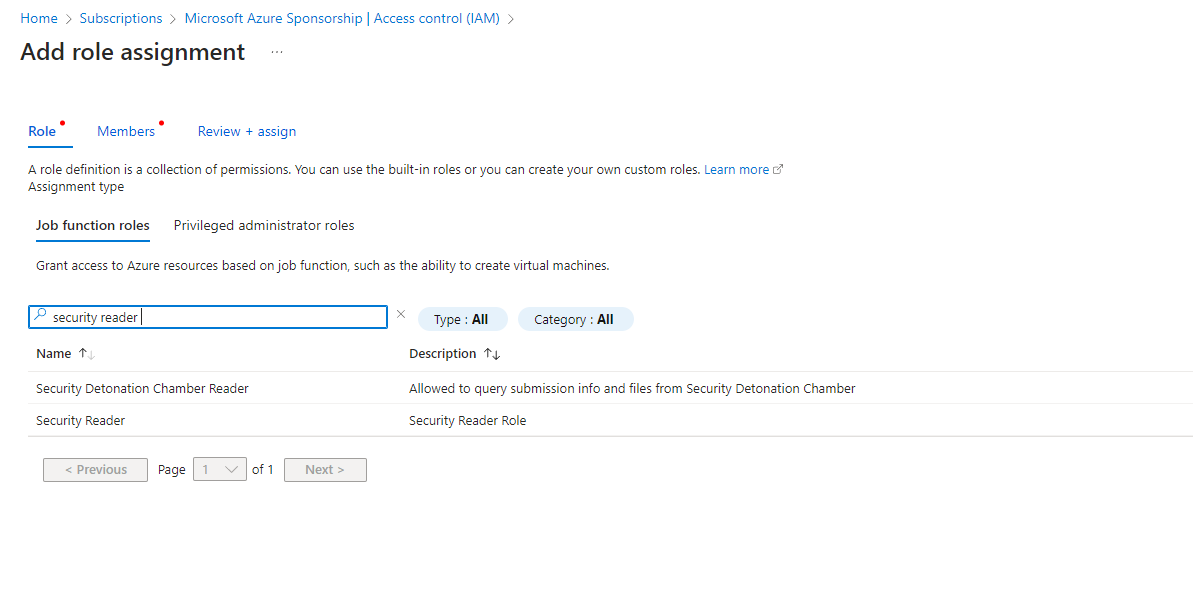
Step 13: Search for “Security Reader” Job function Role, select it and press next
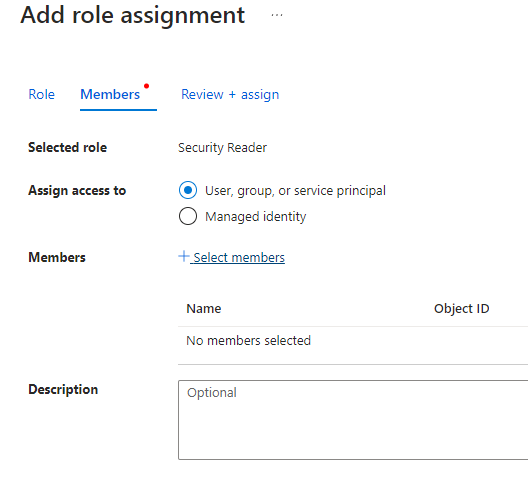
Step 14: In the member section click on Select members it will open a dropdown menu on the right hand side
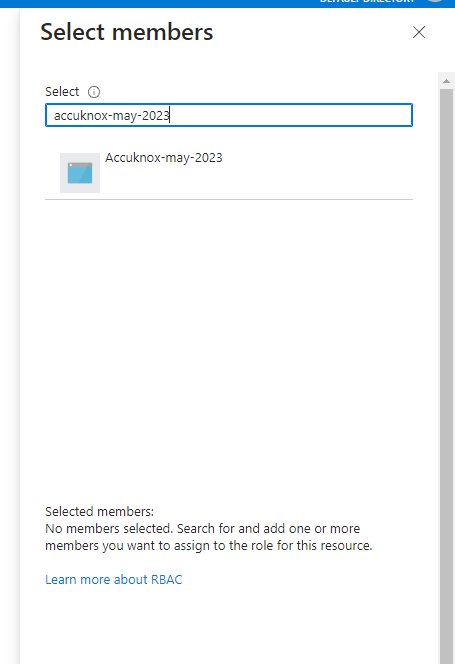
Step 15: Here search for the Application that you registered in the beginning , select the application and click on review and assign.
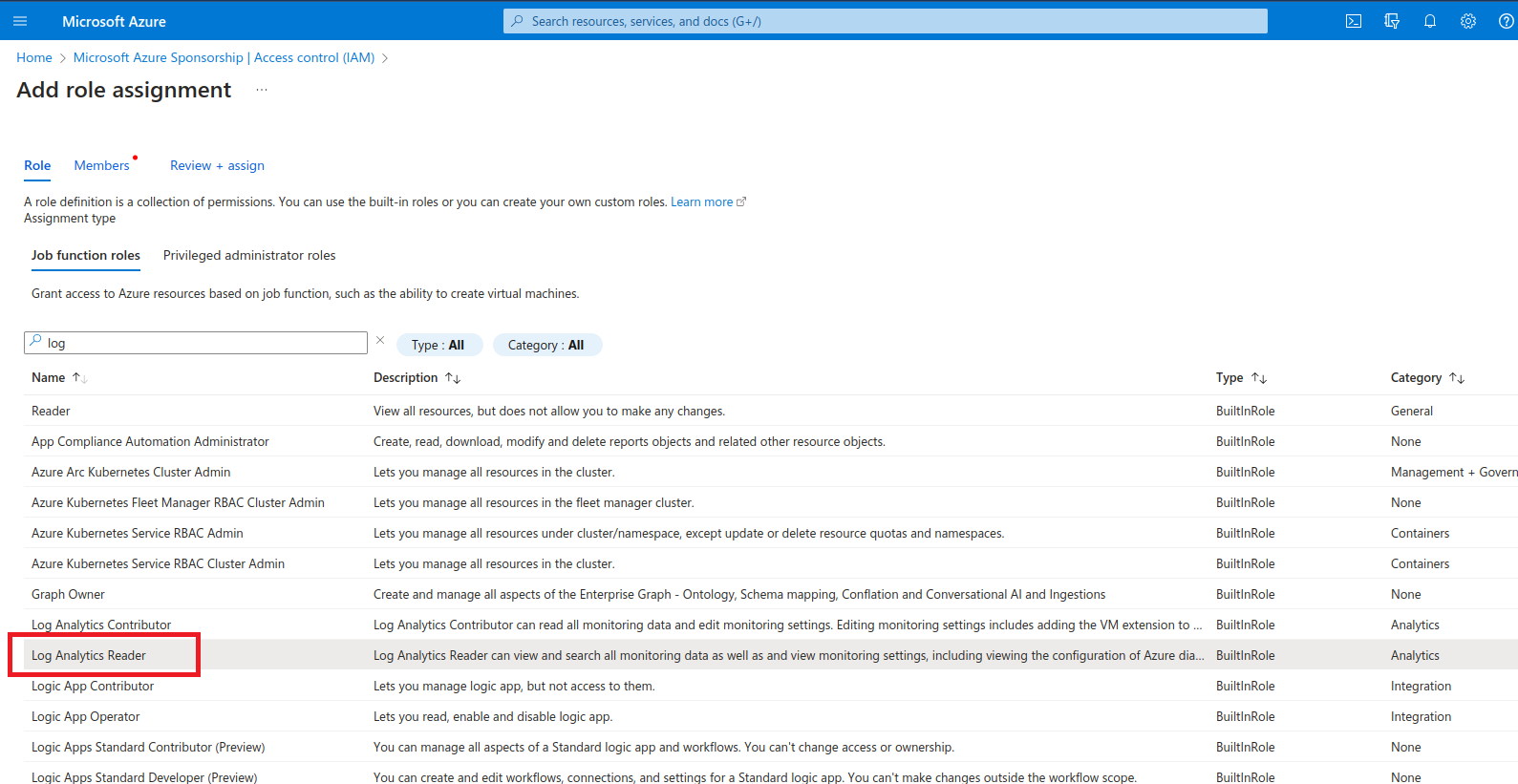
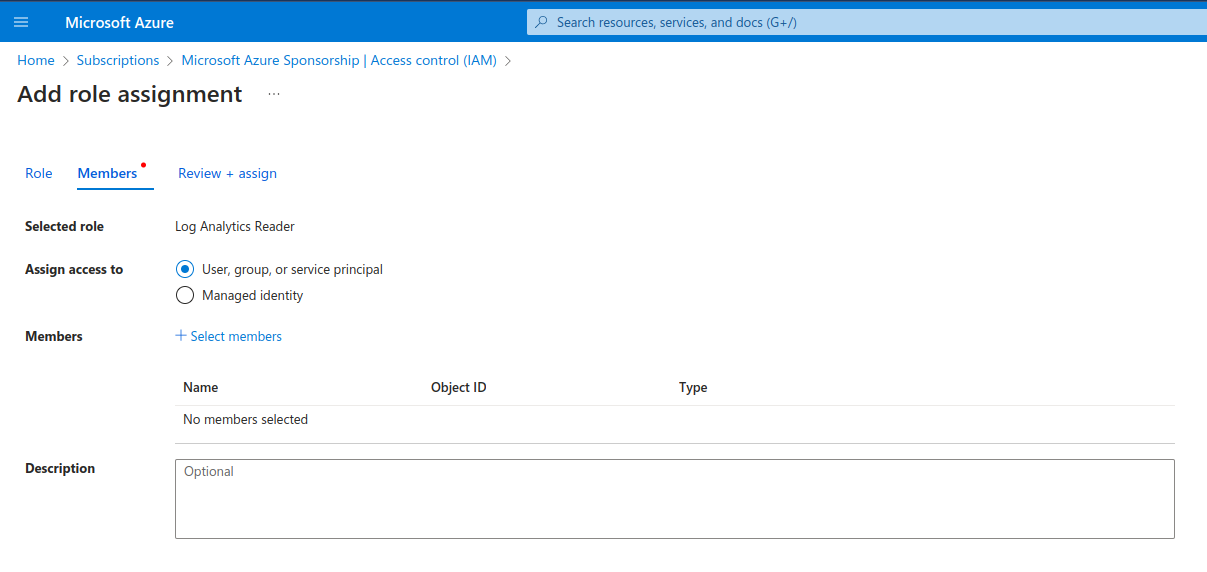
Step 16: Similarly, we have to add another role. This time, search for Log Analytics Reader. Select it and click next
Step 17: Now, click on Select members, select the application that was created similar to the previous role. Finally, click on Review and Assign.
AI/ML Security Prerequisites for Azure Cloud Accounts
Permissions for AI Asset Scanning (Azure):
-
Assign the following built-in roles at the subscription or resource group level:
- Reader
- Cognitive Services OpenAI User
- Cognitive Services User
- Storage Blob Data Reader
-
Create a custom role with the following actions:
Microsoft.MachineLearningServices/workspaces/onlineEndpoints/score/actionMicrosoft.MachineLearningServices/workspaces/serverlessEndpoints/listKeys/actionMicrosoft.MachineLearningServices/workspaces/datastores/listSecrets/actionMicrosoft.MachineLearningServices/workspaces/listStorageAccountKeys/actionMicrosoft.CognitiveServices/accounts/listKeys/actionMicrosoft.CognitiveServices/accounts/deployments/readMicrosoft.Storage/storageAccounts/listKeys/action