API Security Use Case
1. Prerequisites
Ensure you have completed the integration of your API environment with AccuKnox API Security. Refer to the relevant integration guide for your platform (e.g., AWS API Gateway, Kubernetes API Proxy, Istio, Nginx Ingress).
Integration Guides
API Security Integrations provides detailed instructions for various platforms.
Step-by-step onboarding
For the click-by-click path from a specification upload to the findings page, and for the API Scan collector, see API Security Scan Onboarding.
2. Real-Time API Inventory in AccuKnox Control Plane
As soon as logs reach the control plane:
- API endpoints appear in the Inventory tab.
- Inventory shows method, path, request and response bodies, and sensitive-data classification.
- External and internal calls are labeled accordingly.
Inventory updates continuously as logs arrive.
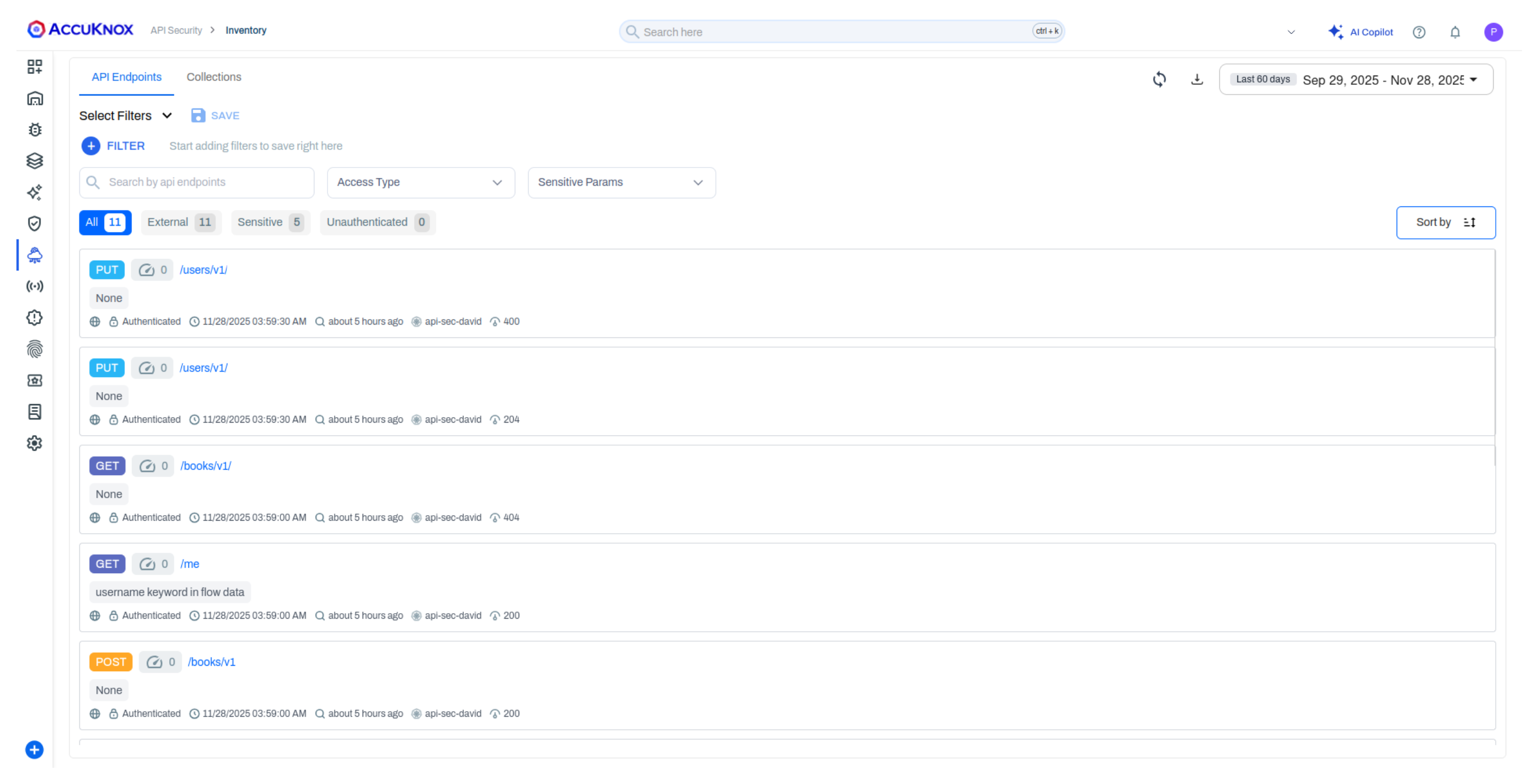
Collections are created for you
A collection is created from the Host endpoint as soon as the API agent receives logs. Your endpoints are grouped without any manual step.
3. Create API Collections
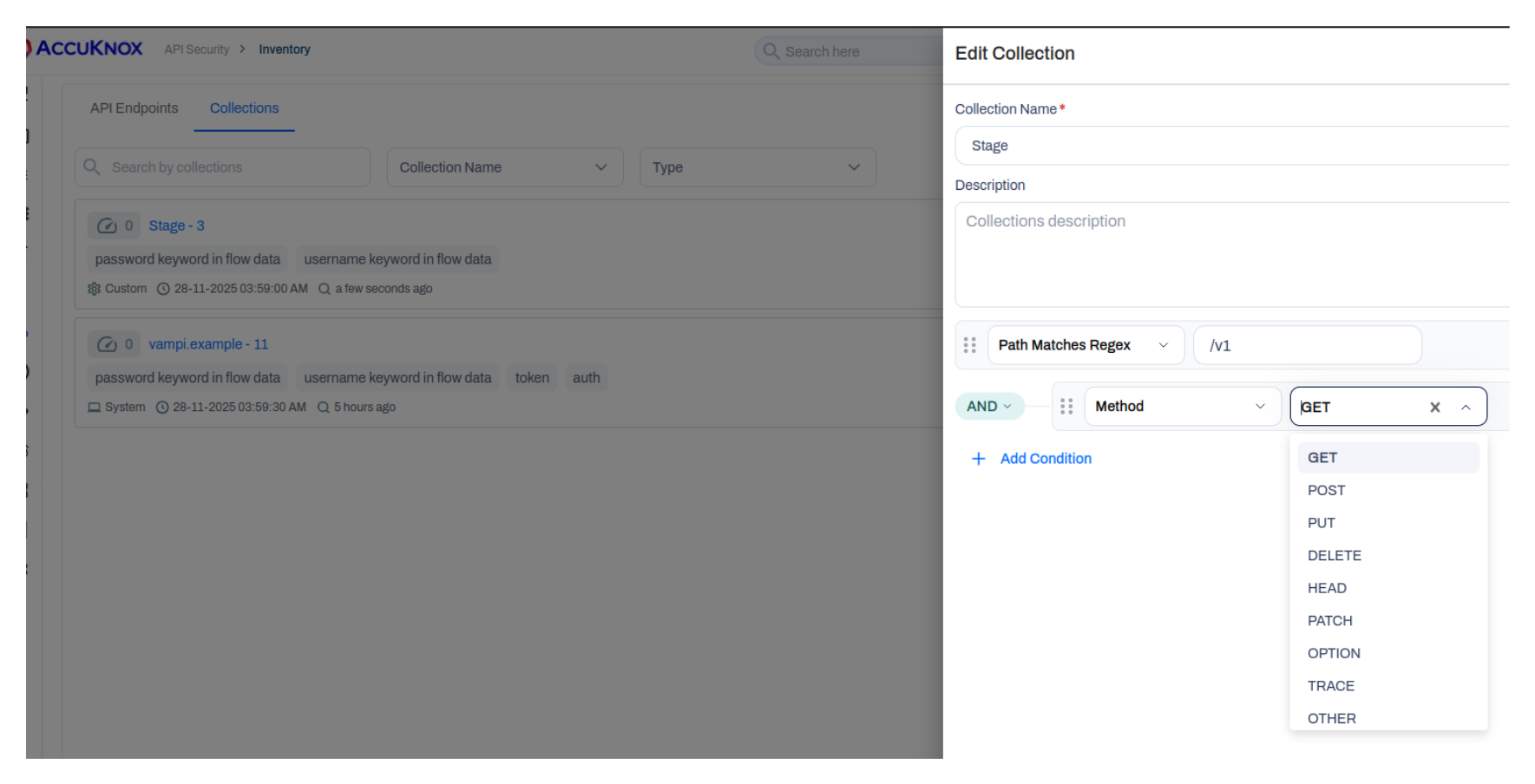
While collections are automatically created based on host endpoints, you can also create custom collections to better organize your API inventory.
- Go to API Security → Collections.
- Click Create Collection.
- Define filters using the following options:
- Host: Filter by specific host/domain
- Name: Filter by endpoint name
- Regex: Use regular expressions for pattern matching
- Method: Select from dropdown options (GET, POST, PUT, DELETE, PATCH, etc.)
- Save your collection.
Collections help organize endpoints before scanning and provide logical groupings for security analysis.
4. Upload API Specifications
Upload an OpenAPI or Swagger file to define the expected API structure. Scans compare discovered endpoints against it. There are two ways to upload one.
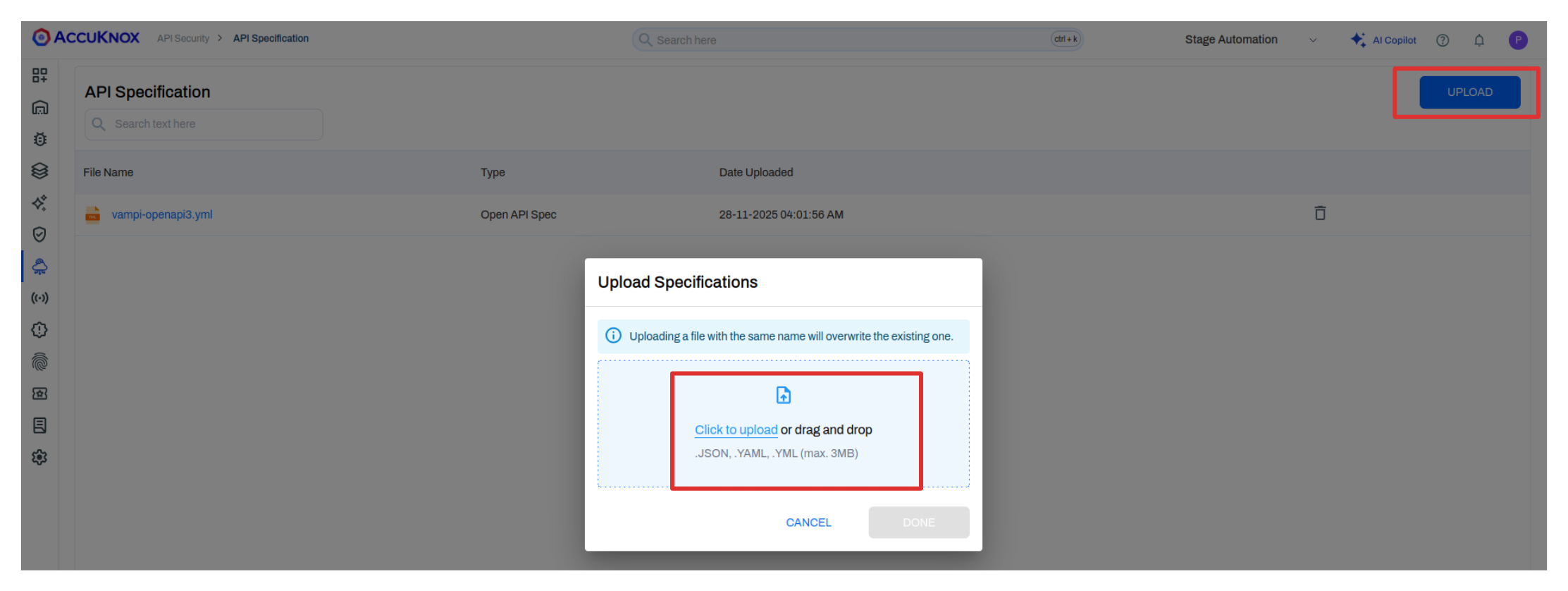
Method 1: Via the API Specification page
- Navigate to API Security → Specification.
- Click on the upload option.
- Select your OpenAPI specification file (YAML or JSON).
- Upload the file.
Method 2: During scan setup
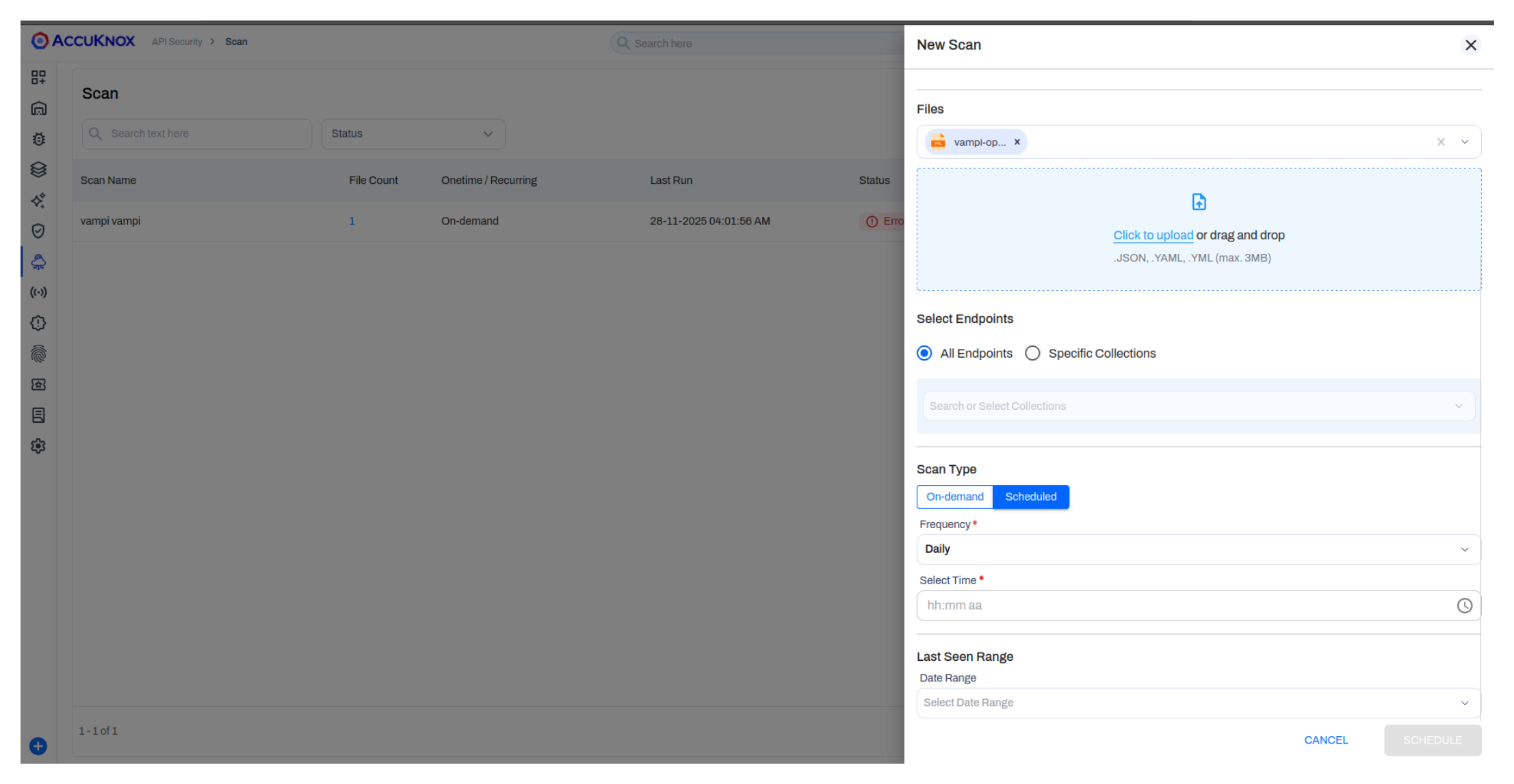
- Navigate to API Security → Scans → New Scan.
- During the scan setup, you'll have the option to upload your specification.
- Select your OpenAPI specification file (YAML or JSON).
- Upload the file.
Use Case
The API specification is essential for scan comparisons. It serves as the baseline to identify Shadow APIs (undocumented endpoints), Orphan APIs (documented but unused), and validate Active APIs against your intended design.
5. Scan API Endpoints
- Go to API Security → Scans → New Scan.
- Select the OpenAPI spec you uploaded.
- Choose the inventory or a collection.
- Run the scan.
6. Review Findings
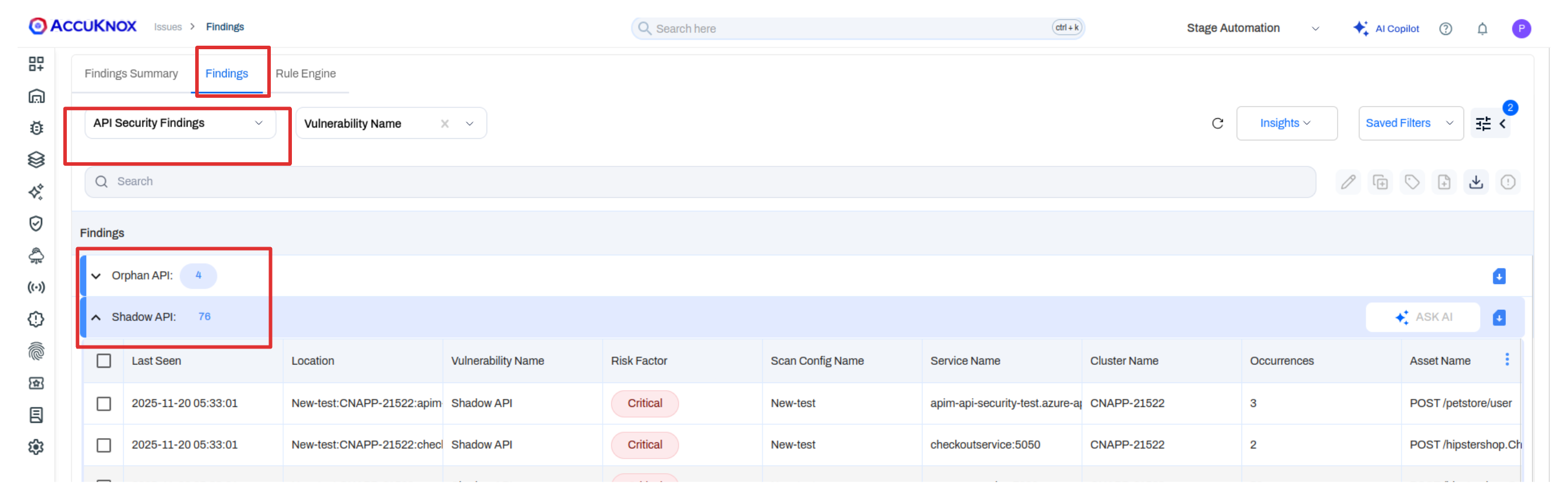
| Finding Type | Description |
|---|---|
| Zombie APIs | Detected endpoints that are no longer active but still exist in the spec. |
| Shadow APIs | Endpoints seen in runtime traffic but not present in the spec. |
| Orphan APIs | Endpoints defined in the spec but never seen in traffic. |
| Active APIs | Endpoints currently receiving traffic. |
Each finding includes request, response, and occurrence details.
Supported Rate Limiting Scopes
AccuKnox enforces limits via the RateLimitPolicy custom resource, offering three levels of granularity:
1. Per User/IP per Endpoint
- Scope: Limits requests to specific endpoints for a single identity (User or IP).
- Use Case: Prevent abuse of resource-intensive endpoints (e.g.,
POST /login,POST /checkout).
2. Per User/IP Global Quota
- Scope: Limits total requests across the entire application for a single identity.
- Use Case: Prevent "noisy neighbor" scenarios where one user degrades service performance.
3. Global Service Limit
- Scope: Limits total ingress traffic for the entire service.
- Use Case: Protect infrastructure from volumetric attacks (DDoS) or sudden traffic spikes.
Configuration Parameters
| Parameter | Description |
|---|---|
| Subject | Target specific Users (via ID/Claim) or IP Addresses. |
| Scope | Apply to specific paths (e.g., /api/v1/orders) or globally. |
| Action | Configure violation handling: Block (temporary/permanent) or Alert (log only). |
Attribution Policy
User identification relies on an Attribution Policy to map requests to identities (e.g., JWT claims, headers).