SCA Scan Using Collectors
AccuKnox Software Composition Analysis (SCA) enables you to scan application dependencies and identify known vulnerabilities (CVEs) in open-source libraries. By integrating with source code repositories like GitHub, GitLab and BitBucket, AccuKnox analyzes dependency files present in the repositories to provide visibility into security risks and outdated components.
Scan build artifacts without a repository
SCA also accepts uploaded artifacts, such as jar, war, exe, dll, zip, and tar.gz files. No repository connection is required. You can upload once and rescan on a schedule. See SCA Artifact Upload Collector.
Configuration Steps
Step 1: Log in to the AccuKnox Platform.
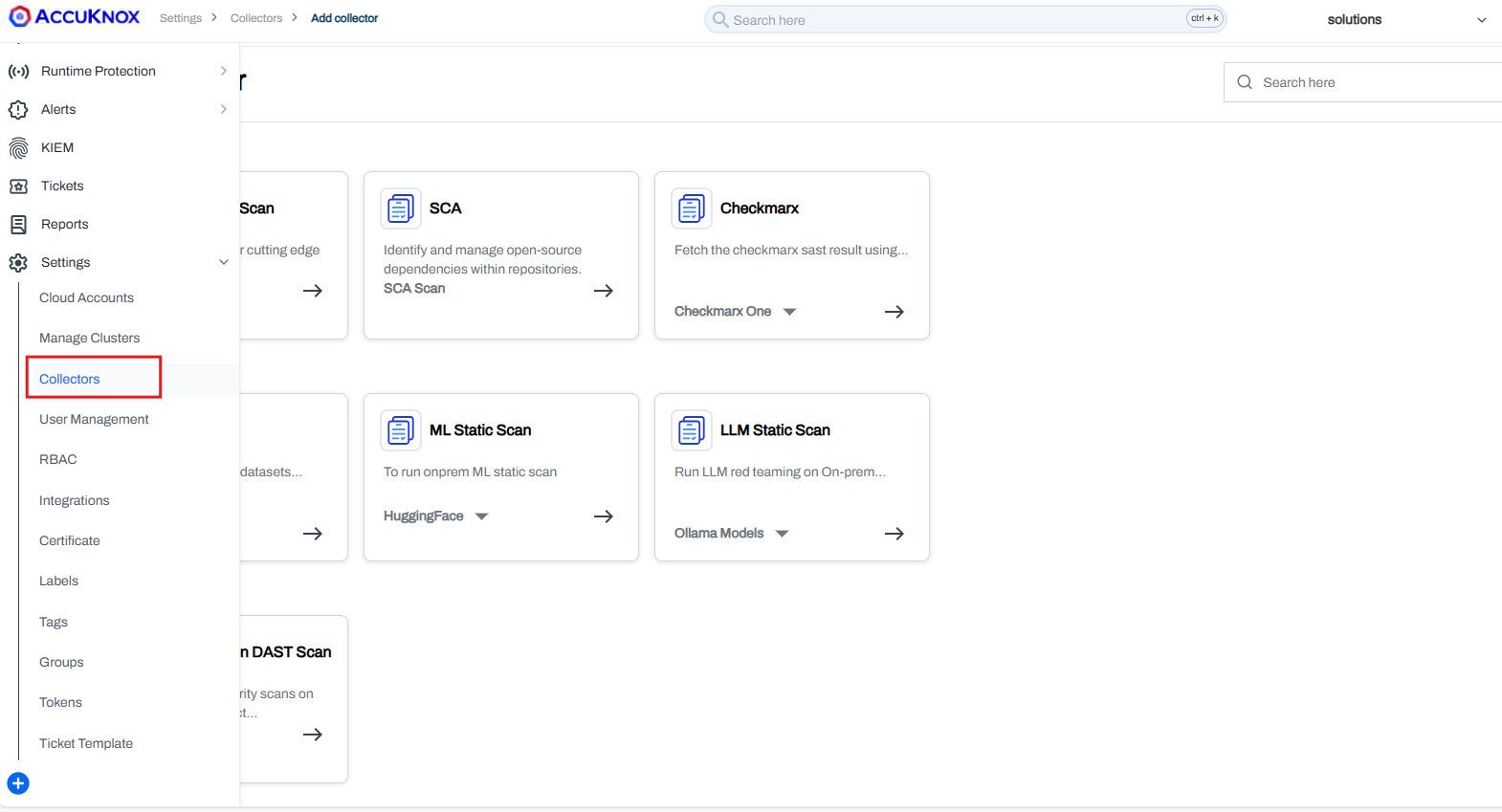
Step 2: Navigate to Settings > Collectors.
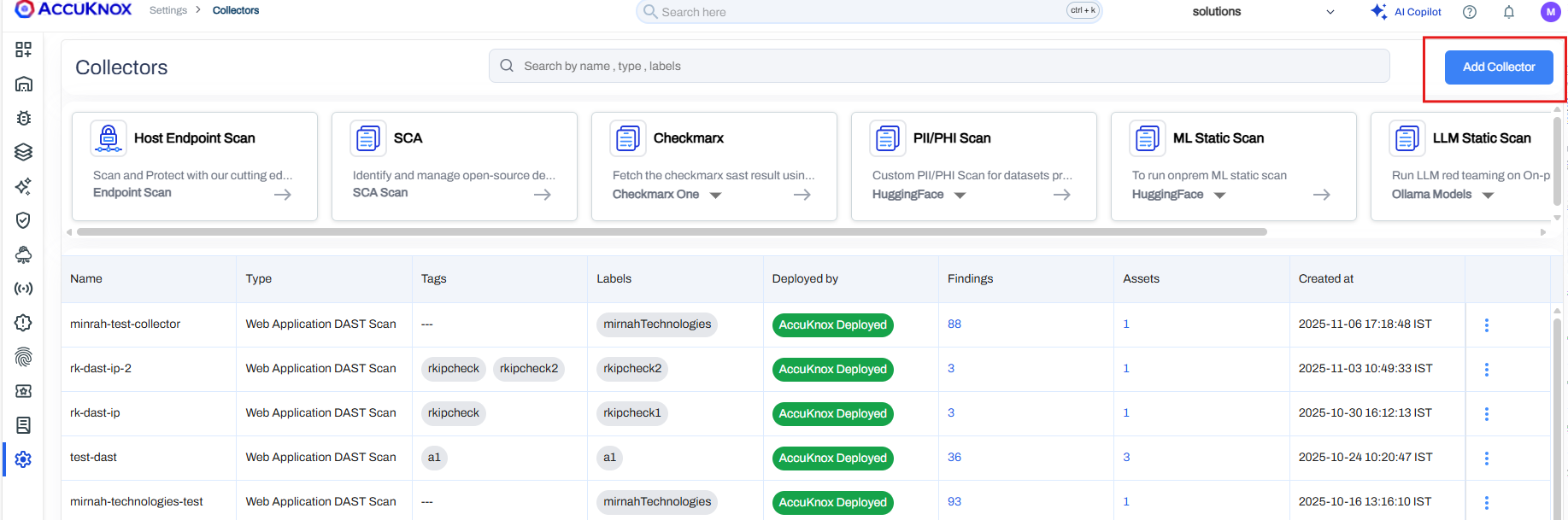
Step 3: Click Add Collector.
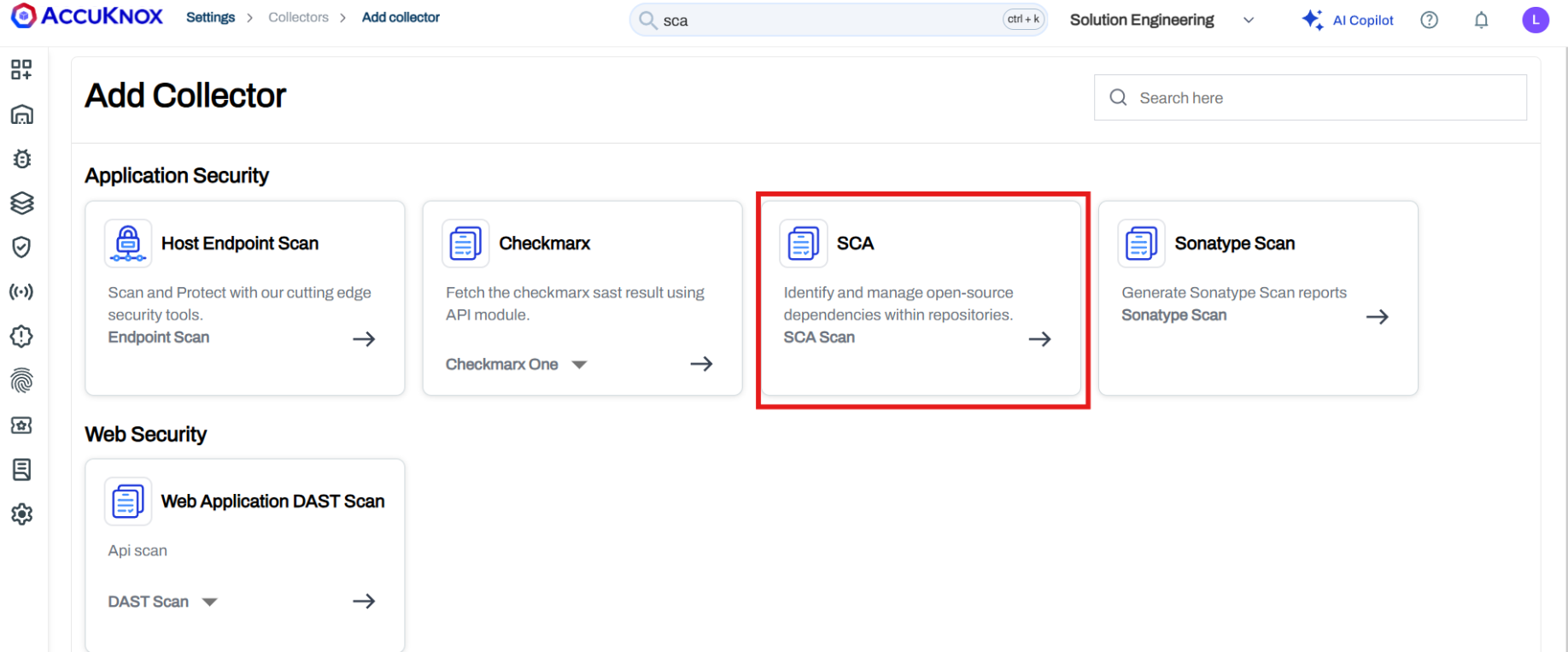
Step 4: Click SCA.
Step 5: Add the collector name and description(optional) and proceed to configure the following fields:
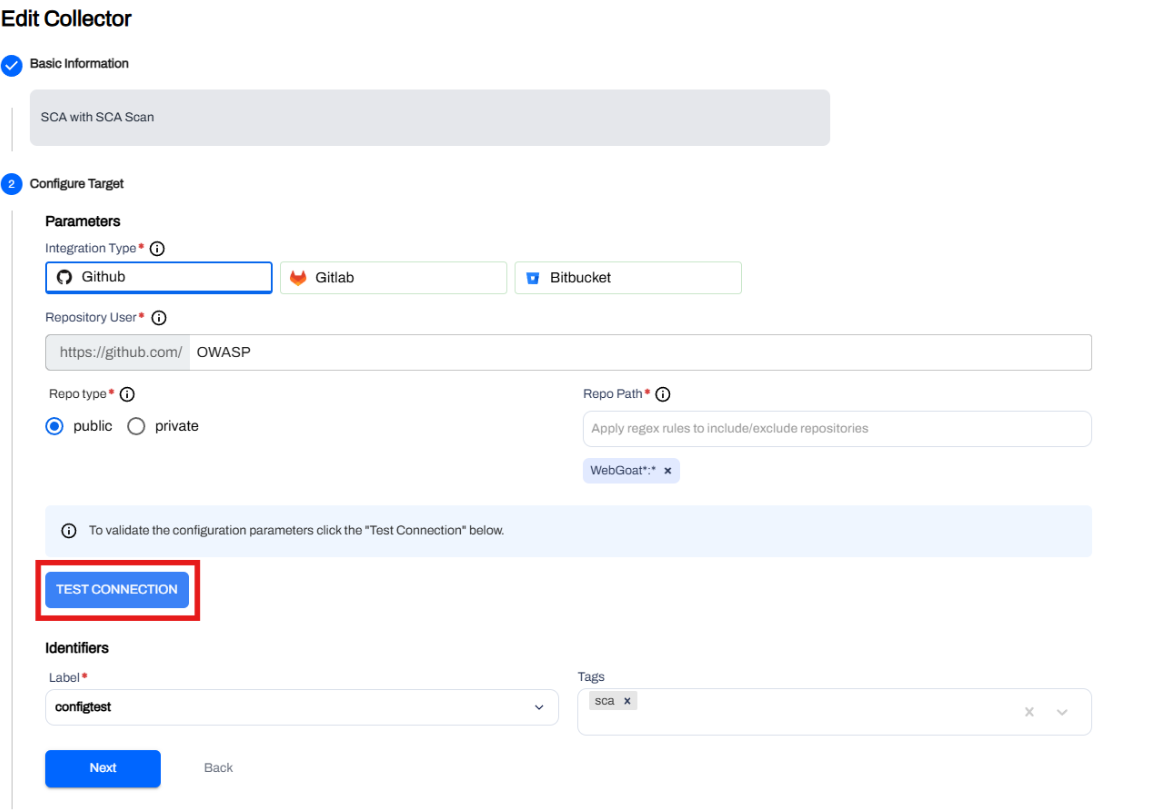
Integration Type
Integration Type — Select GitHub or GitLab or BitBucket.
Repository User
Repository User — Enter the GitHub/GitLab/BitBucket username or repository owner.
Example: OWASP
Repo Type
Repo Type — Select Public or Private based on repository access.
Repo Path (Regex)
Repo Path — Define the repository and branch scope using regex and click enter.
Examples:
- ^WebGoat$: * → Scan only WebGoat repo
- WebGoat*: * → Scan all matching repos and branches
Connection Validation
Step 6: Click Test Connection to verify access to the repository.
Label & Tags
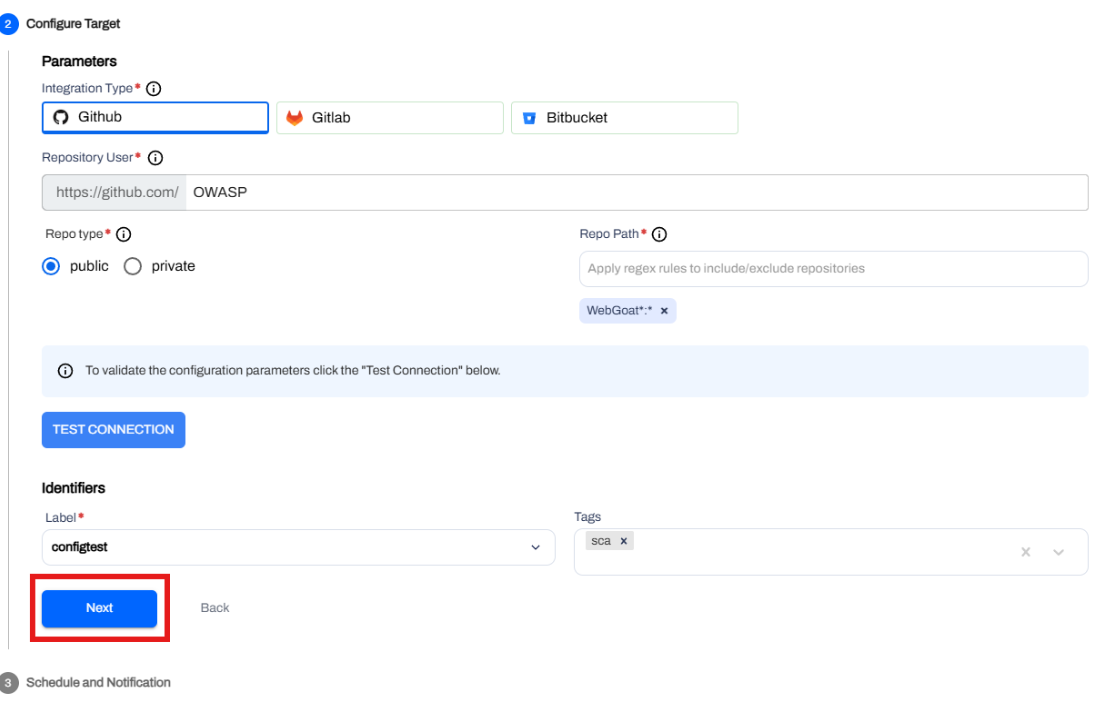
Label — Assign a label for organizing the scan.
Refer: Create Labels
Tags (Optional) — Add any relevant tags.
Here is an example of how it looks after you have added everything:
Scheduling & Notifications
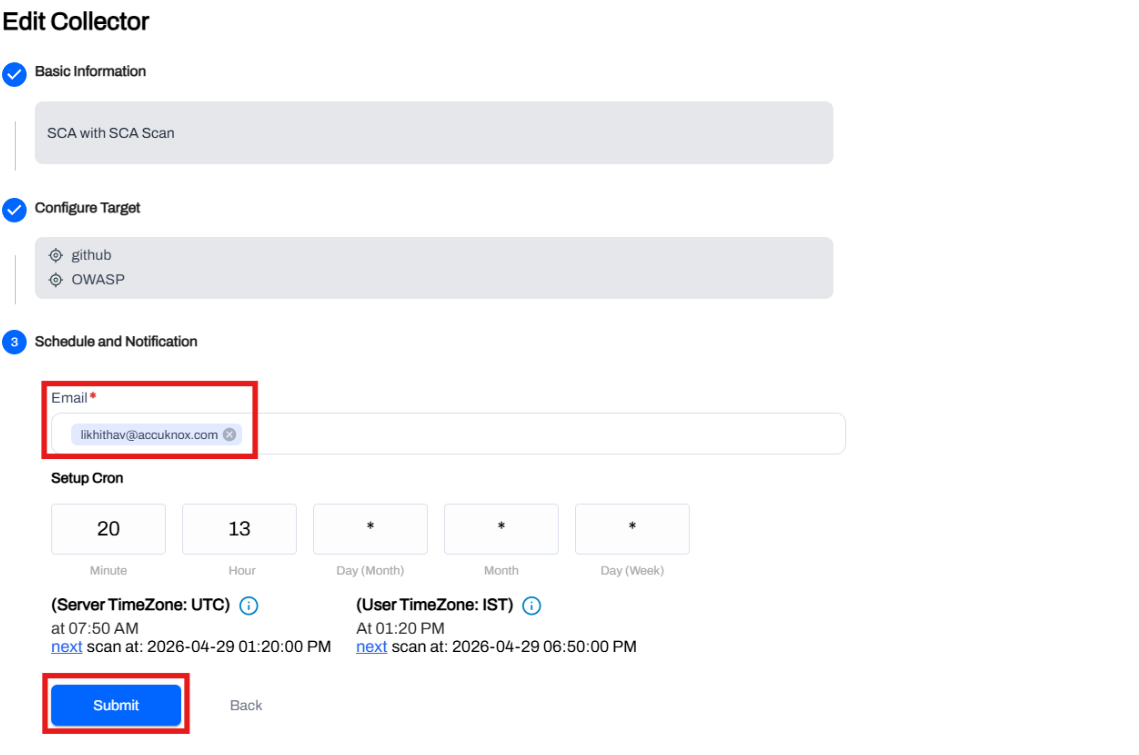
Step 7: Configure scan scheduling using cron expressions.
Step 8: Enter email address to receive scan notifications and press Enter.
Scan Execution
Step 9: Submit the collector. The scan will run based on the configured schedule.
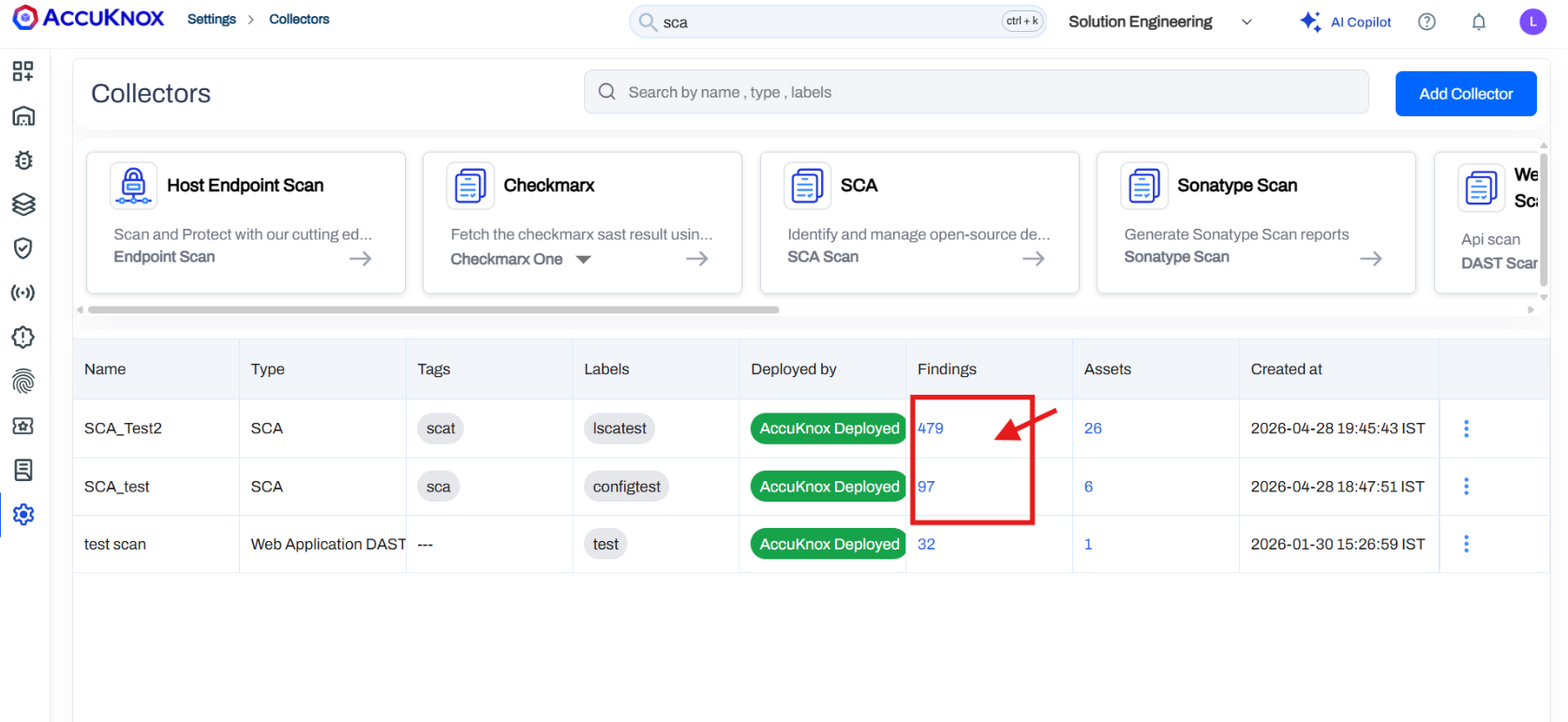
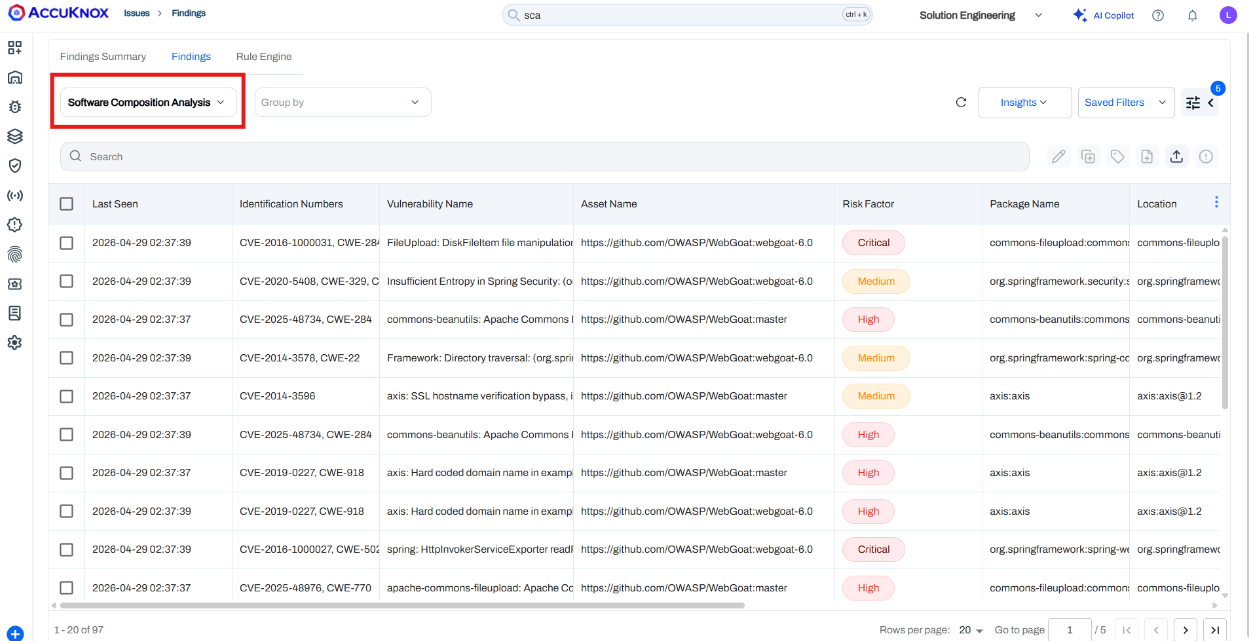
Step 10: Once the Findings column is populated, click on it to be redirected to the SCA findings page with all necessary details.