Pre-requisite for GCP Cloud Account Onboarding
CSPM Pre-requisite for GCP
When the AccuKnox control plane is hosted in a cloud environment, scanning is performed using Cloud account Readonly Access permissions.

Note: Make sure the Below API Library is enabled in your GCP Account for onboarding into AccuKnox SaaS:
| API Library Name | Google Cloud Link to Enable |
|---|---|
| Compute Engine API | Enable Compute Engine API |
| IAM API | Enable Identity and Access Management (IAM) API |
| Cloud Resource Manager API | Enable Cloud Resource Manager API |
| Cloud Functions API | Enable Cloud Functions API |
| Cloud KMS API | Enable Cloud Key Management Service (KMS) API |
| Kubernetes Engine API | Enable Kubernetes Engine API |
| Cloud SQL Admin API | Enable Cloud SQL Admin API |
For GCP there is a requirement for IAM Service Account Access.
Step 1: Log into your Google Cloud console and navigate to IAM & Admin choose “Roles“ and Click “Create Role“
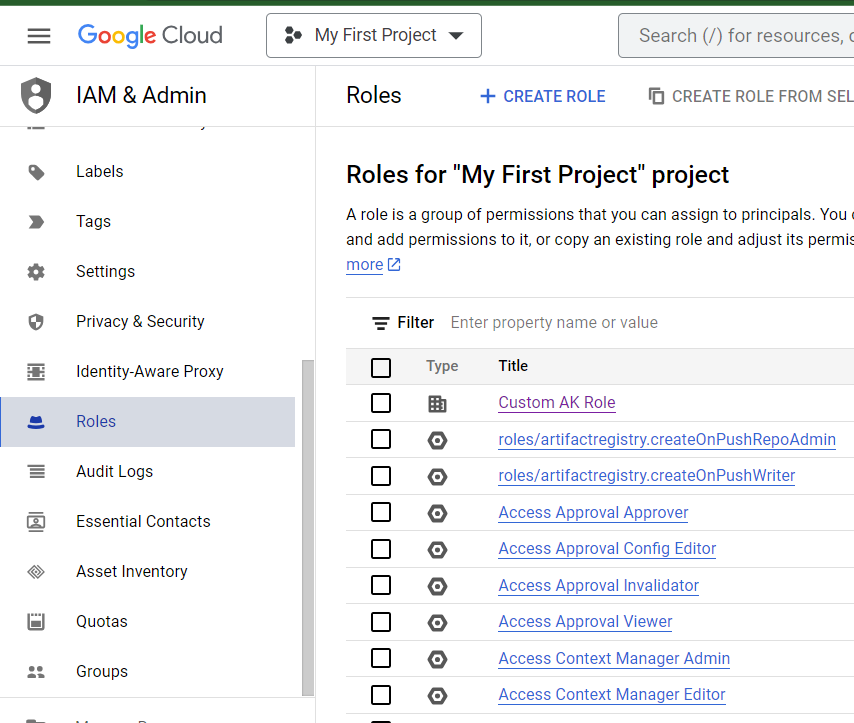
Step 2: Name the “Role” and Click “Add Permission”
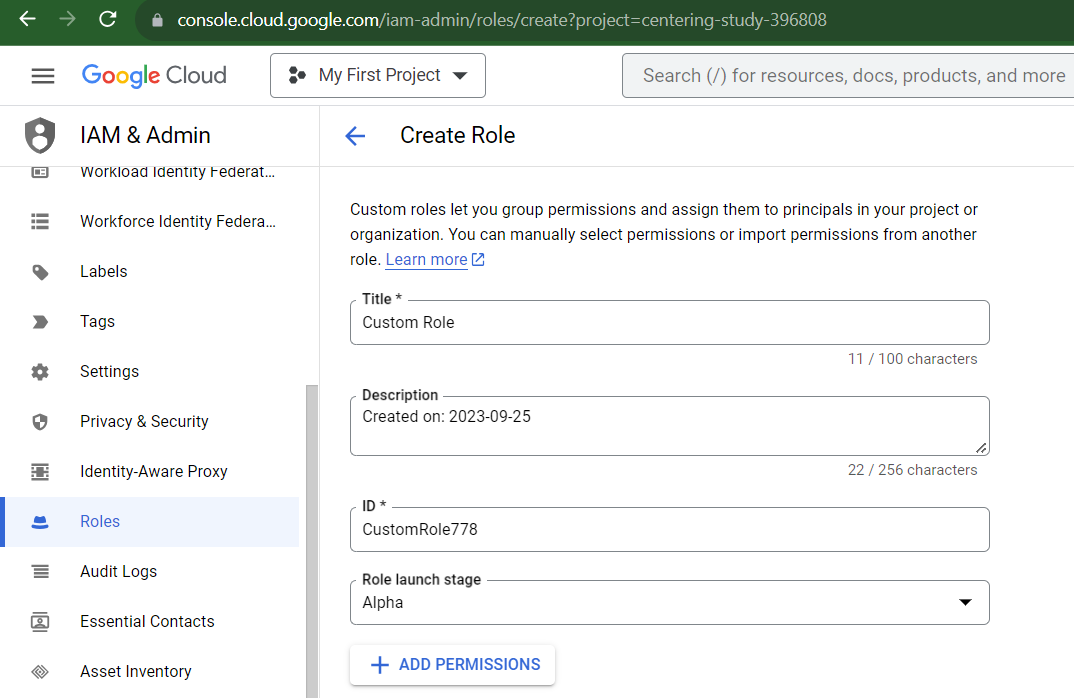
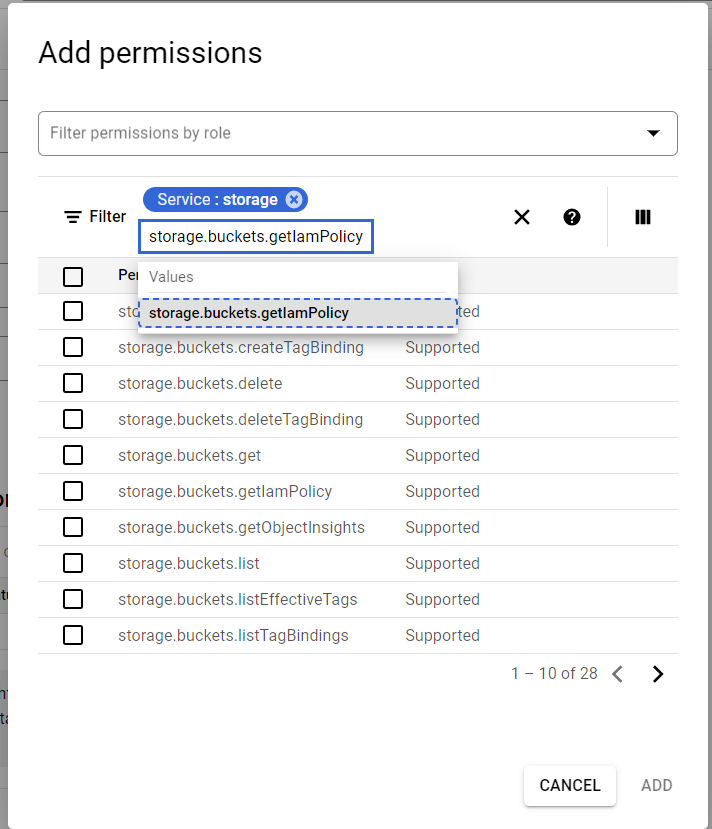
Step 3: Use the Service: storage filter then value as “storage.buckets.getIamPolicy“
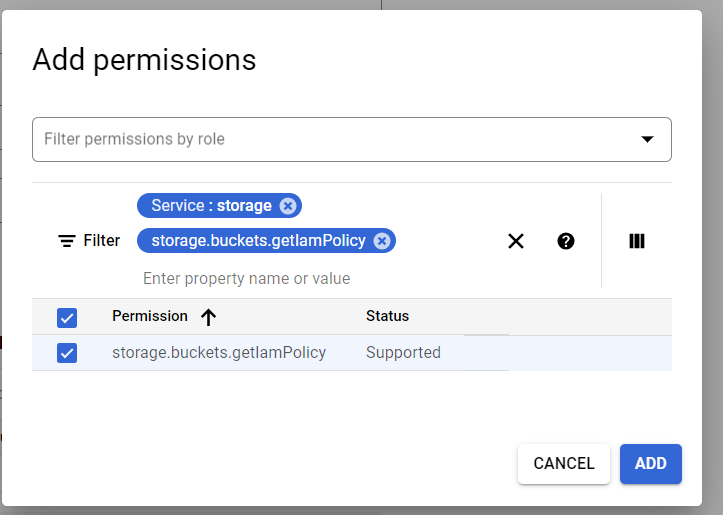
Step 4: Choose the permission and Click “Add“ then Click Create in the same page.
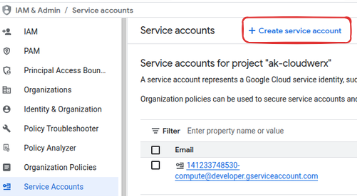
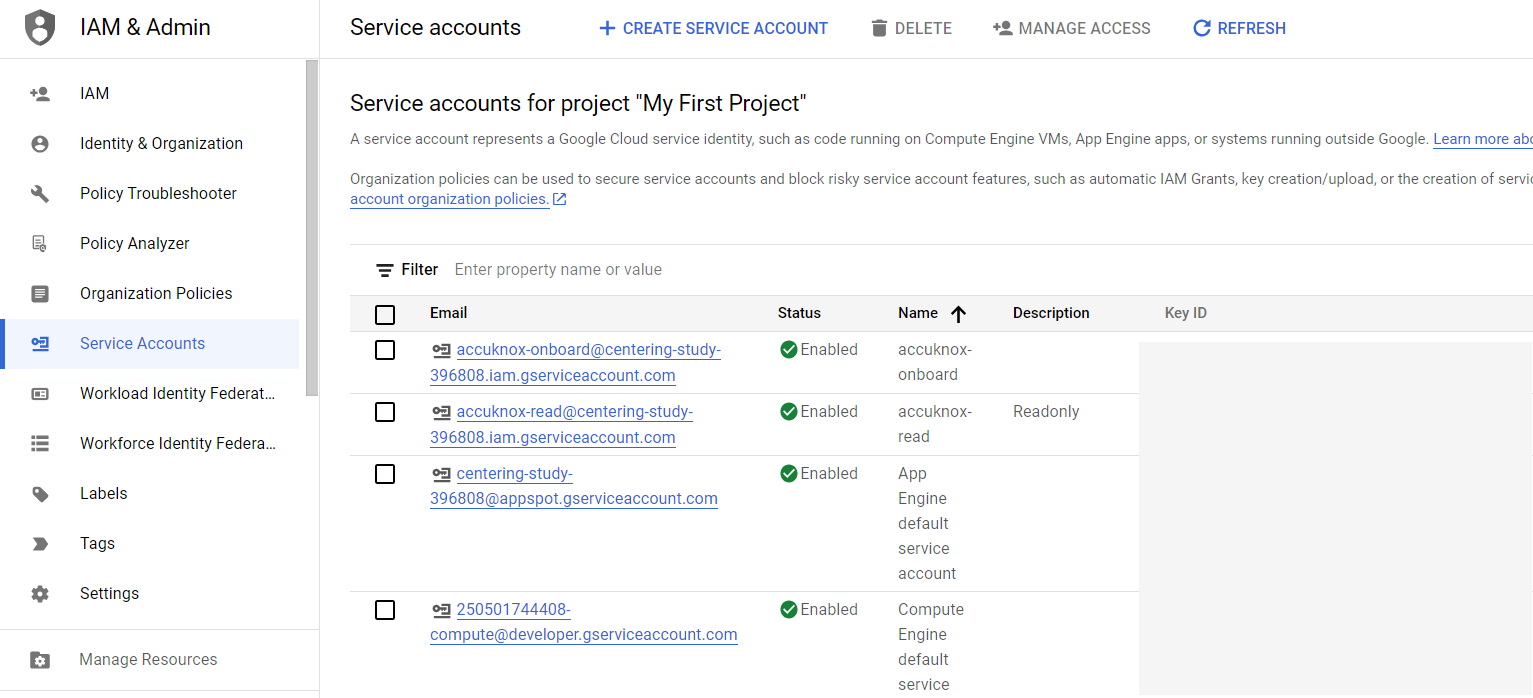
Step 5: In the Navigation Panel, navigate to IAM Admin > Service Accounts.
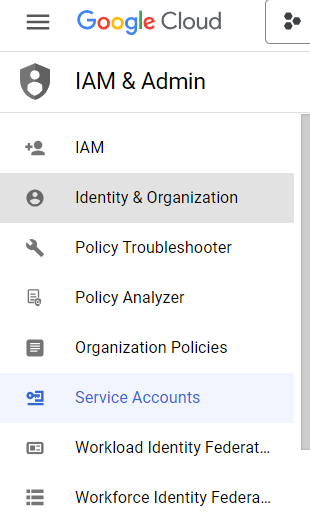
Step 6: Click on "Create Service Account"
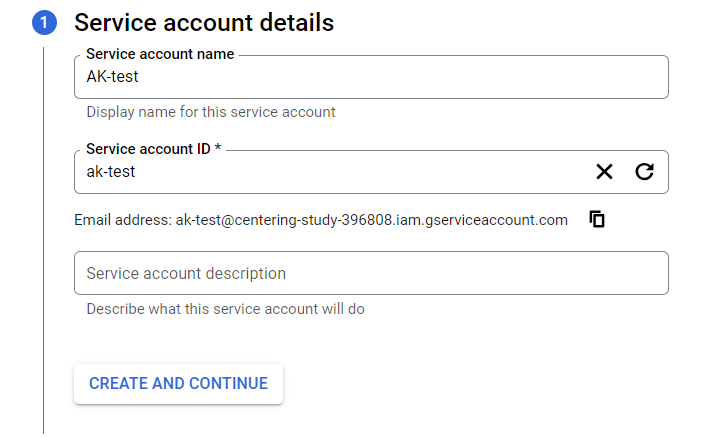
Step 7: Enter any name that you want on Service Account Name.
Step 8: Click on Continue.
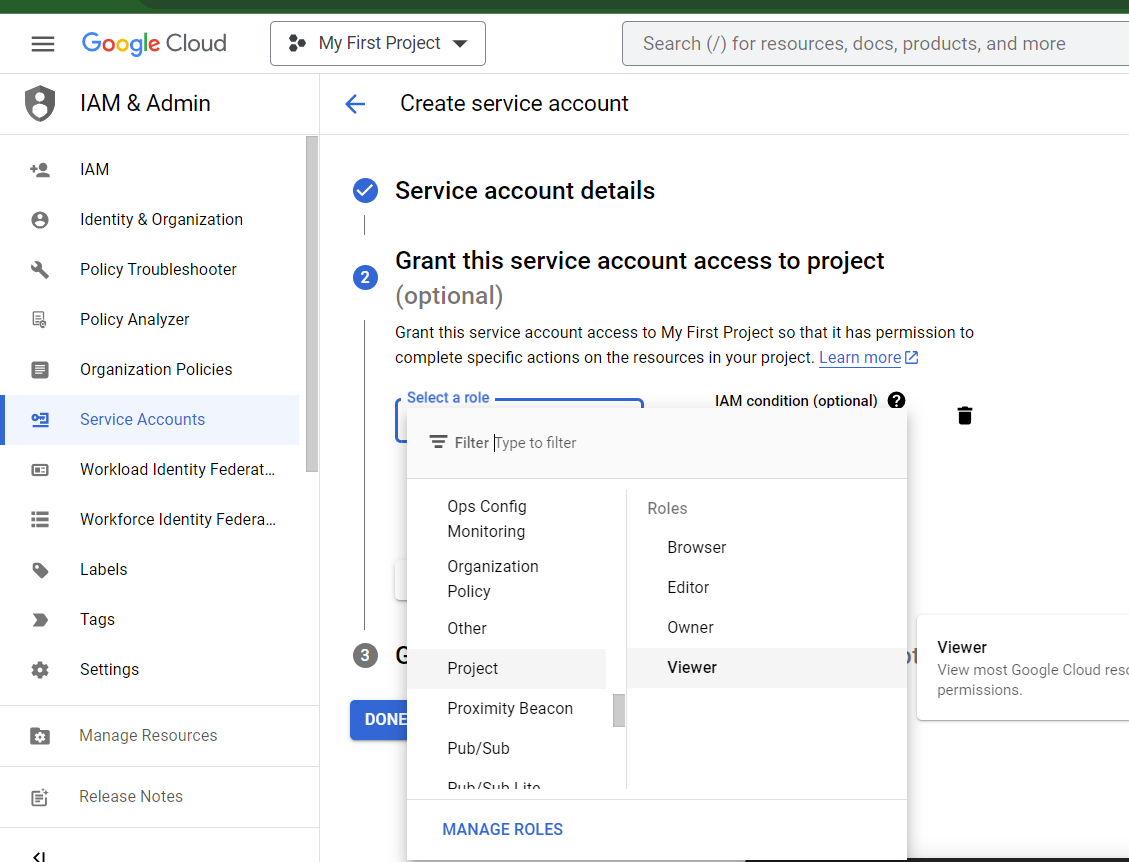
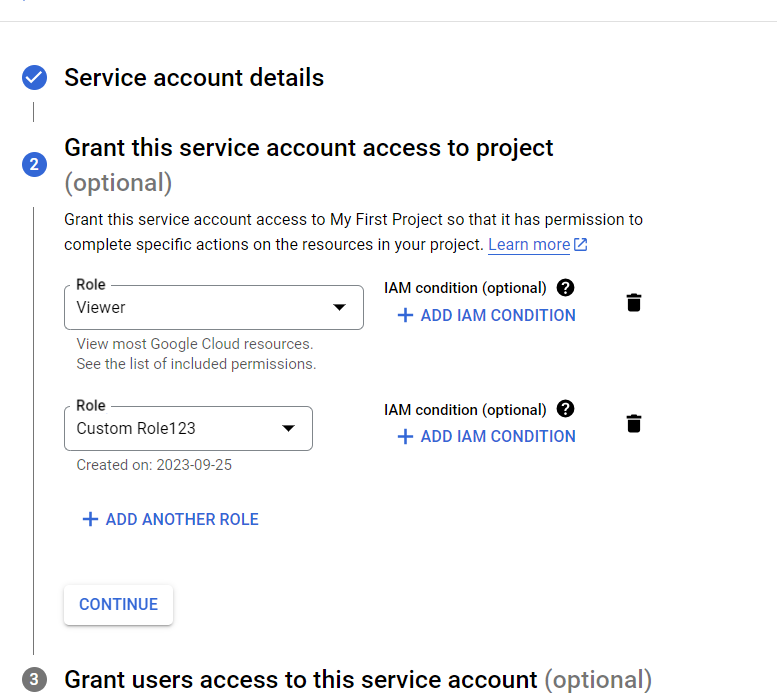
Step 9: Select the role: Project > Viewer and click Add another Role.
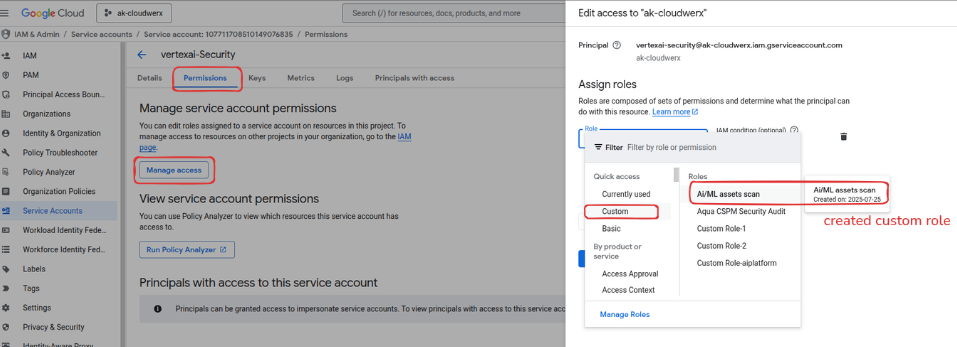
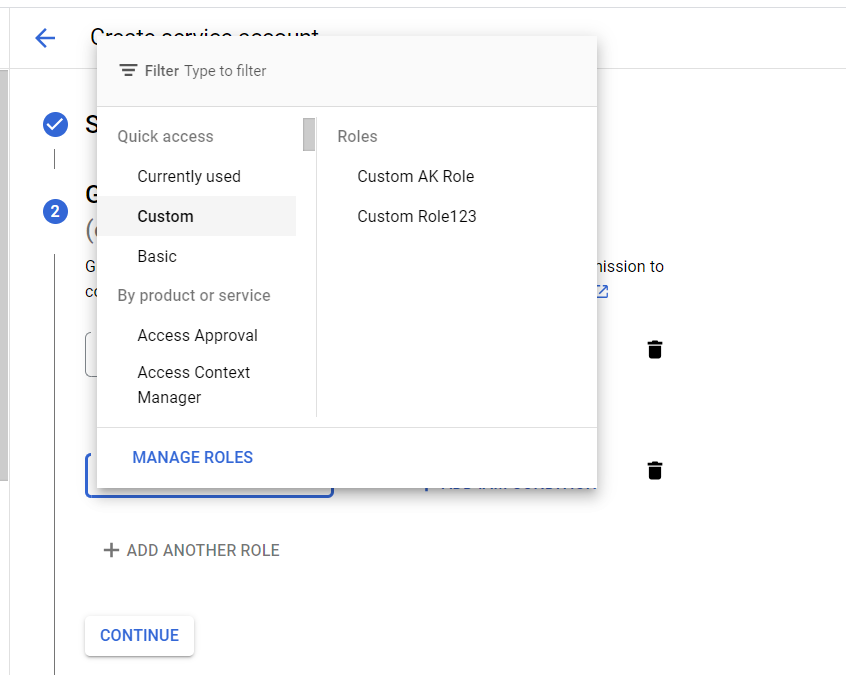
Step 10: Click “Add Another Role” Choose “Custom“ Select the created Custom Role.
Step 11: Click on “Continue“ and ”Done”
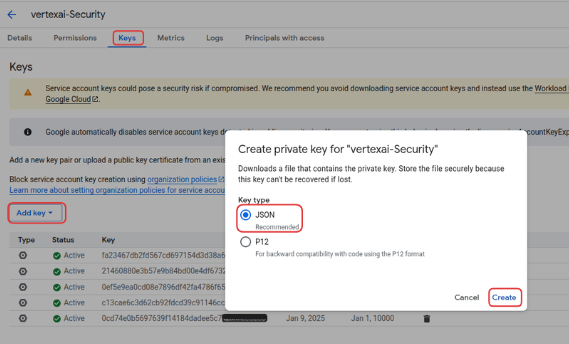
Step 12: Go to the created Service Account, click on that Service Account navigate to the “Keys“ section.
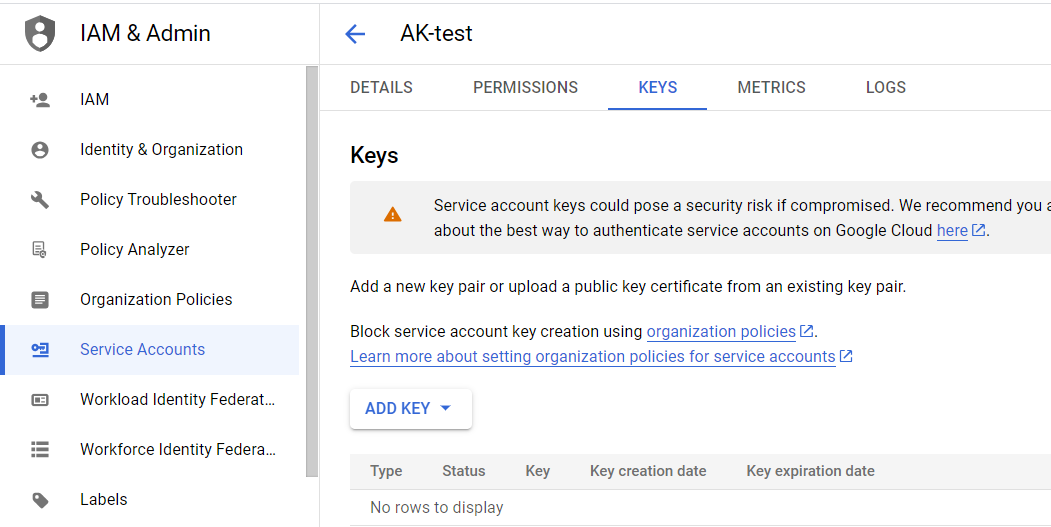
Step 13: Click the “Add key“ button and “Create new key “ . Chosen Key type should be JSON format.
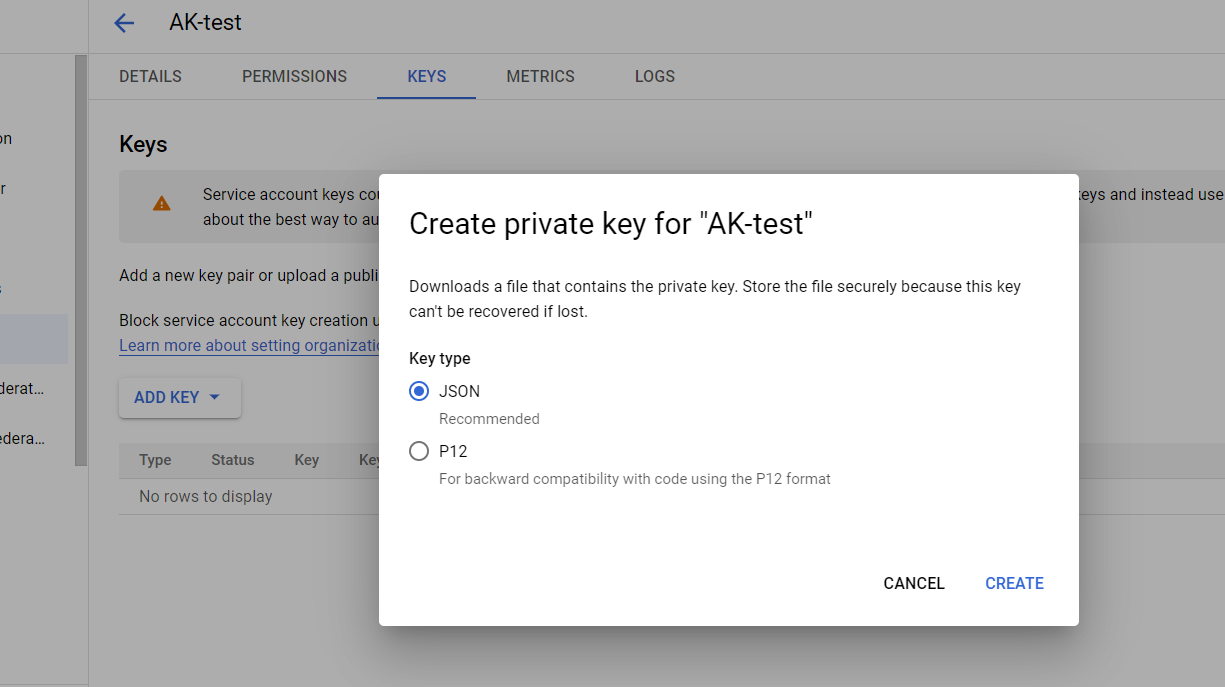
Step 14: Click the “Create“ button it will automatically download the JSON key.
AI/ML Security Prerequisites for GCP Cloud Accounts
Permissions for Agent Platform (GCP) Access Control:
Ref - Vertex AI Docs
-
Basic roles (apply broadly to cloud resources)
- Viewer (for general cloud assets)
- Security Reviewer
-
Predefined roles specific to Agent Platform, Agent Registry, and Storage
- Agent Platform Viewer
- Agent Registry Viewer
- Storage Bucket Viewer
- Storage Object Viewer
-
Custom role
- A role containing only the
aiplatform.endpoints.predictpermission- Grants ability to call (invoke) Agent Platform endpoints
- Does not grant permissions to manage or deploy endpoints
- A role containing only the
Note
You need to get a JSON private key with the service account to onboard the GCP account into AccuKnox SaaS. This can be done by following the CSPM pre-requisite steps mentioned above.
Screenshots for enabling AI related permissions are shown below: