AWS API Gateway Integration
This guide provides the steps required to connect AWS API Gateway to AccuKnox Control Plane for API Security.
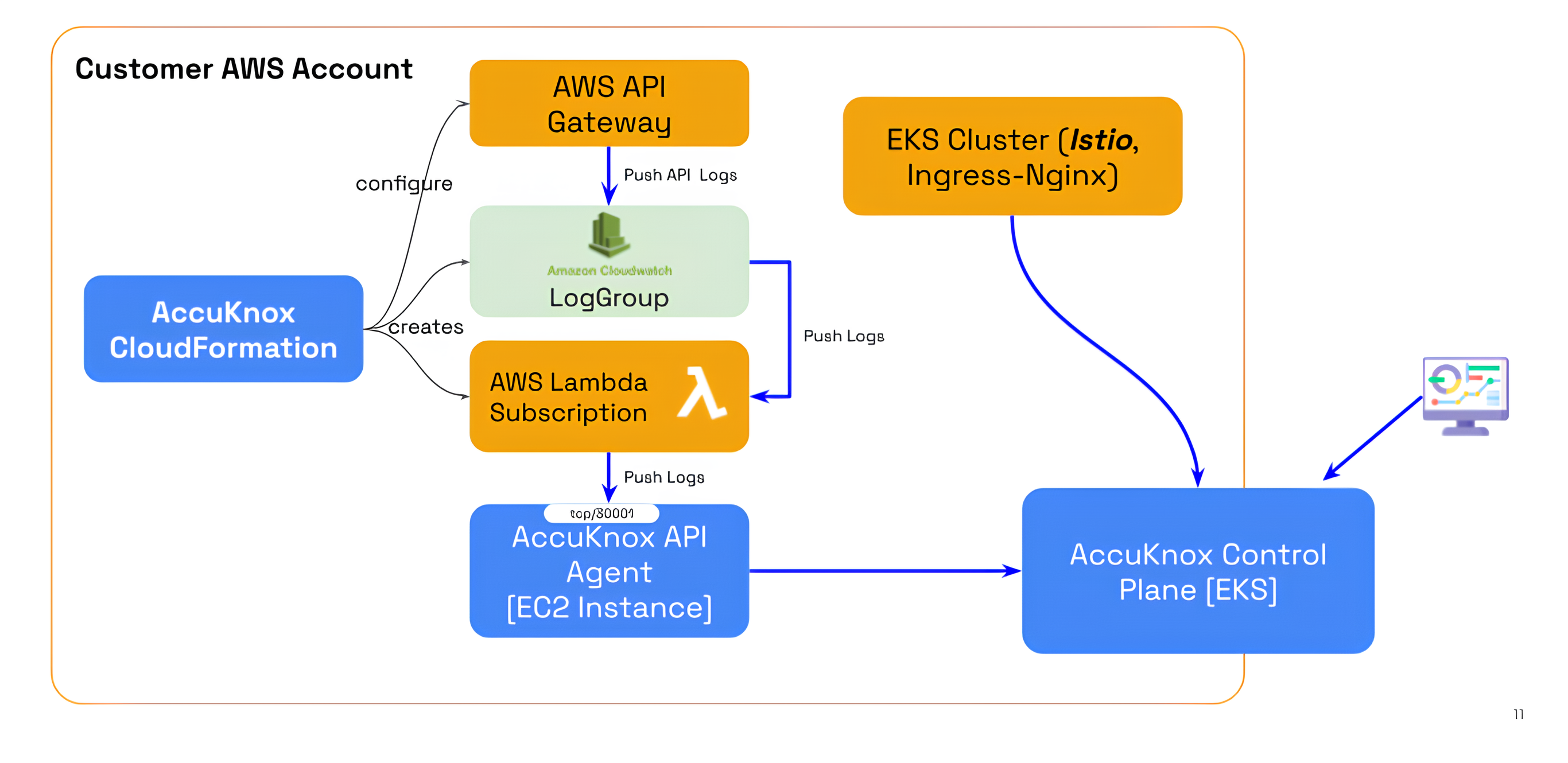 - Deploy the AccuKnox CloudFormation templates in your AWS account.
- Enable logging for your API Gateway stages.
- Configure permissions for the Lambda function to forward logs.
- Deploy the AccuKnox CloudFormation templates in your AWS account.
- Enable logging for your API Gateway stages.
- Configure permissions for the Lambda function to forward logs.
1. Deploy the AccuKnox CloudFormation Template
The deployment process requires running two specific CloudFormation stacks in sequence.
Stack 1: Base Stack
⬇️ DOWNLOAD CLOUDFORMATION BASE TEMPLATE
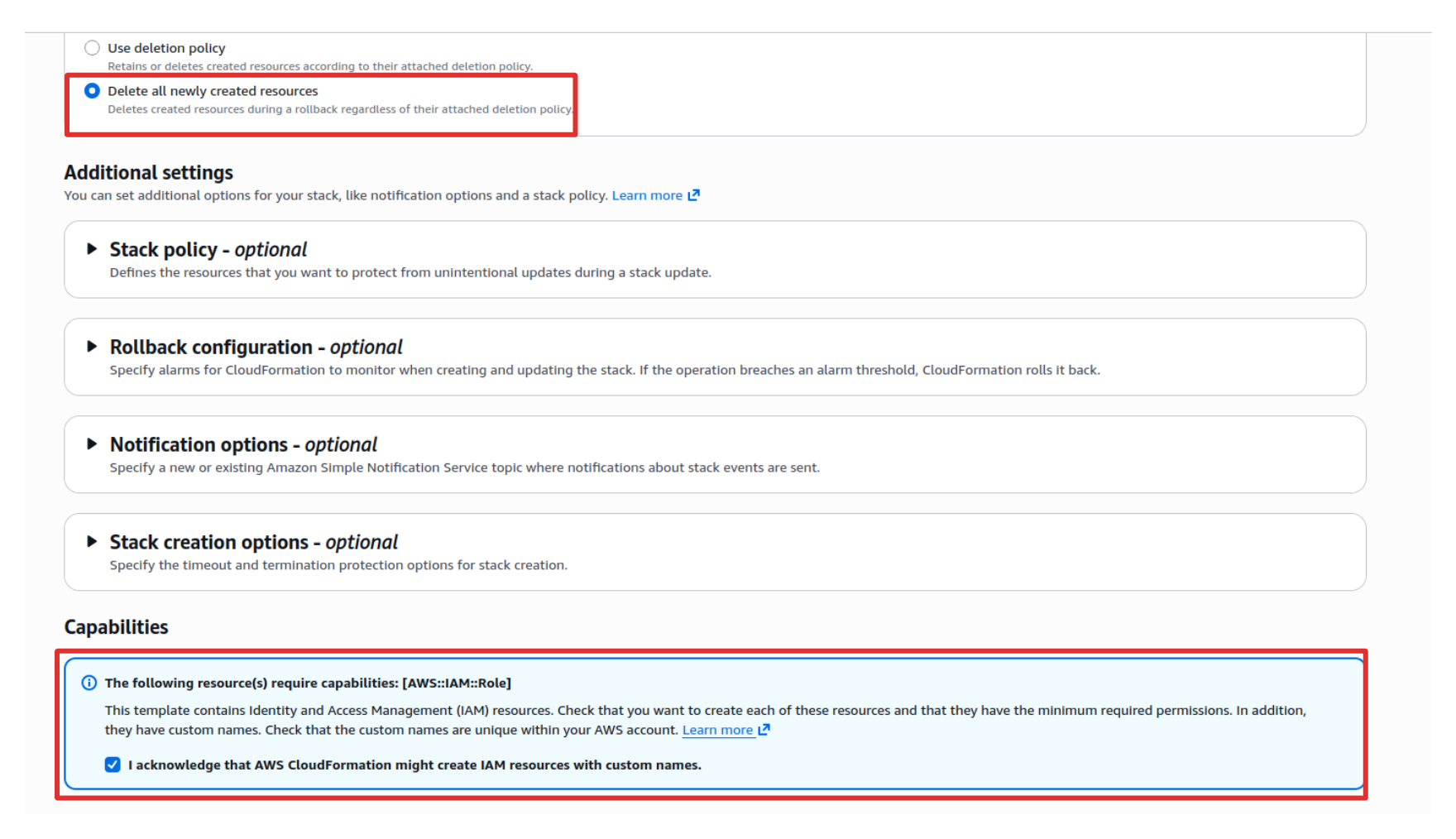
The base stack creates the necessary IAM role and permissions required for the integration.
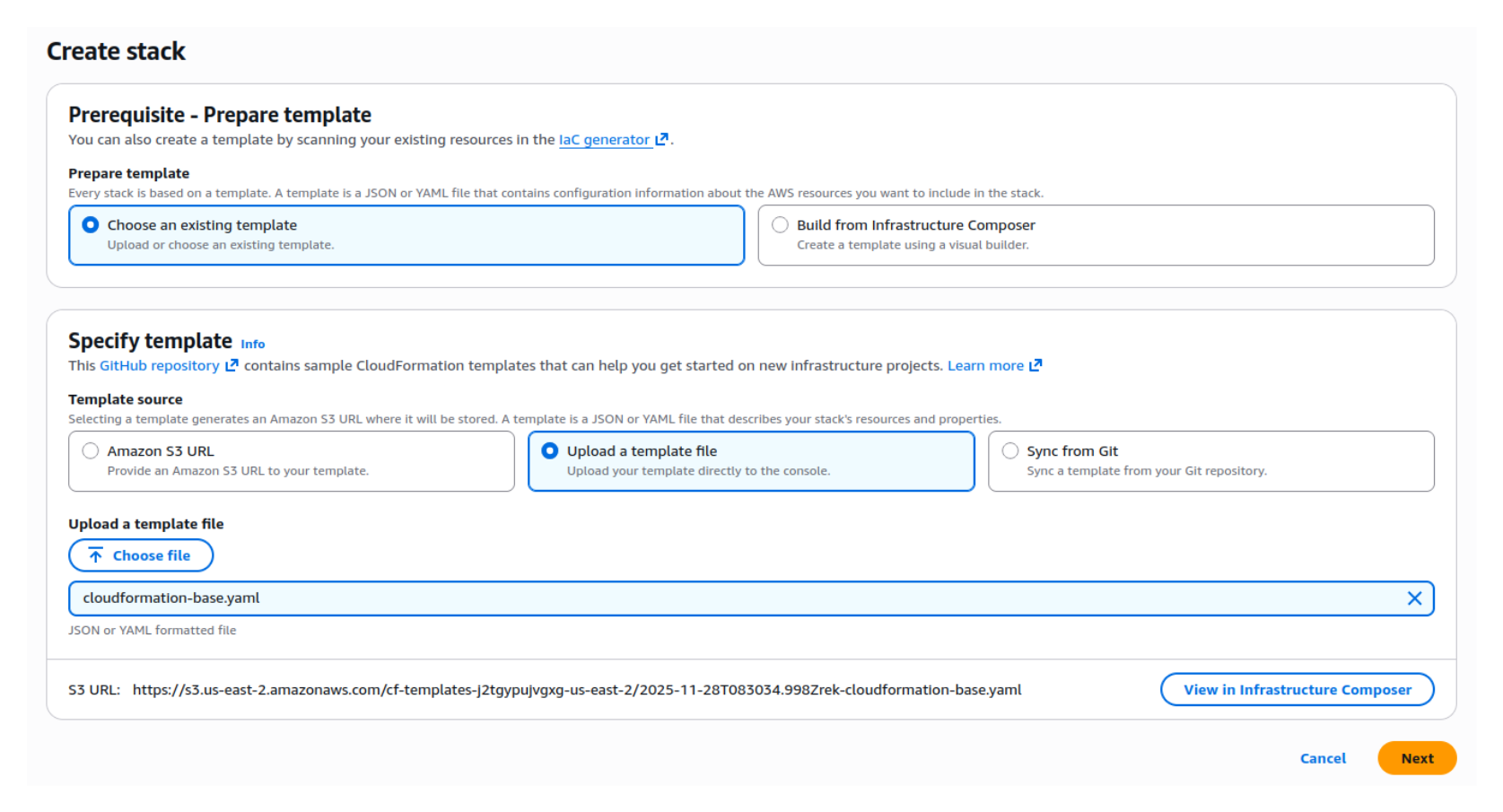
- Download the base stack template above.
- In your AWS account, open CloudFormation → Create Stack and upload the template.
- Select "Delete all newly created resources" to ensure clean reversion if needed.
- Launch the stack.
Stack 2: Standard CloudFormation Stack
⬇️ DOWNLOAD CLOUDFORMATION TEMPLATE
This stack must be run once for each deployment stage (e.g., Dev, Staging, Prod).
- Download the standard CloudFormation template above.
- In your AWS account, open CloudFormation → Create Stack and upload the template.
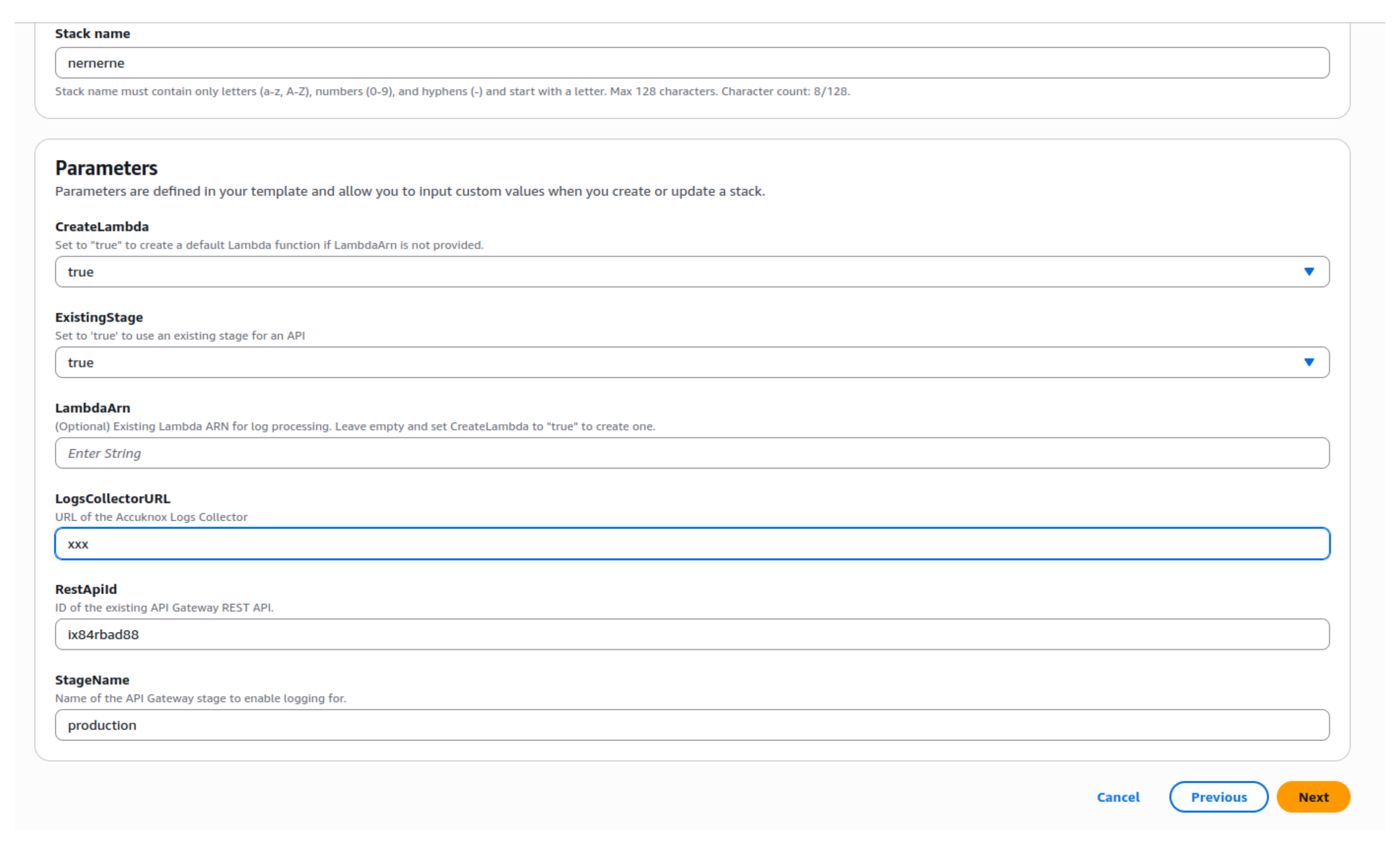
- Configure the following parameters:
| Option | Typical Value / Notes |
|---|---|
| Create Lambda | True (first run), False (subsequent runs) |
| ExistingStage | True (99% of cases when API is deployed and working) |
| Log Collection URL | (Provide your log collector endpoint) |
| REST API ID | (Copy from AWS API Gateway) |
| Stage Name | dev, stage, prod, etc. |
Launch the stack so it creates:
- A CloudWatch Log Group for API Gateway logs.
- A Lambda subscription function to forward logs to the AccuKnox API Agent.
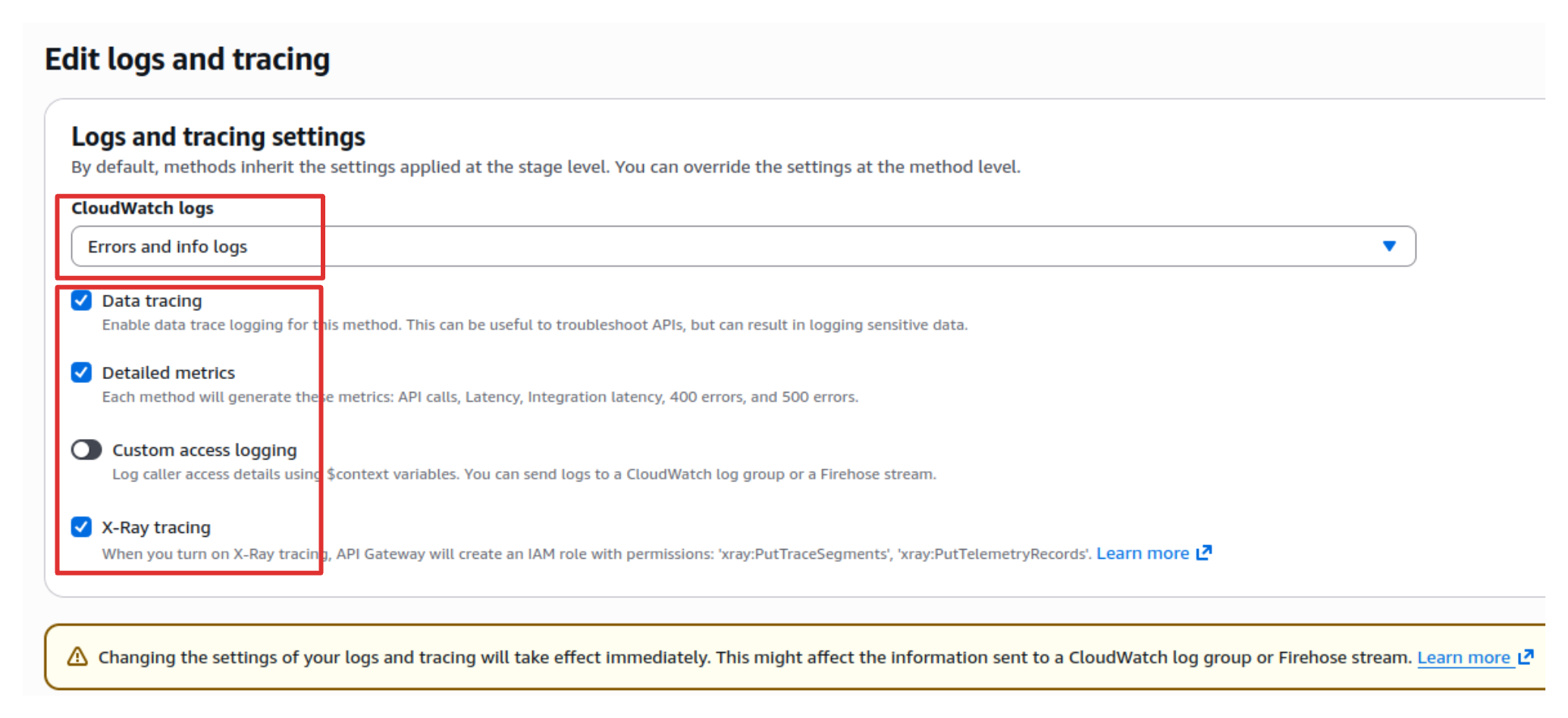
- Navigate to API Gateway → Stages → [Select Stage].
- Click on Logs/Tracing.
- Click Edit.
- Enable the following settings as shown in the image below.
- Click Save changes.
Once enabled, API Gateway begins writing API request and response logs to CloudWatch.
 with AccuKnox API Security.** Logs will be forwarded to the AccuKnox Control Plane for analysis and endpoints will start appearing in the API Inventory.
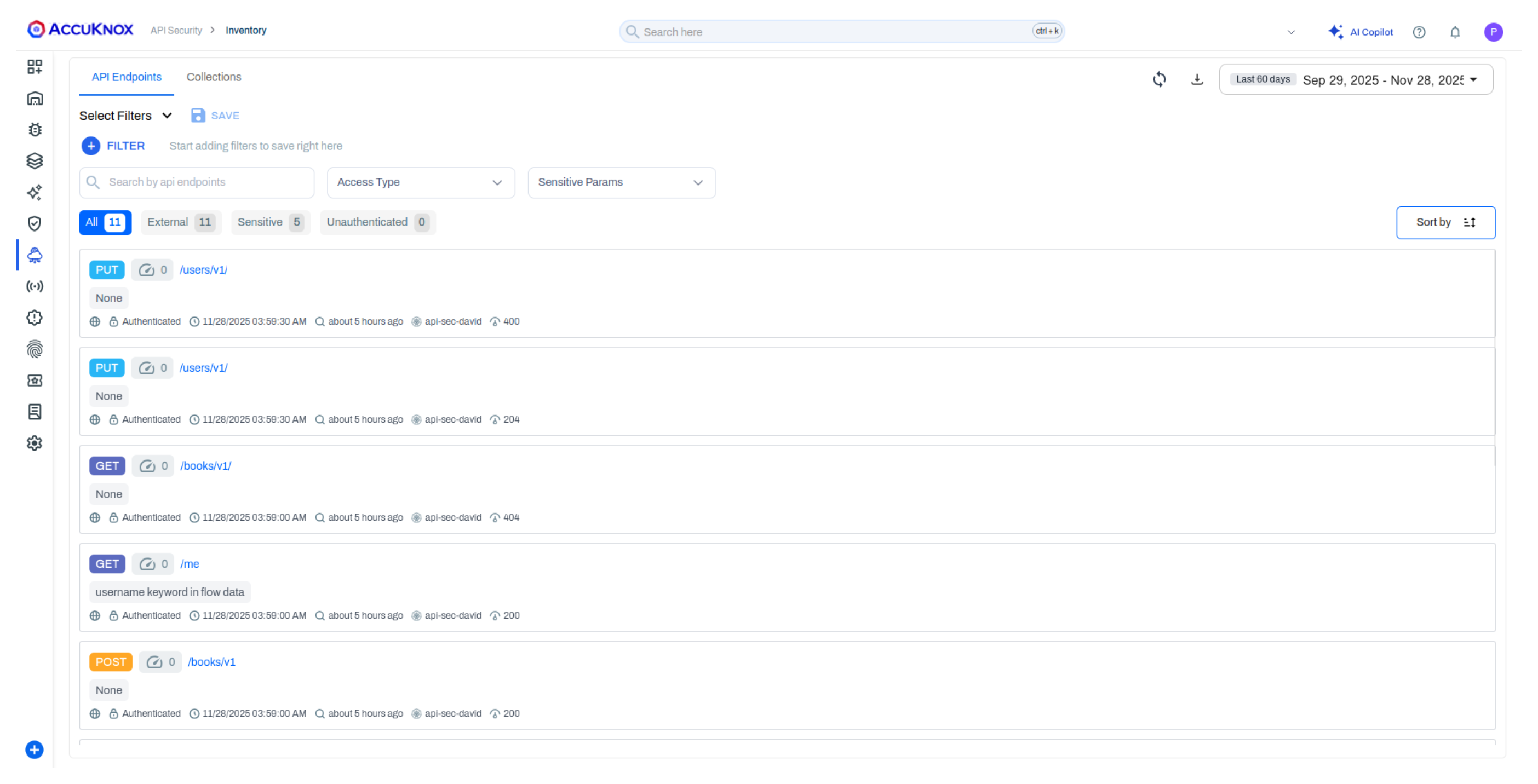 Proceed to the API Security Use Case to learn how to view your API inventory, create collections, upload OpenAPI specifications, and scan for security findings.