CyberArk Conjur Hardening
CyberArk Conjur manages the secrets required by applications and other non-human identities to gain access to critical infrastructure, data and other resources. Conjur secures this access by managing secrets with granular Role-Based Access Control (RBAC) and other security best practices and techniques.
Installing CyberArk Conjur
We can install CyberArk Conjur in the Kubernetes cluster by running the following shell script:
#!/bin/bash

CONJUR_NAMESPACE=conjur
kubectl create namespace "$CONJUR_NAMESPACE"
DATA_KEY="$(docker run --rm cyberark/conjur data-key generate)"
HELM_RELEASE=conjur
VERSION=2.0.6
helm install \
-n "$CONJUR_NAMESPACE" \
--set dataKey="$DATA_KEY" \
--set service.external.enabled=false \
"$HELM_RELEASE" \
https://github.com/cyberark/conjur-oss-helm-chart/releases/download/v$VERSION/conjur-oss-$VERSION.tgz
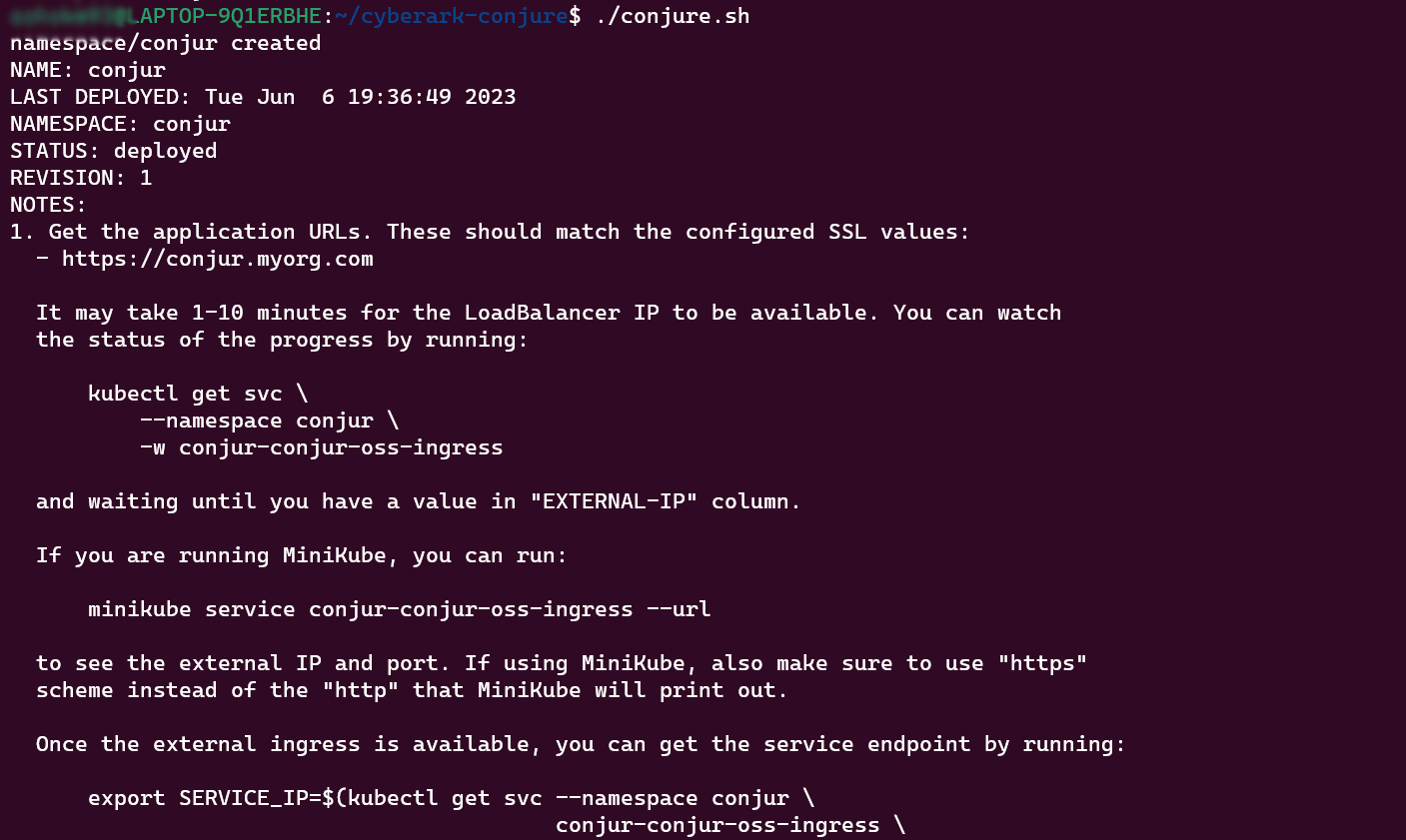 Now the CyberArK Conjur is installed in the Cluster and you can see the Conjur-oss and Conjur-postgres pods running in the Conjur Namespace.

Attack points in Conjur:
CyberArk Conjur when deployed in the Kubernetes cluster stores sensitive information in the volume mount points. In the conjure-oss pod, the Conjur-nginx container stores the sensitive information in the etc/ssl and etc/nginx volume mount points. Conjur-oss container has /conjure-server volume mount point where the sensitive information is stored. In the Conjur-Postgres pod the sensitive information and secrets are stored in the /var/lib/postgresql/data and /etc/certs Volume mount points.

So if any attacker who gets access to these Volume mount points through lateral movements might see this sensitive information and secrets. Also, they can do encryption of the data and ask for ransomware. We can prevent these types of attacks AccuKnox’s runtime security engine KubeArmor. With the help of KubeArmor policies we can protect the access to these volume mount points and deny such attacks.
Protecting Conjur-OSS Container:
Before Applying policy:
Currently, any attacker who gets access into the Conjur-oss pod can access the sensitive information stored in the /opt/conjur-server.
@LAPTOP-9Q1ERBHE:~$ kubectl exec -it -n conjur conjur-conjur-oss-698fbf6cd5-kb62v -c conjur-oss -- bash
root@conjur-conjur-oss-698fbf6cd5-kb62v:/opt/conjur-server# ls
API_VERSION         Gemfile       SECURITY.md                              build_utils.sh         debify.sh           release
CHANGELOG.md        Gemfile.lock  STYLE.md                                 config                 distrib             secrets.yml
CODE_OF_CONDUCT.md  Jenkinsfile   UPGRADING.md                             config.ru              docker-compose.yml  spec
CONTRIBUTING.md     LICENSE.md    VERSION                                  conjur-project-config  engines             tmp
DEBIFY_IMAGE        NOTICES.txt   VERSION_APPLIANCE                        conjur_git_commit      gems
Dockerfile          Procfile      app                                      contrib                lib
Dockerfile.fpm      README.md     bin                                      cucumber               log
Dockerfile.test     README_CI.md  build-and-publish-internal-appliance.sh  cucumber.yml           public
Dockerfile.ubi      Rakefile      build.ps1                                db                     publish-images.sh
root@conjur-conjur-oss-698fbf6cd5-kb62v:/opt/conjur-server# cat secrets.yml
REDHAT_API_KEY: !var redhat/projects/conjur/api-key
root@conjur-conjur-oss-698fbf6cd5-kb62v:/opt/conjur-server#
Policy:
We can protect access to these volume mount points using the following policy:
apiVersion: security.kubearmor.com/v1
kind: KubeArmorPolicy
metadata:
  name: conjur-oss
  namespace: conjur
spec:
  selector:
    matchLabels:
      kubearmor.io/container.name: '[conjur-oss]'
  action: Allow
  file:
    matchDirectories:
    - dir: /opt/conjur-server/
      recursive: true
      action: Block
    - dir: /opt/conjur-server/
      recursive: true
      fromSource:
      - path: /var/lib/ruby/bin/ruby
      - path: /usr/bin/bash
    - dir: /
      recursive: true
  process:
    matchDirectories:
    - dir: /
      recursive: true
  message: Conjur-oss policy
In the above policy we are only allowing
- /var/lib/ruby/bin/ruby to access /opt/conjur-server/ volume Mount
All the other process will be denied access to /opt/conjur-server/
Applying policy:
Step 1: We can apply this policy using AccuKnox SaaS portal by navigating to Runtime Protection → Policies.
 Step 2: Now select the create policy option from this screen.
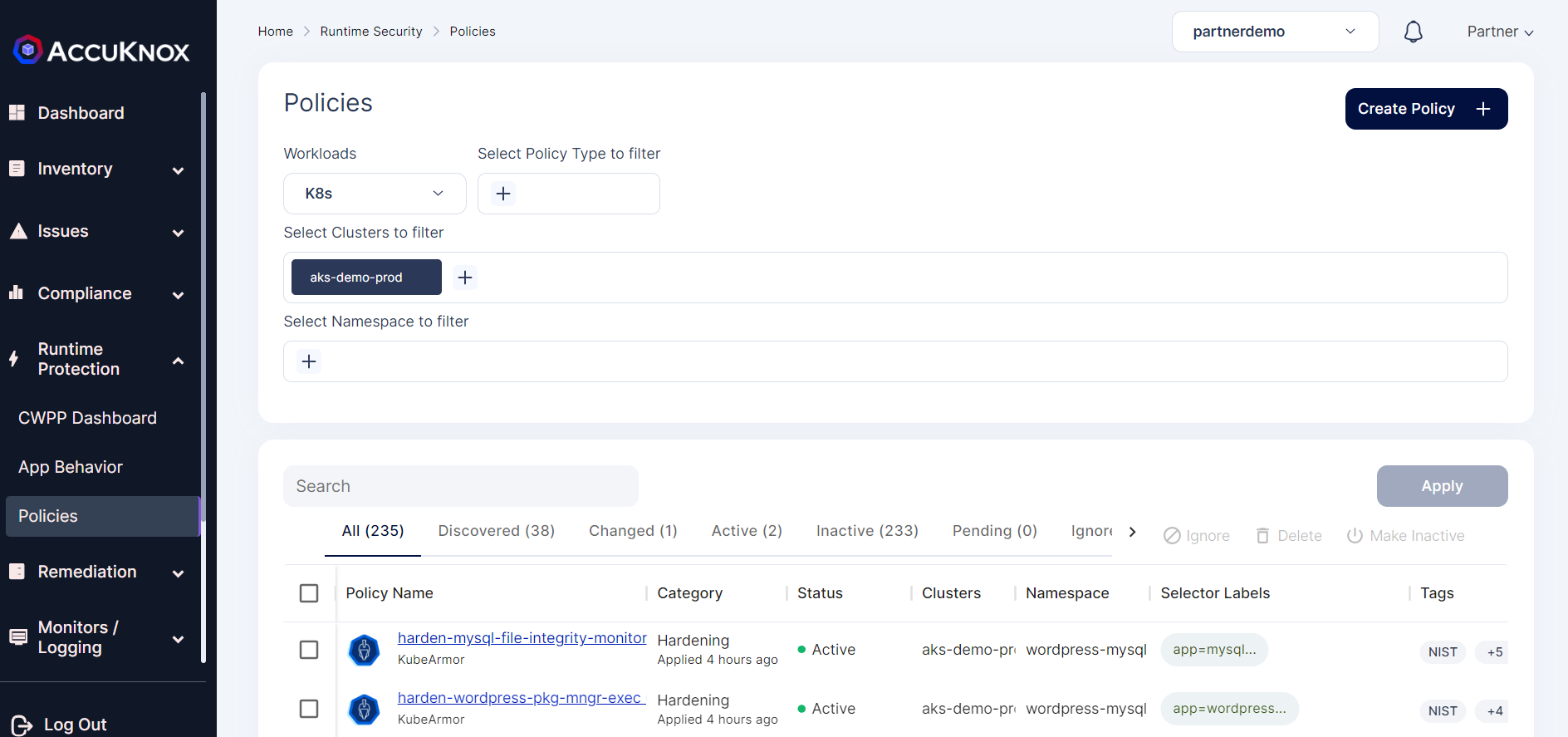 Step 3: Click on the upload YAML option to upload the policy. Then select the cluster name and namespace where Conjur is installed.
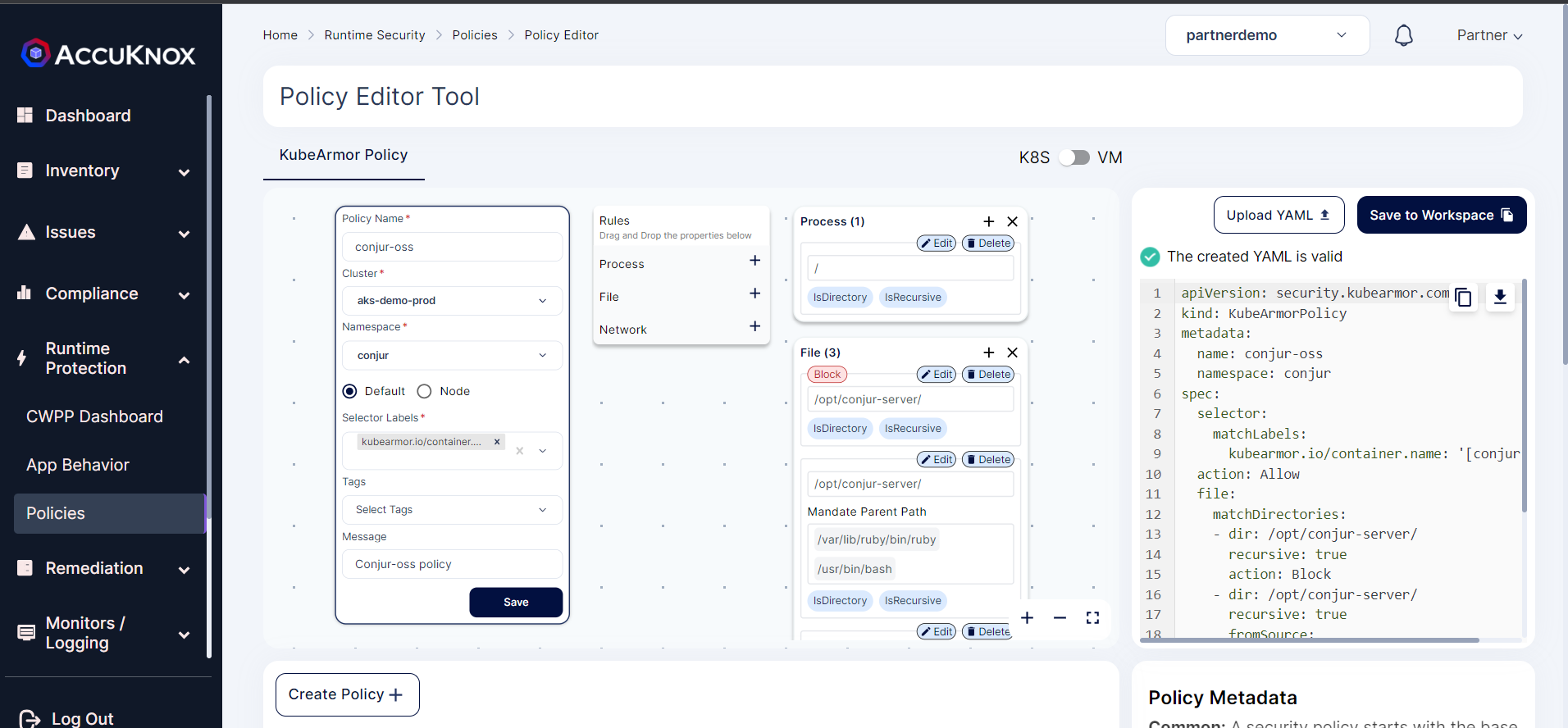 Step 4: Click on the Save and select the Save to Workspace option to save the policy to the workspace.
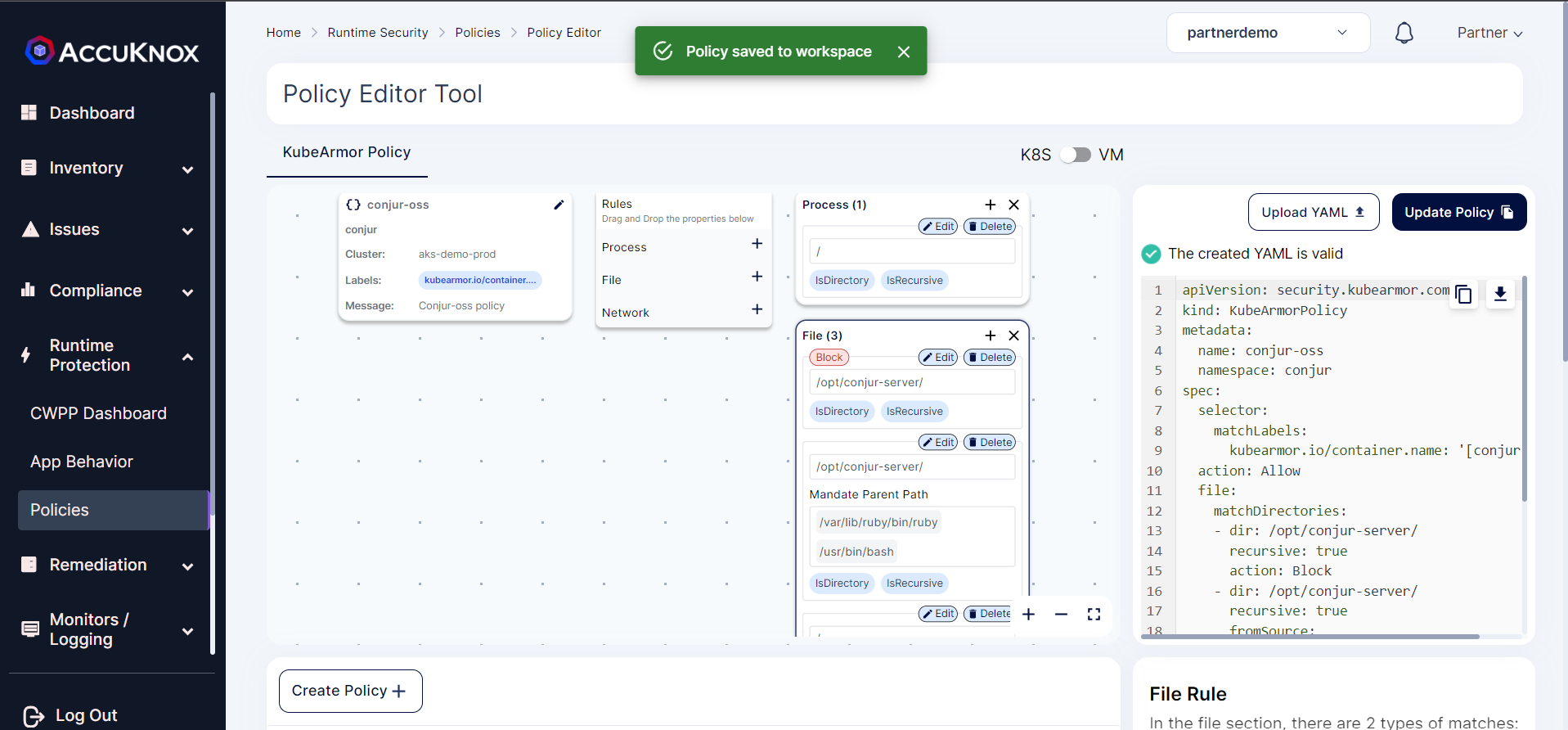 Step 5: Now select the Conjur-oss policy from list and select the Apply Policy option to apply the policy.
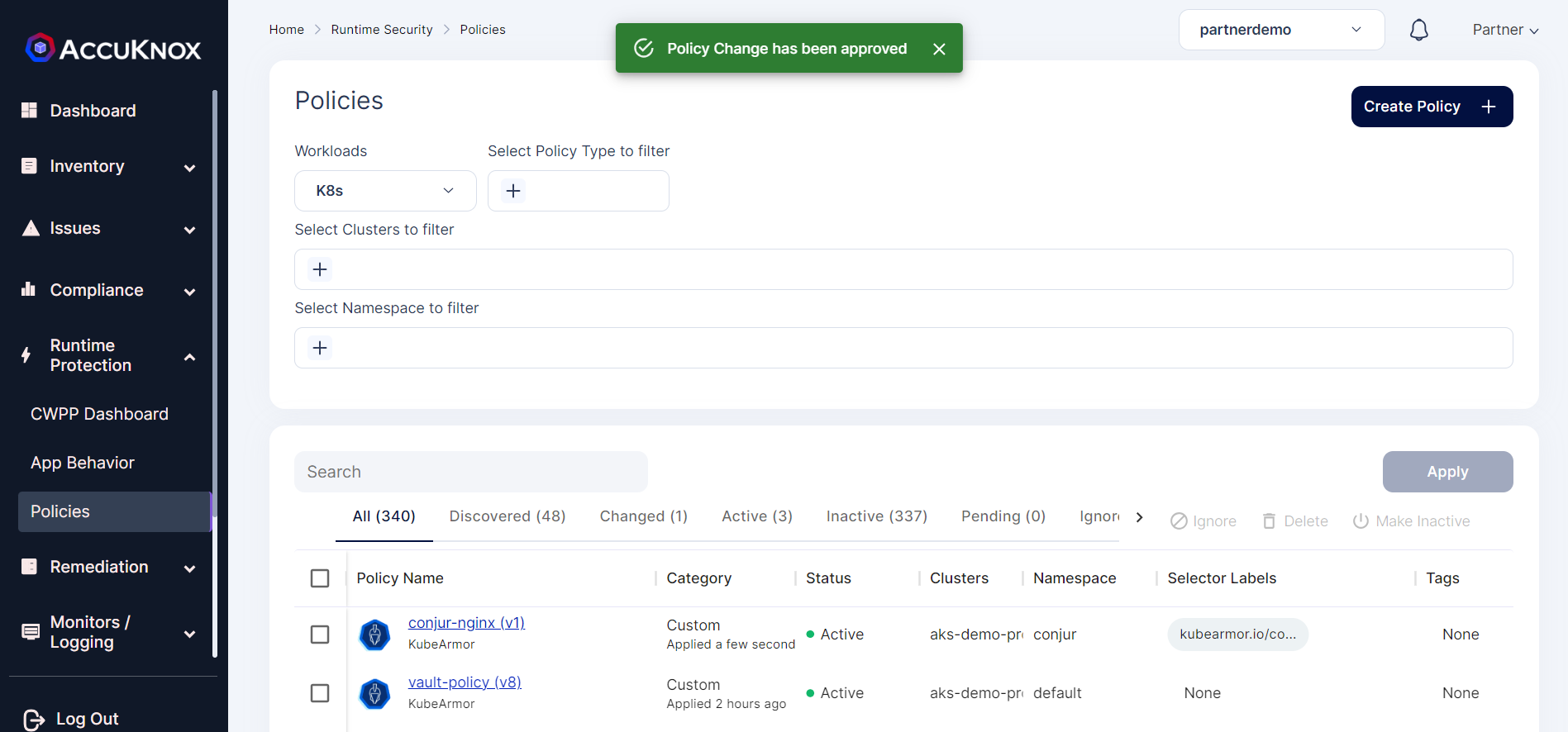
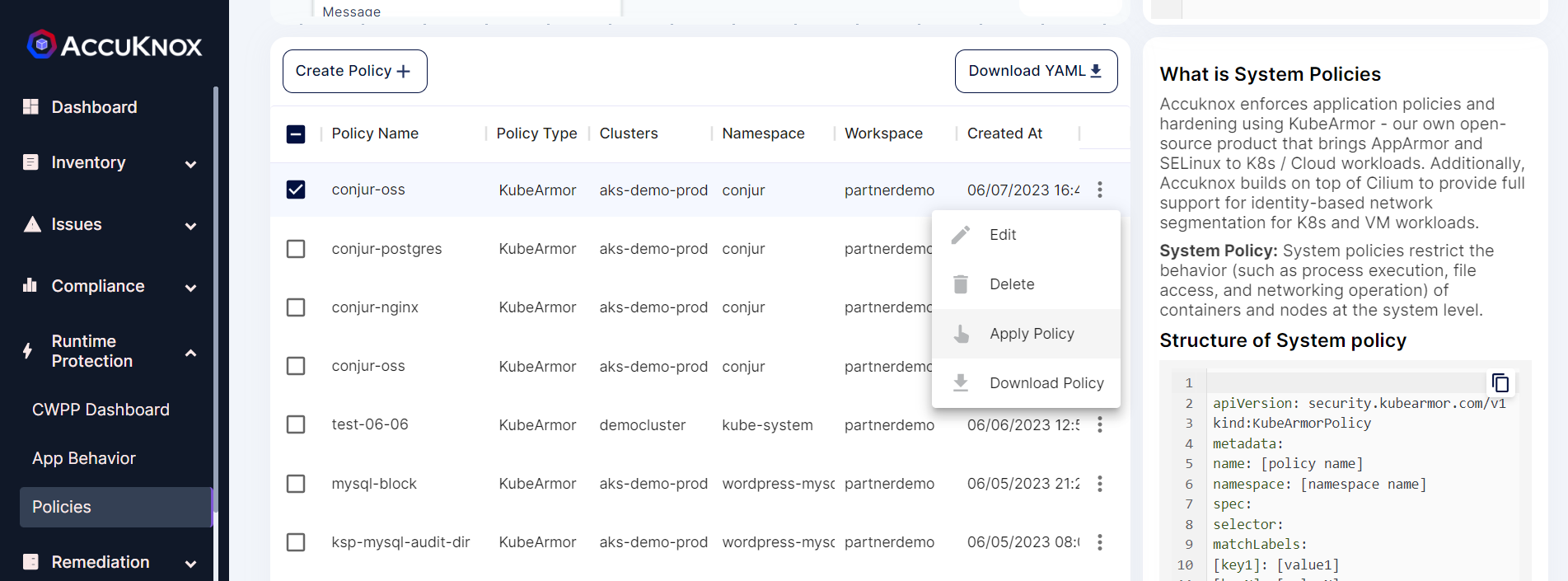 Step 6: After applying the policy goes into the pending state for the administrator’s approval.
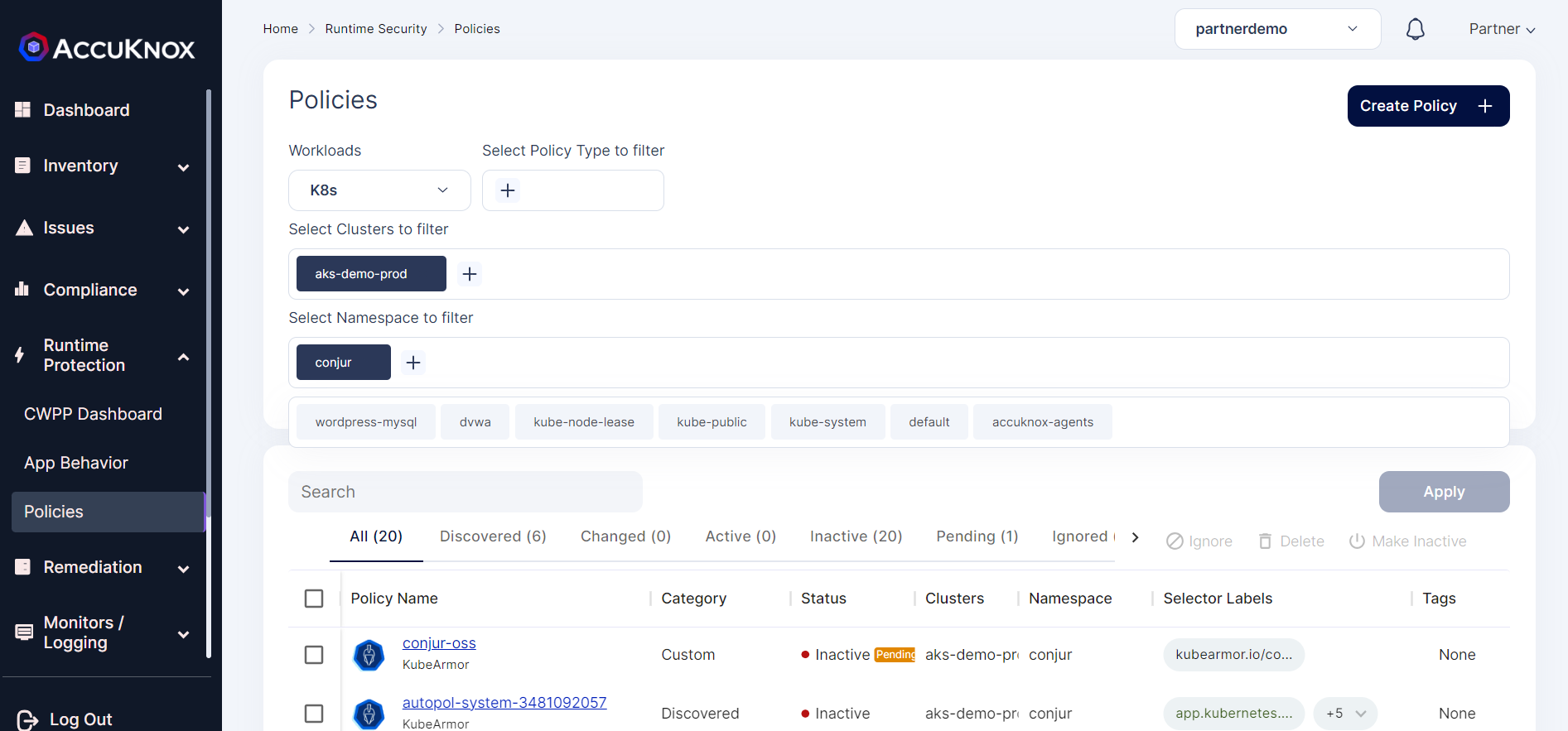 Step 7: The administrator will review the policy and approves the policy.
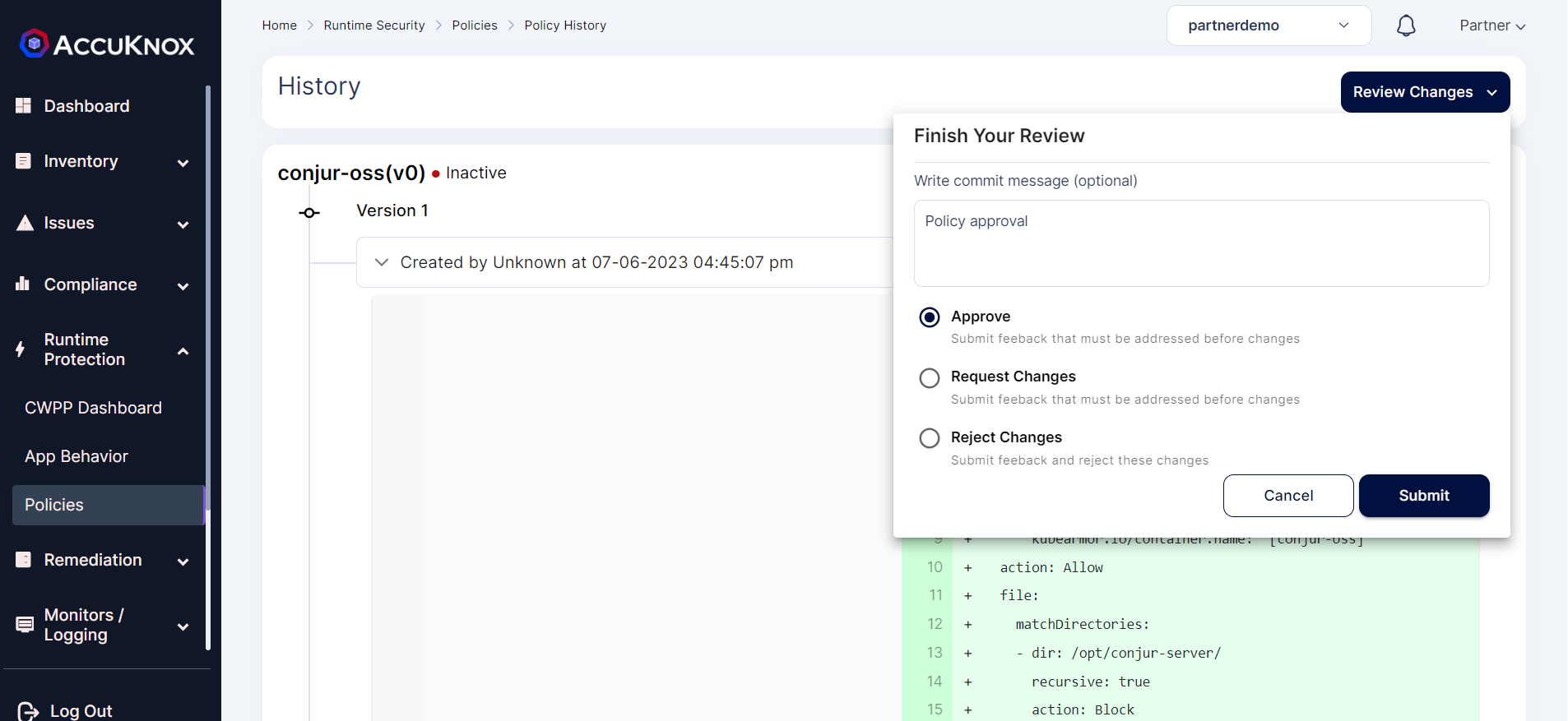 Step 8: After approval policy goes into an active state.
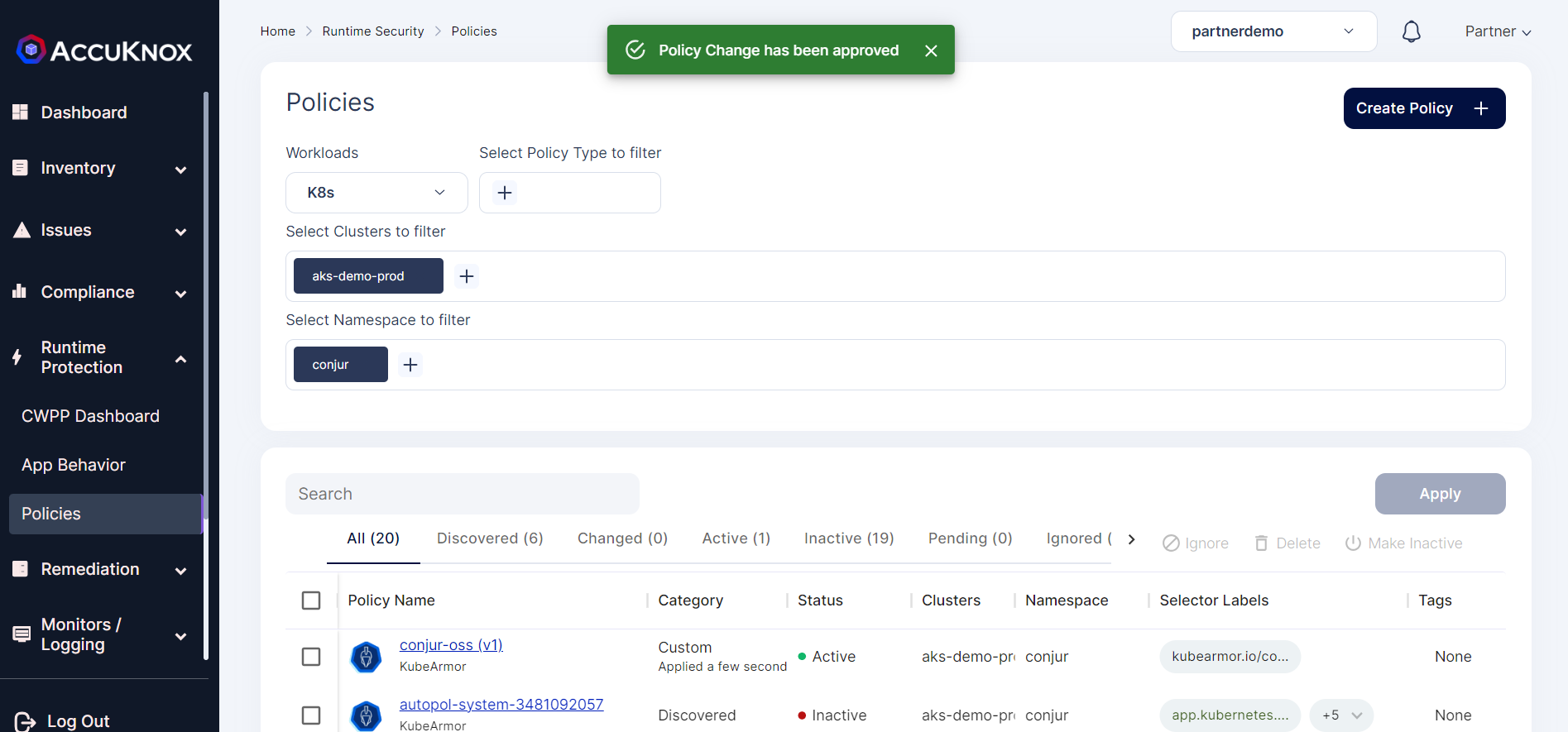
After Applying Policy:
Now with the KubeArmor policy in place, any attacker who gets access to the container will not be able to access the Conjur-server volume mount point that has the secret files stored in it.
root@conjur-conjur-oss-698fbf6cd5-kb62v:/opt/conjur-server# ls
ls: cannot open directory '.': Permission denied
root@conjur-conjur-oss-698fbf6cd5-kb62v:/opt/conjur-server# cat secrets.yml
cat: secrets.yml: Permission denied
root@conjur-conjur-oss-698fbf6cd5-kb62v:/opt/conjur-server#
KubeArmor logs:
We can view the log alerts by navigate to Monitors/Logging → Logs.
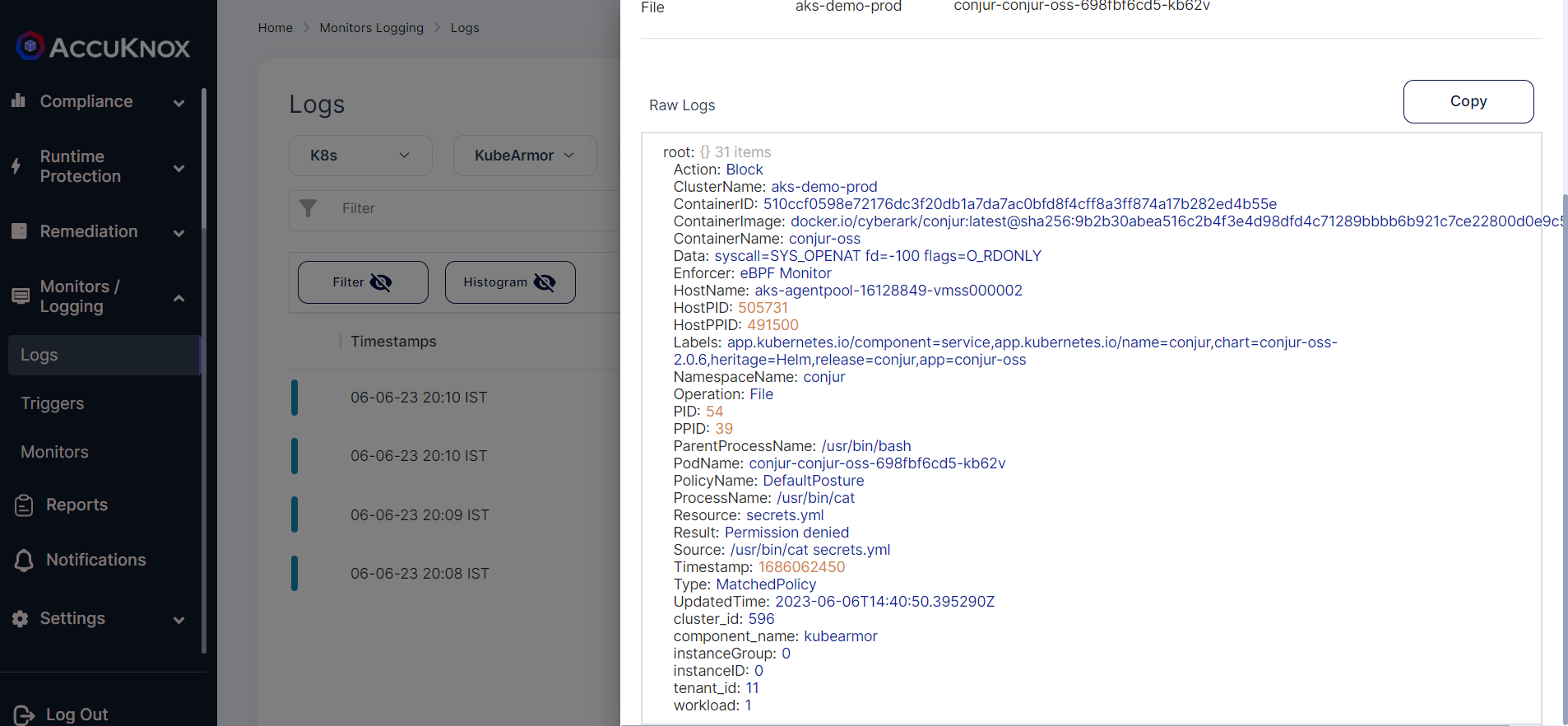
Protecting Conjur-Nginx:
Before Applying policy:
In the Conjur pod, if any attacker who gets access to the Conjur-nginx container can access the etc/nginx volume mount point
@LAPTOP-9Q1ERBHE:~$ kubectl exec -it -n conjur conjur-conjur-oss-698fbf6cd5-kb62v -c conjur-nginx -- bash
root@conjur-conjur-oss-698fbf6cd5-kb62v:/# cd etc/nginx
root@conjur-conjur-oss-698fbf6cd5-kb62v:/etc/nginx# ls
dhparams.pem  mime.types  nginx.conf  sites-enabled
root@conjur-conjur-oss-698fbf6cd5-kb62v:/etc/nginx# cat dhparams.pem
-----BEGIN DH PARAMETERS-----
MIIBCAKCAQEAhg2rRNwhgO8Nxc363bnKNKxb7xP8BXdQBnEHNxtqfpPRQViiP8K9
fMHHvN5/QAeB0hCOEg6dhbYurOcT9ZfFy9BSC9QFTixfDmMHe9MT1VIYqvsXVyjO
l/ivdCW0/eMZ5sc1Fcleym+TQzzrgnI0Kad17tmq4tvBKky+0YY4Q/M9BupZ7omc
fyqhY+LyEqIjWuCd3eE7YQIonOrXJ+8xuOjl5uilFu4Zz+i4KeELmAG1WaOjvg+Z
dJcve9soB3uaJW45jS/7cRl94VPJsfCJC/Z6E2R6CSPDgvytxL8aAM5FCyMQljN3
vS9xNgsWz5gZqU3gbxW2dRgedjEvW5VHMwIBAg==
-----END DH PARAMETERS-----
root@conjur-conjur-oss-698fbf6cd5-kb62v:/etc/nginx#
Policy:
We can protect access to these volume mount points using the following policy:
apiVersion: security.kubearmor.com/v1
kind: KubeArmorPolicy
metadata:
  name: conjur-nginx
  namespace: conjur
spec:
  selector:
    matchLabels:
      kubearmor.io/container.name: '[conjur-nginx]'
  action: Allow
  file:
    matchDirectories:
    - dir: /etc/nginx/
      recursive: true
      action: Block
    - dir: /etc/nginx/
      recursive: true
      fromSource:
      - path: /usr/sbin/nginx
    - dir: /opt/conjur/etc/ssl/
      recursive: true
      action: Block
    - dir: /opt/conjur/etc/ssl/
      recursive: true
      fromSource:
      - path: /usr/sbin/nginx
    - dir: /
      recursive: true
  process:
    matchDirectories:
    - dir: /
      recursive: true
  message: Conjur-nginx-policy
In the above policy, we are only allowing
- /usr/sbin/nginx to access /opt/conjur/etc/ssl and /etc/nginx volume Mount points
All the other processes will be denied access to /opt/conjur/etc/ssl and /etc/nginx volume Mount points
Applying Policy :
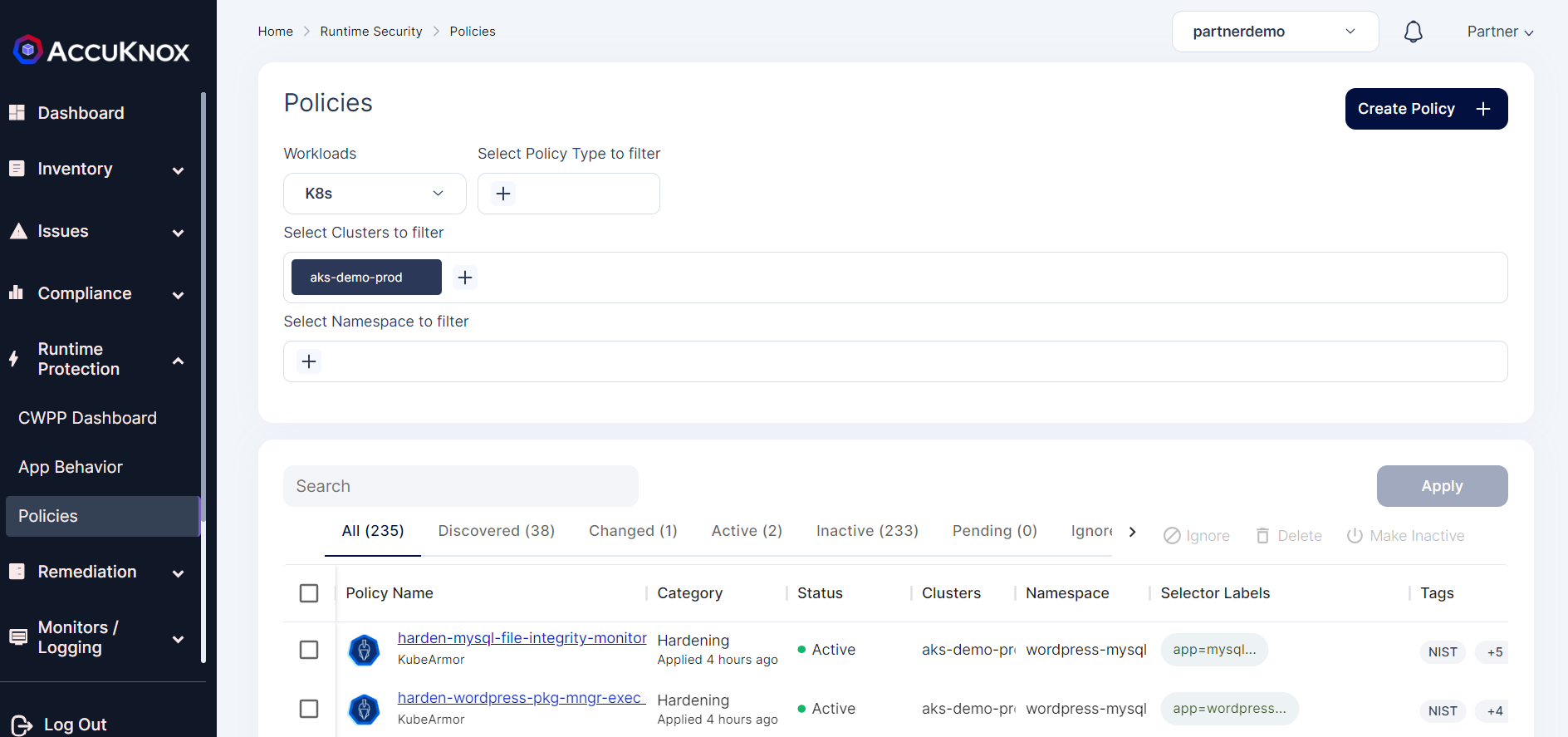
Step 1: We can apply this policy using AccuKnox SaaS portal by navigating to Runtime Protection → Policies.
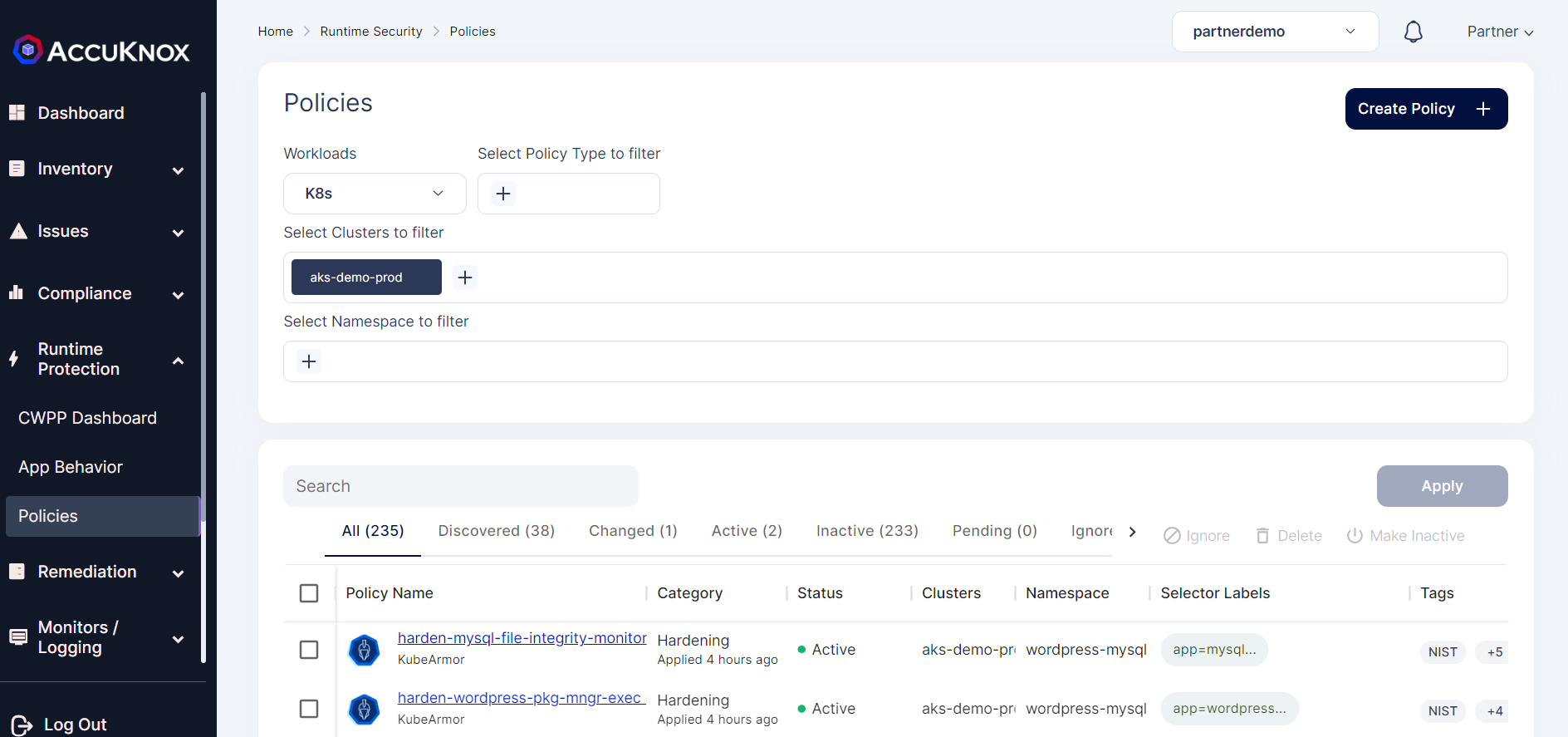 Step 2: Now select the create policy option from this screen.
 Step 3: Click on the upload YAML option to upload the policy. Then select the cluster name and namespace where Conjur is installed.
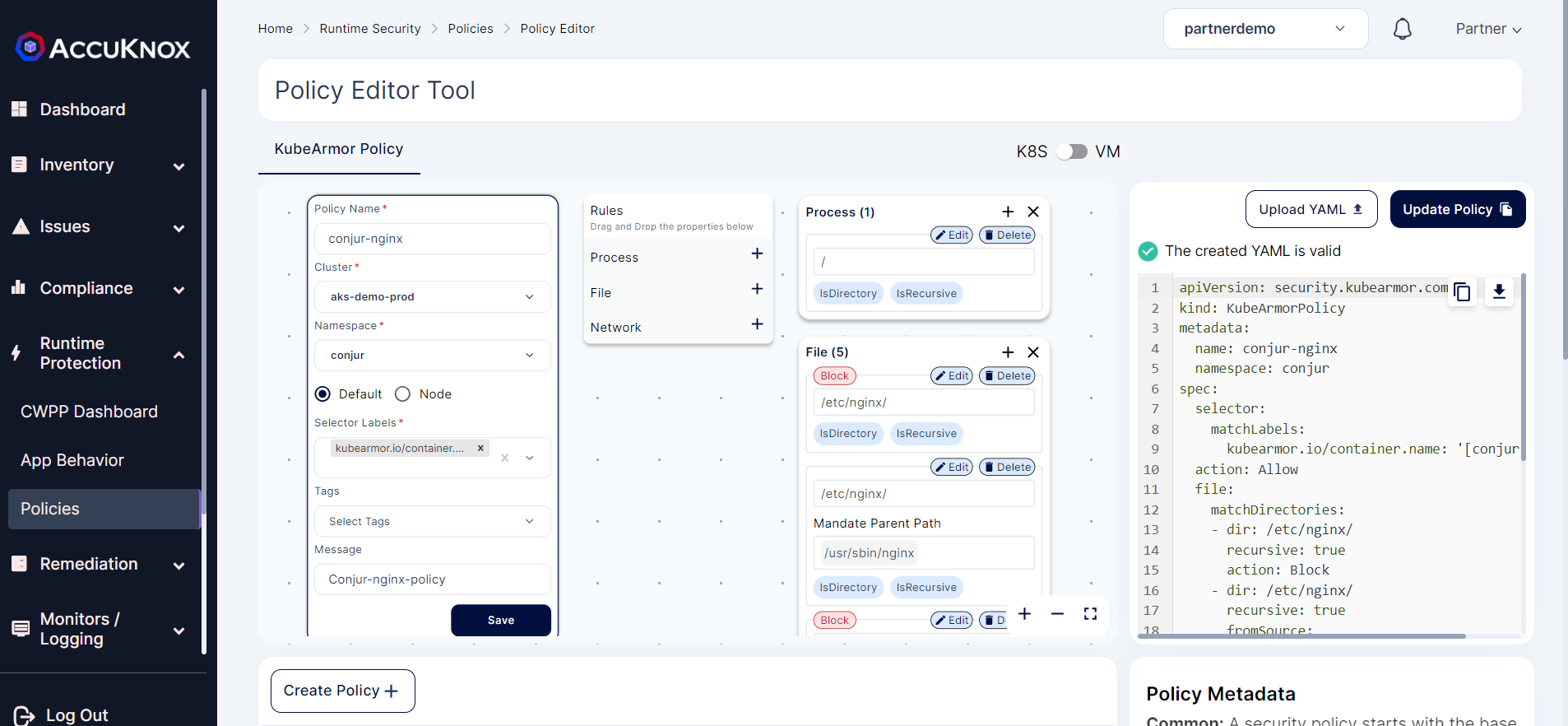 Step 4: Click on the Save and select the Save to Workspace option to save the policy to the workspace.
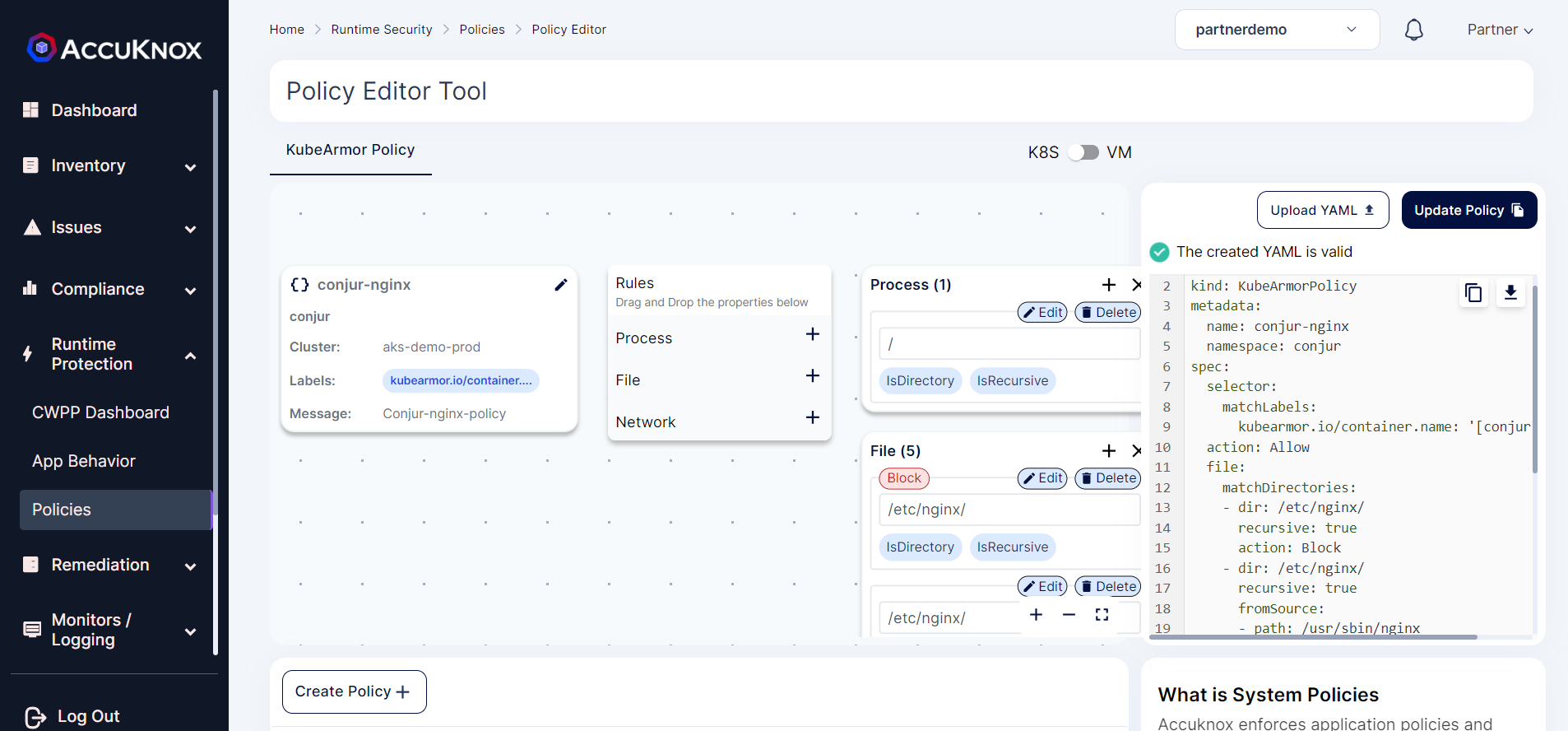 Step 5: Now select the Conjur-nginx policy from list and select the Apply Policy option to apply the policy.
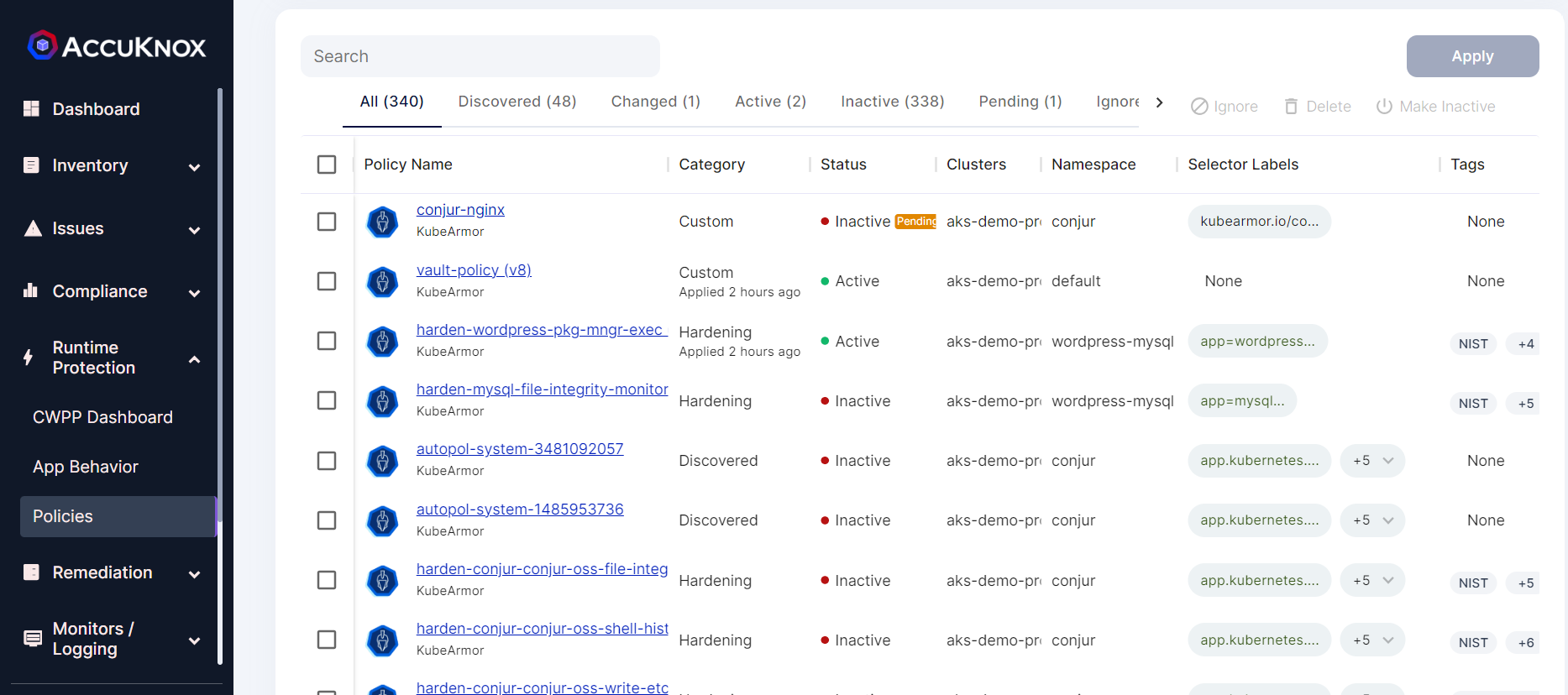
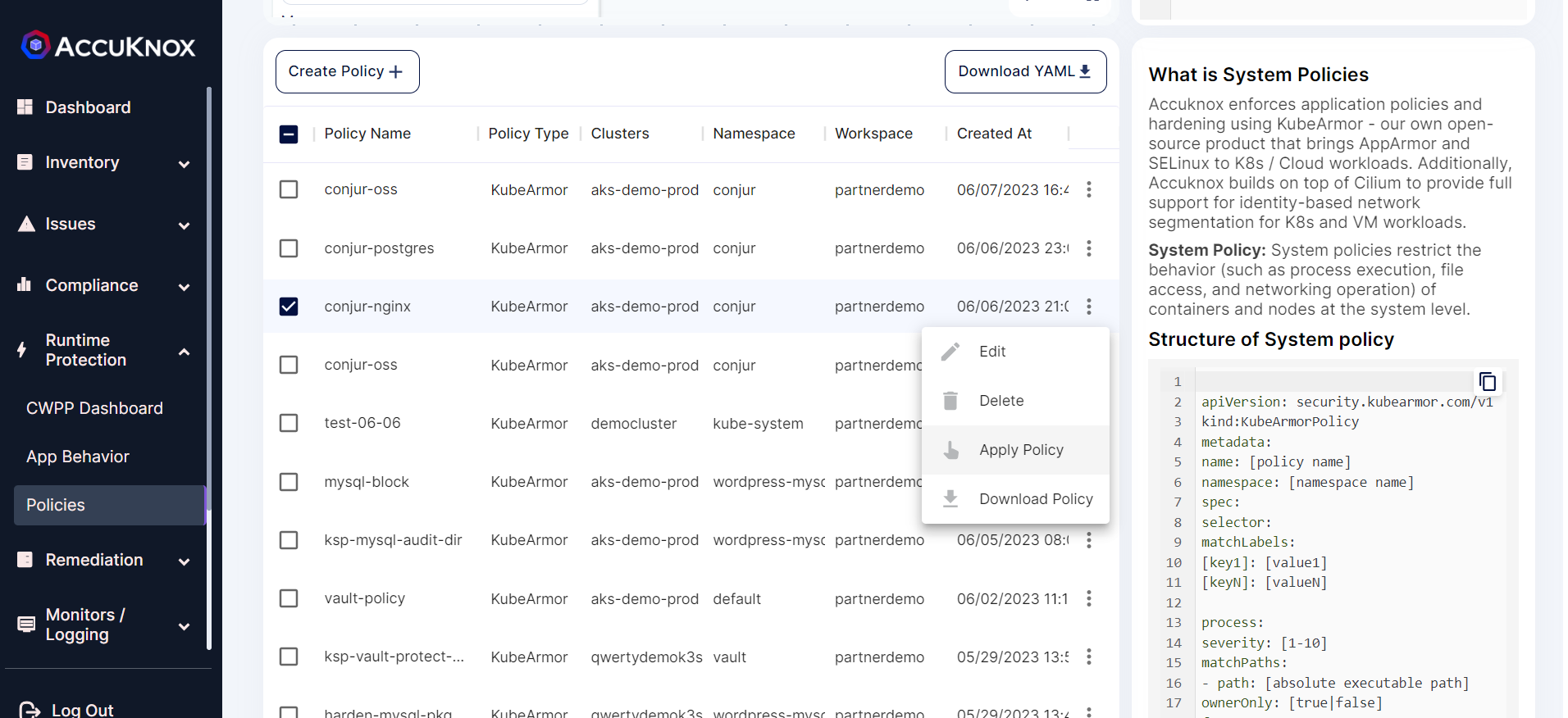 Step 6: After applying the policy goes into the pending state for the administrator’s approval.
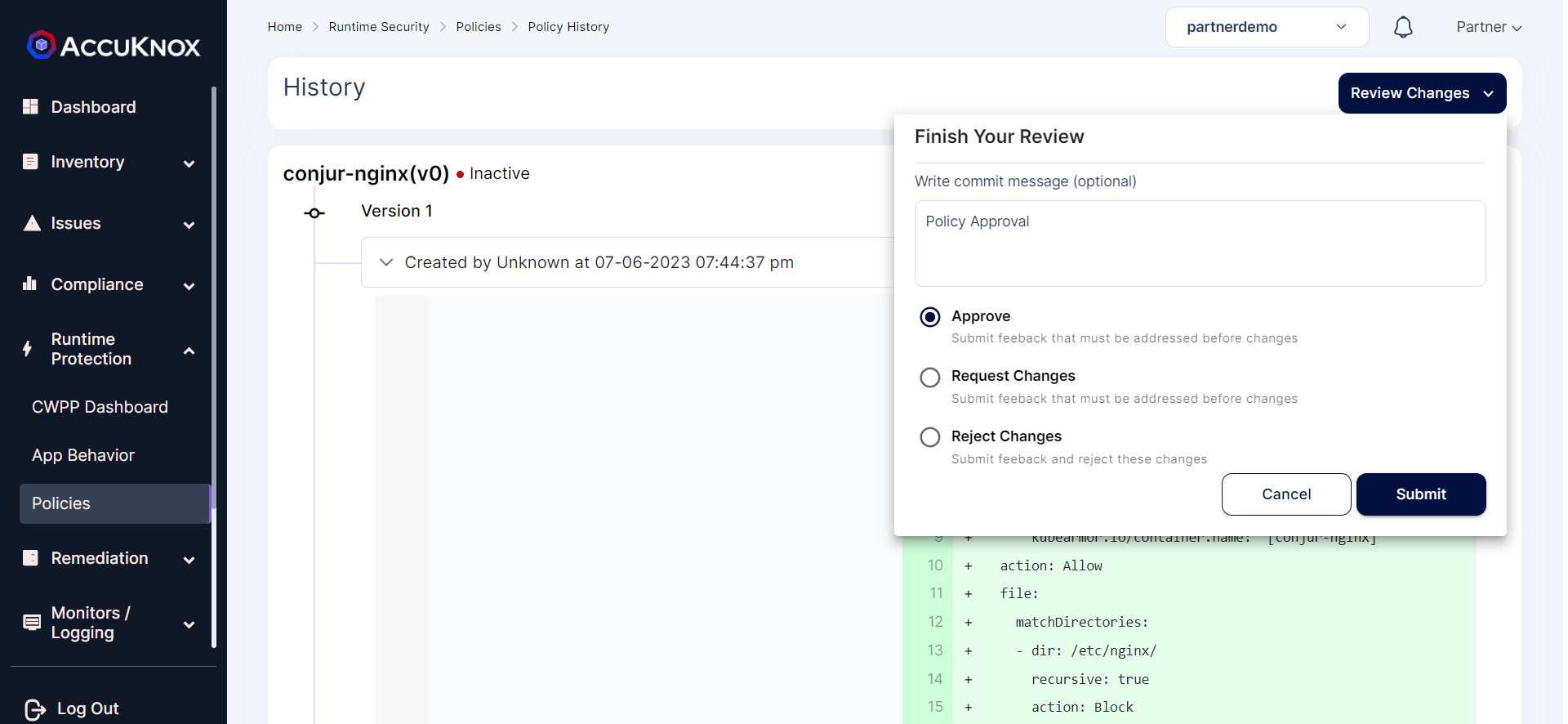
 Step 7: The administrator will review the policy and approves the policy.
 Step 8: After approval policy goes into an active state.
After Applying Policy:
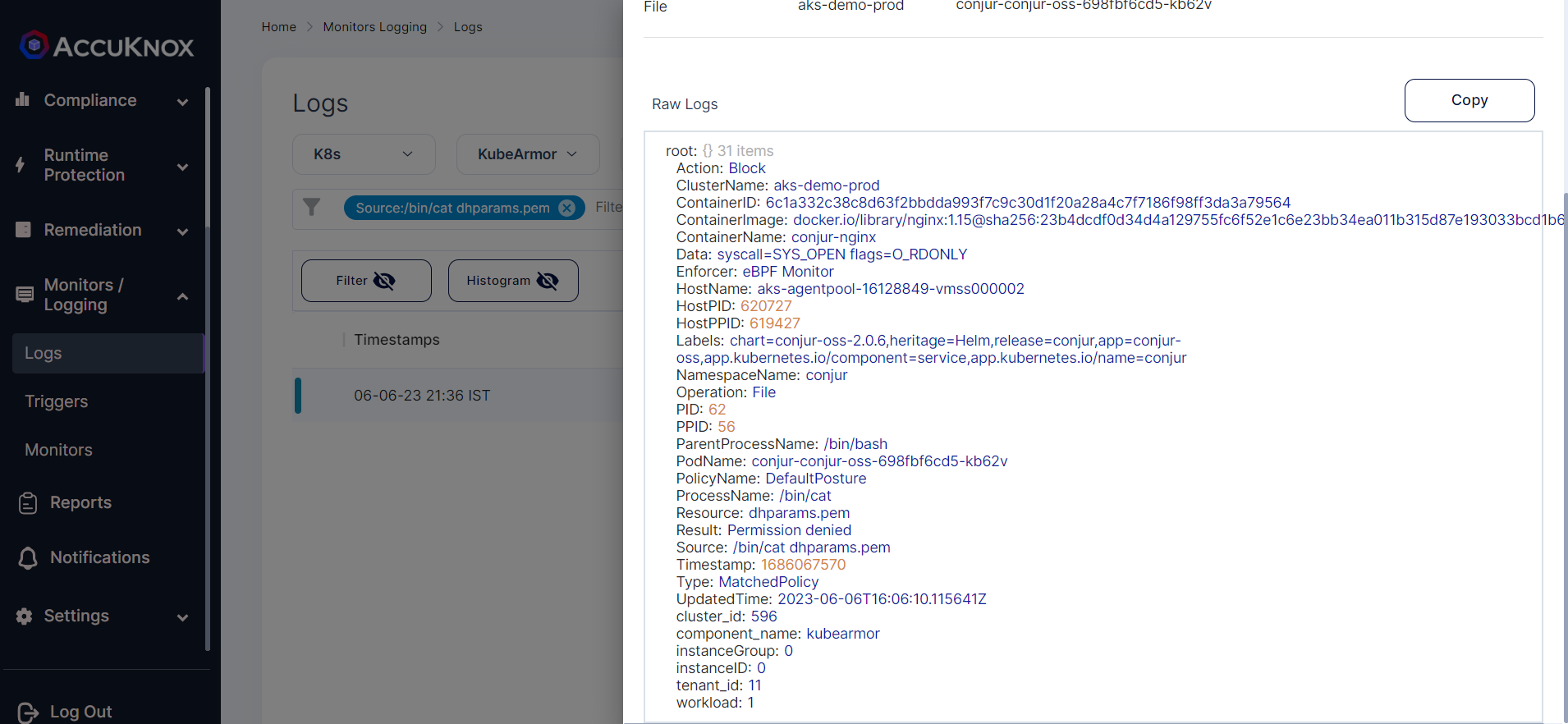
With the KubeArmor policy applied, access to the Volume mount etc/nginx will be denied. The attacker will not be able to access the secrets stored in these Volume mount points.
@LAPTOP-9Q1ERBHE:~$ kubectl exec -it -n conjur conjur-conjur-oss-698fbf6cd5-kb62v -c conjur-nginx -- bash
root@conjur-conjur-oss-698fbf6cd5-kb62v:/# cd etc/nginx
root@conjur-conjur-oss-698fbf6cd5-kb62v:/etc/nginx# ls
ls: cannot open directory '.': Permission denied
root@conjur-conjur-oss-698fbf6cd5-kb62v:/etc/nginx# cat dhparams.pem
cat: dhparams.pem: Permission denied
root@conjur-conjur-oss-698fbf6cd5-kb62v:/etc/nginx#
We can view the log alerts by navigate to Monitors/Logging → Logs.
Protecting Conjur-Postgres:
Before Applying Policy:
In the Conjur-postgres pod, if an attacker gets access to the container can access the Volume mount points /etc/certs and /var/lib/postgresql/data which contains the sensitive data.
@LAPTOP-9Q1ERBHE:~$ kubectl exec -it -n conjur conjur-postgres-0 -- bash
root@conjur-postgres-0:/# ls
bin   dev                         docker-entrypoint.sh  home  lib64  mnt  proc  run   srv  tmp  var
boot  docker-entrypoint-initdb.d  etc                   lib   media  opt  root  sbin  sys  usr
root@conjur-postgres-0:/# cd etc/certs
root@conjur-postgres-0:/etc/certs# ls
tls.crt  tls.key
root@conjur-postgres-0:/etc/certs# cat tls.key
-----BEGIN RSA PRIVATE KEY-----
[REDACTED - private key material removed from documentation]
-----END RSA PRIVATE KEY-----
root@conjur-postgres-0:/etc/certs#
We can protect access to these volume mount points using the following policy:
apiVersion: security.kubearmor.com/v1
kind: KubeArmorPolicy
metadata:
  name: conjur-postgres
  namespace: conjur
spec:
  selector:
    matchLabels:
      app: conjur-oss-postgres
  action: Allow
  file:
    matchDirectories:
    - dir: /etc/certs/
      recursive: true
      action: Block
    - dir: /etc/certs/
      recursive: true
      fromSource:
      - path: /usr/lib/postgresql/10/bin/postgres
    - dir: /var/lib/postgresql/data/
      recursive: true
      action: Block
    - dir: /var/lib/postgresql/data/
      recursive: true
      fromSource:
      - path: /usr/lib/postgresql/10/bin/postgres
    - dir: /
      recursive: true
  process:
    matchDirectories:
    - dir: /
      recursive: true
    matchPaths:
    - path: /bin/su
      action: Block
    - path: /usr/lib/postgresql/10/bin/psql
      action: Block
  message: Conjur-Postgres-policy
- /usr/lib/postgresql/10/bin/postgres to access /var/lib/postgresql/data/ and /etc/certs/ volume Mount points
All the other processes will be denied access to /var/lib/postgresql/data/ and /etc/certs/ volume Mount points
Applying Policy:
Step 1: We can apply this policy using AccuKnox SaaS portal by navigating to Runtime Protection → Policies.
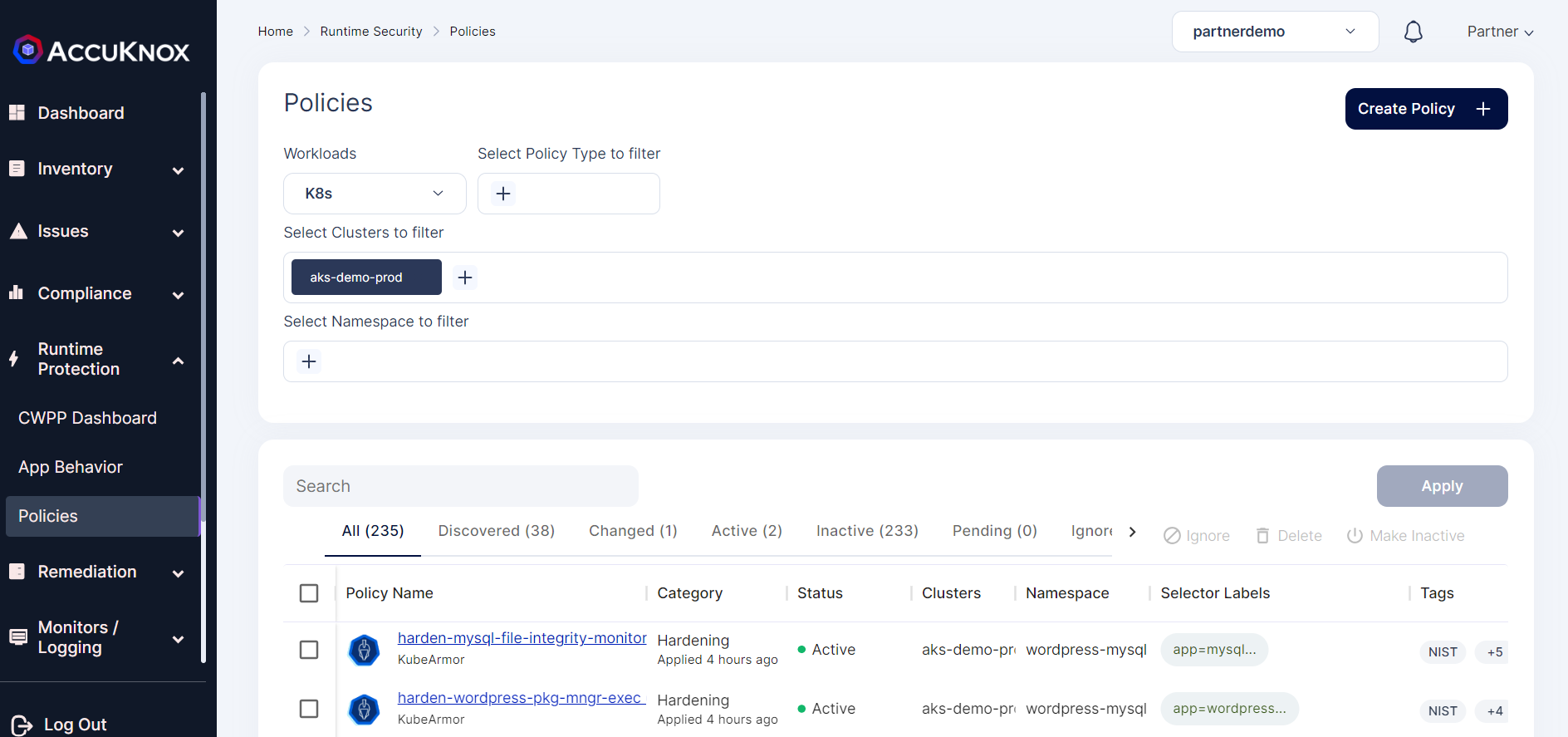 Step 2: Now select the create policy option from this screen.
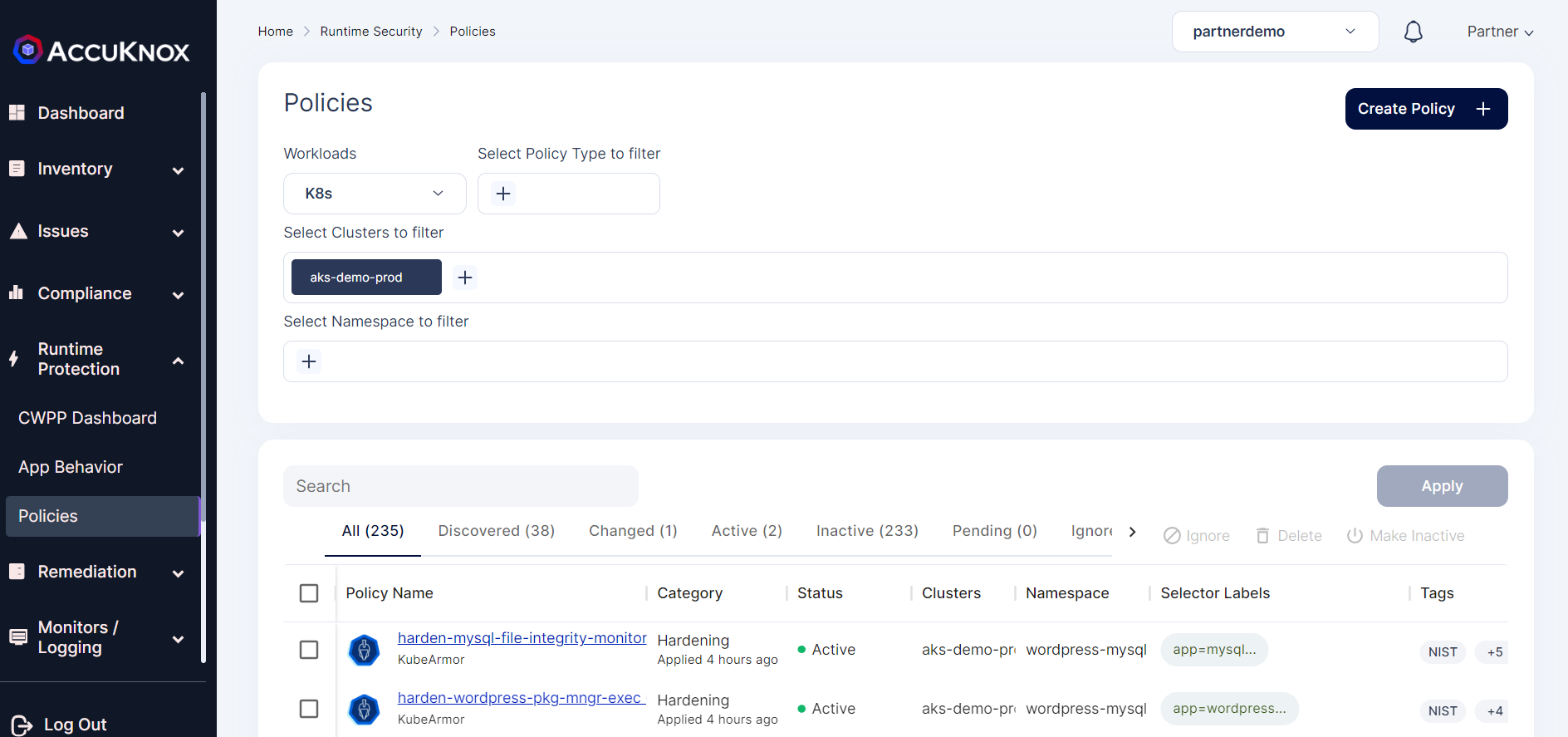 Step 3: Click on the upload YAML option to upload the policy. Then select the cluster name and namespace where Conjur is installed.
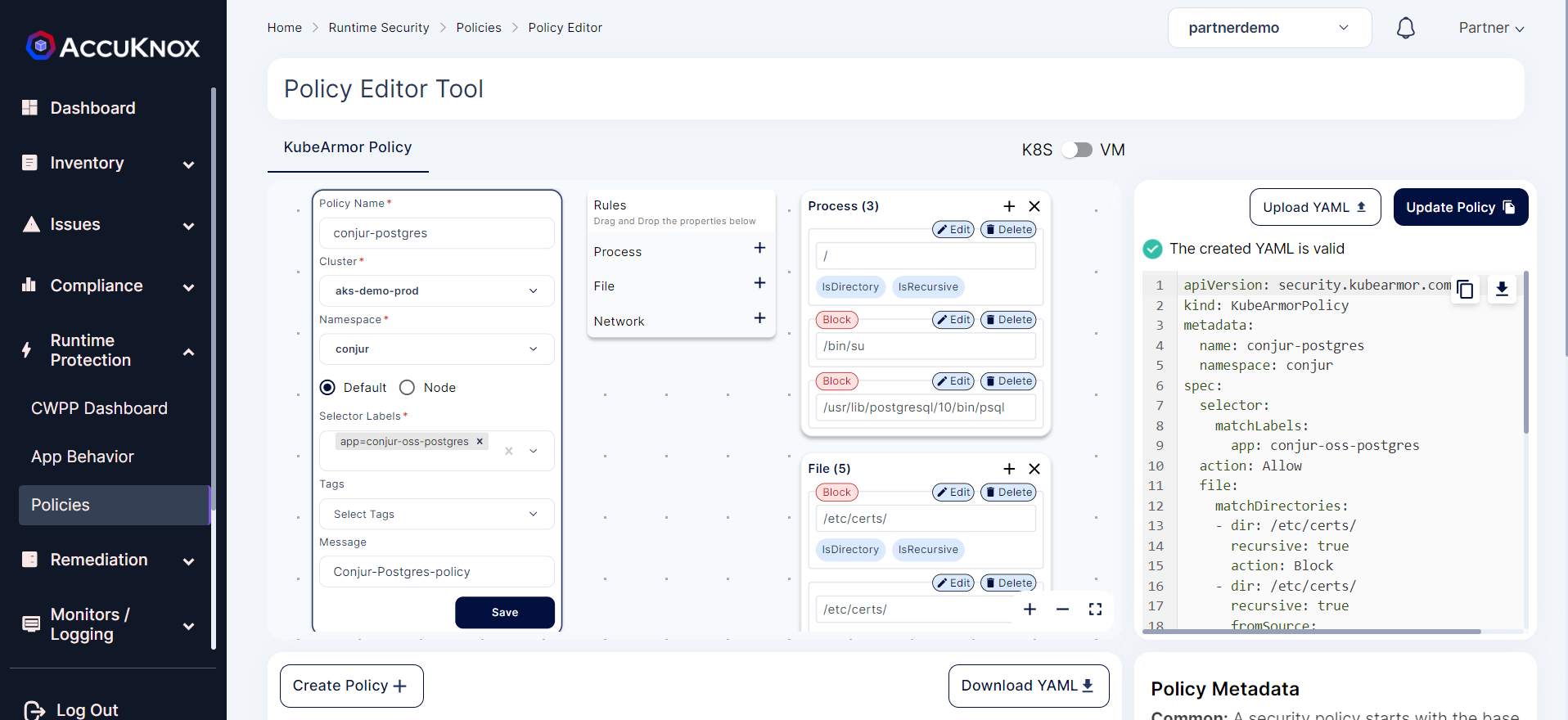 Step 4: Click on the Save and select the Save to Workspace option to save the policy to the workspace.
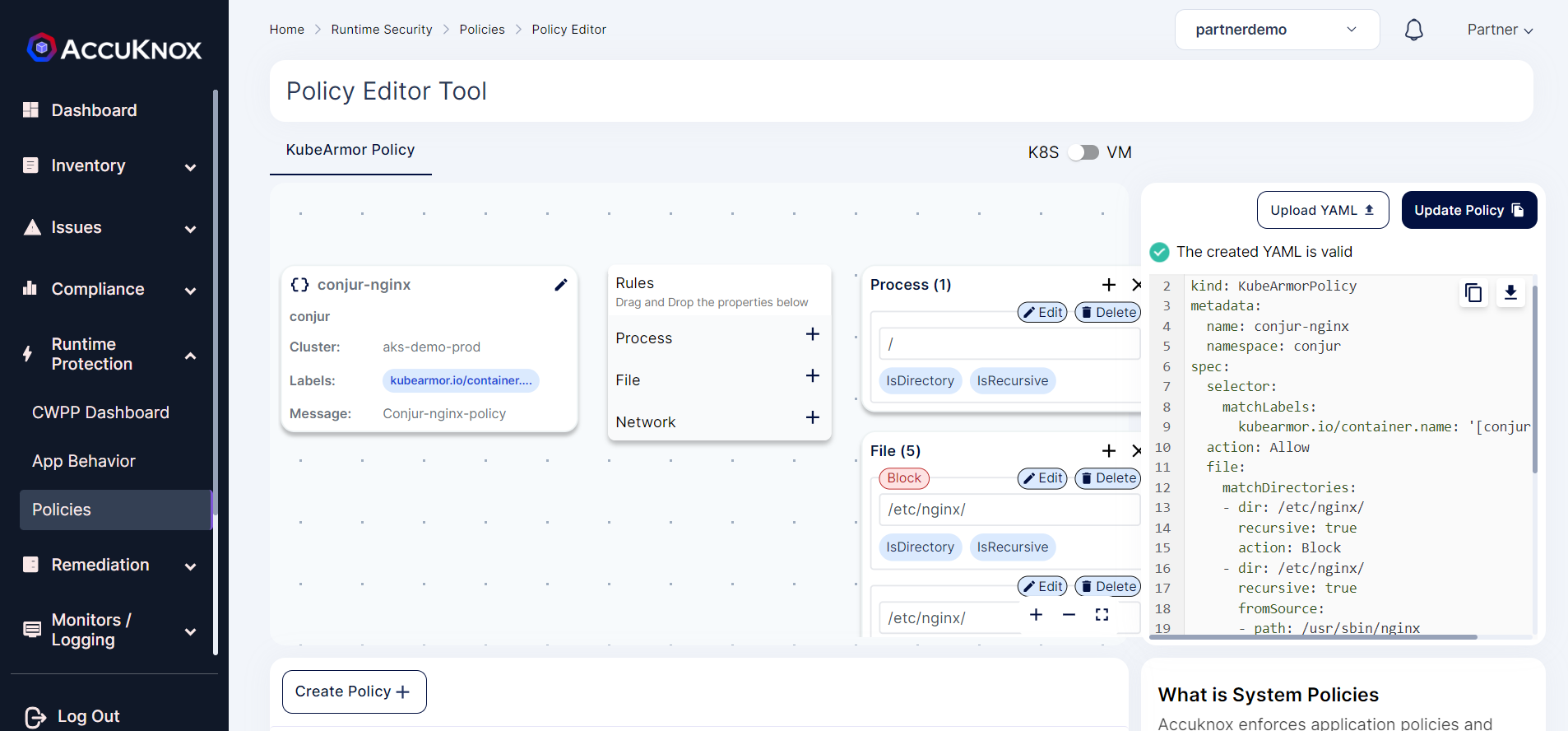 Step 5: Now select the Conjur-oss policy from list and select the Apply Policy option to apply the policy.
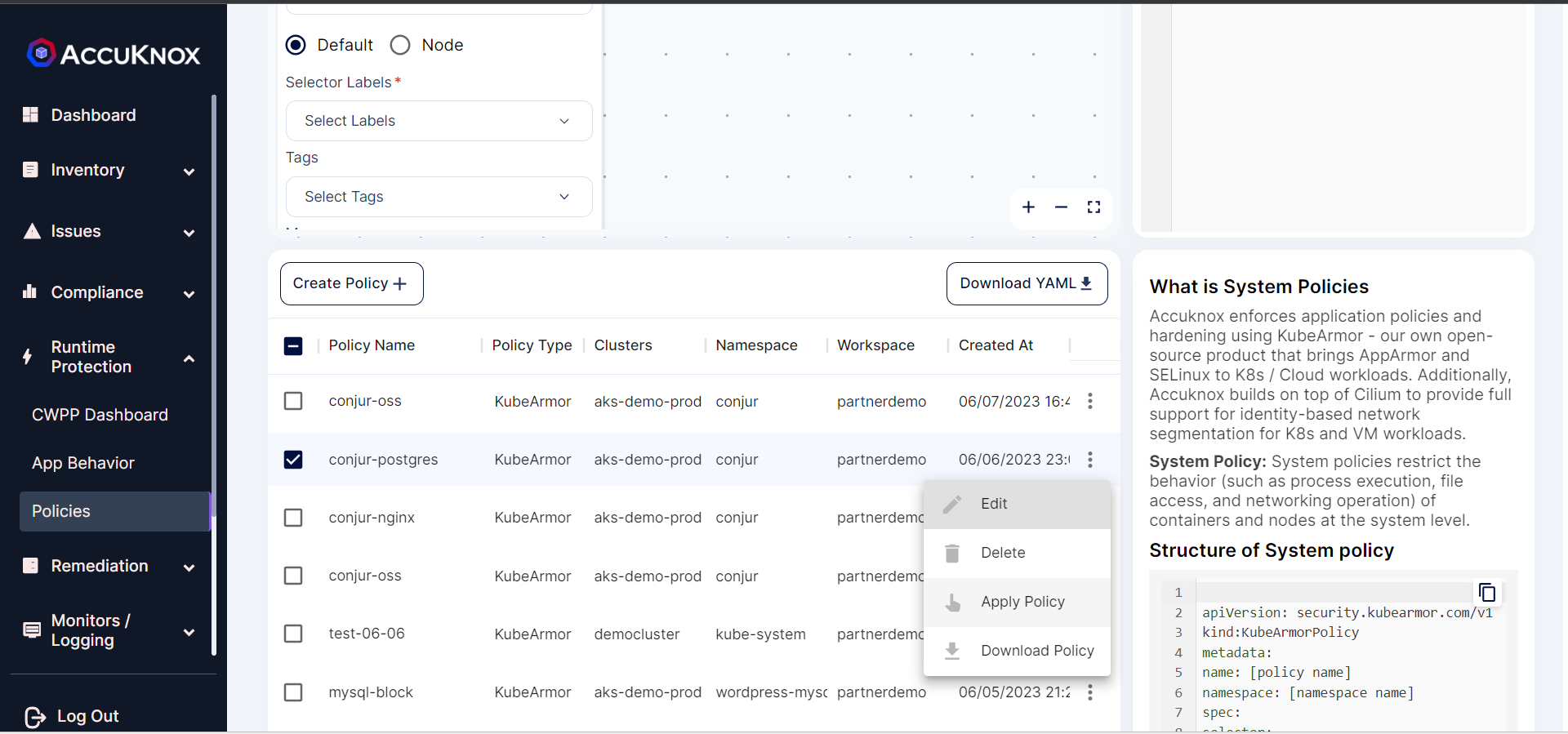 Step 6: After applying the policy goes into the pending state for the administrator’s approval.
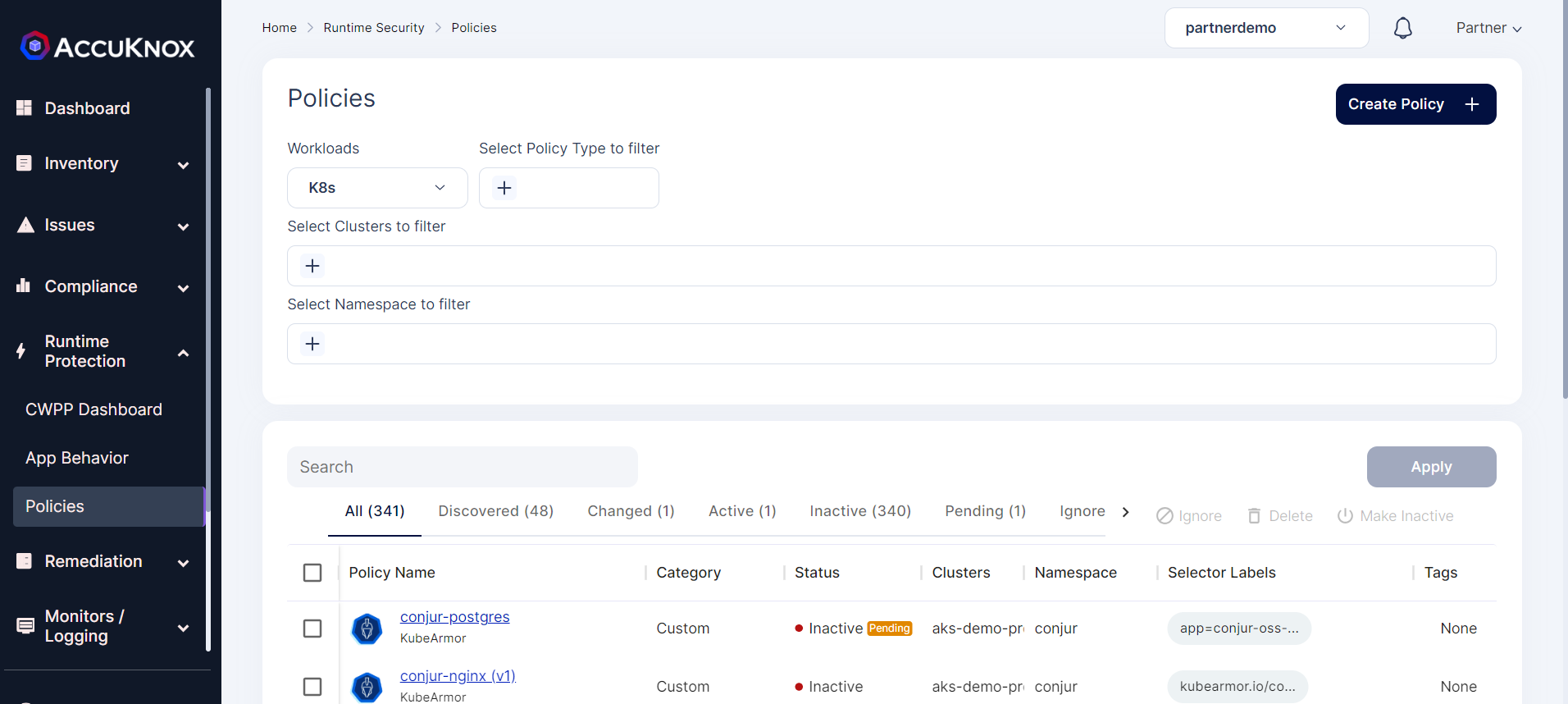 Step 7: The administrator will review the policy and approves the policy.
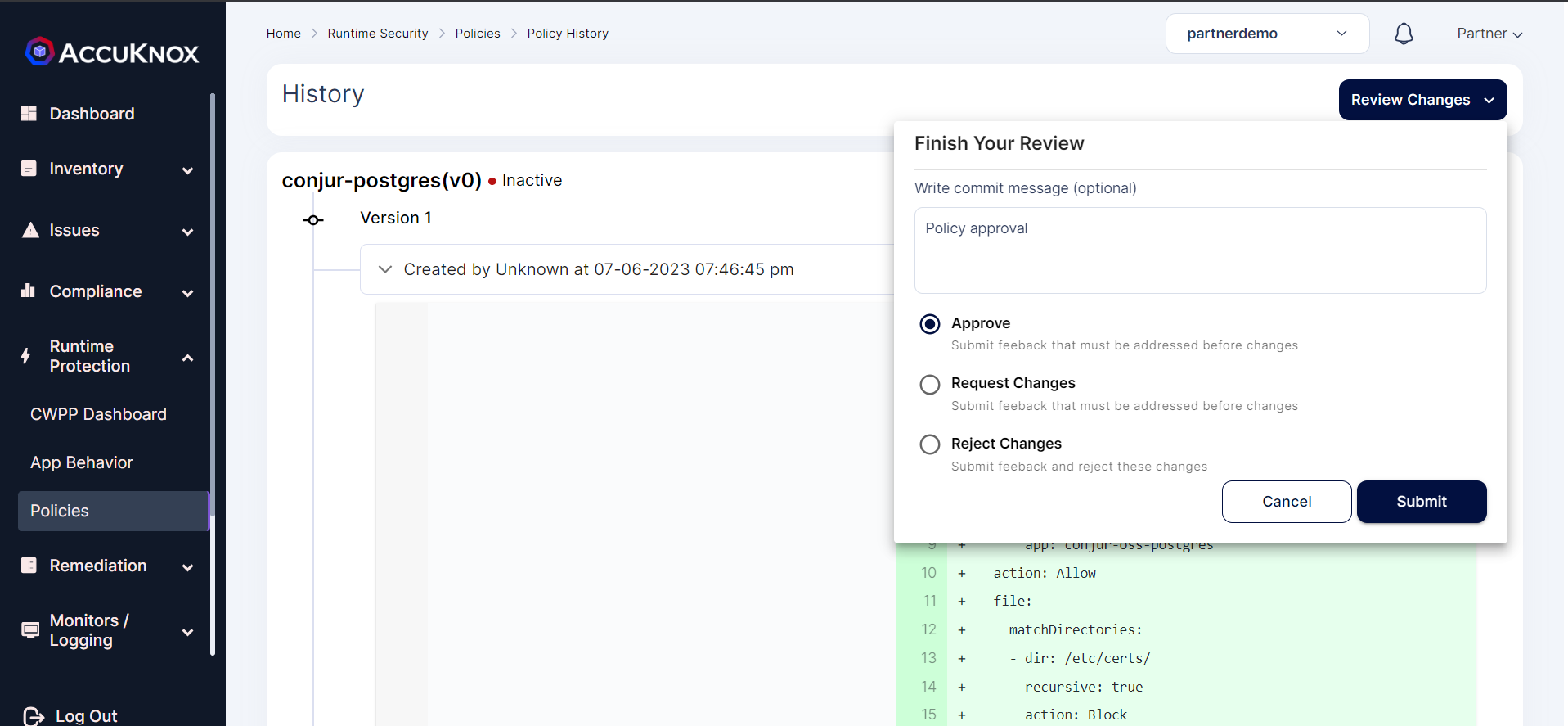 Step 8: After approval policy goes into an active state.
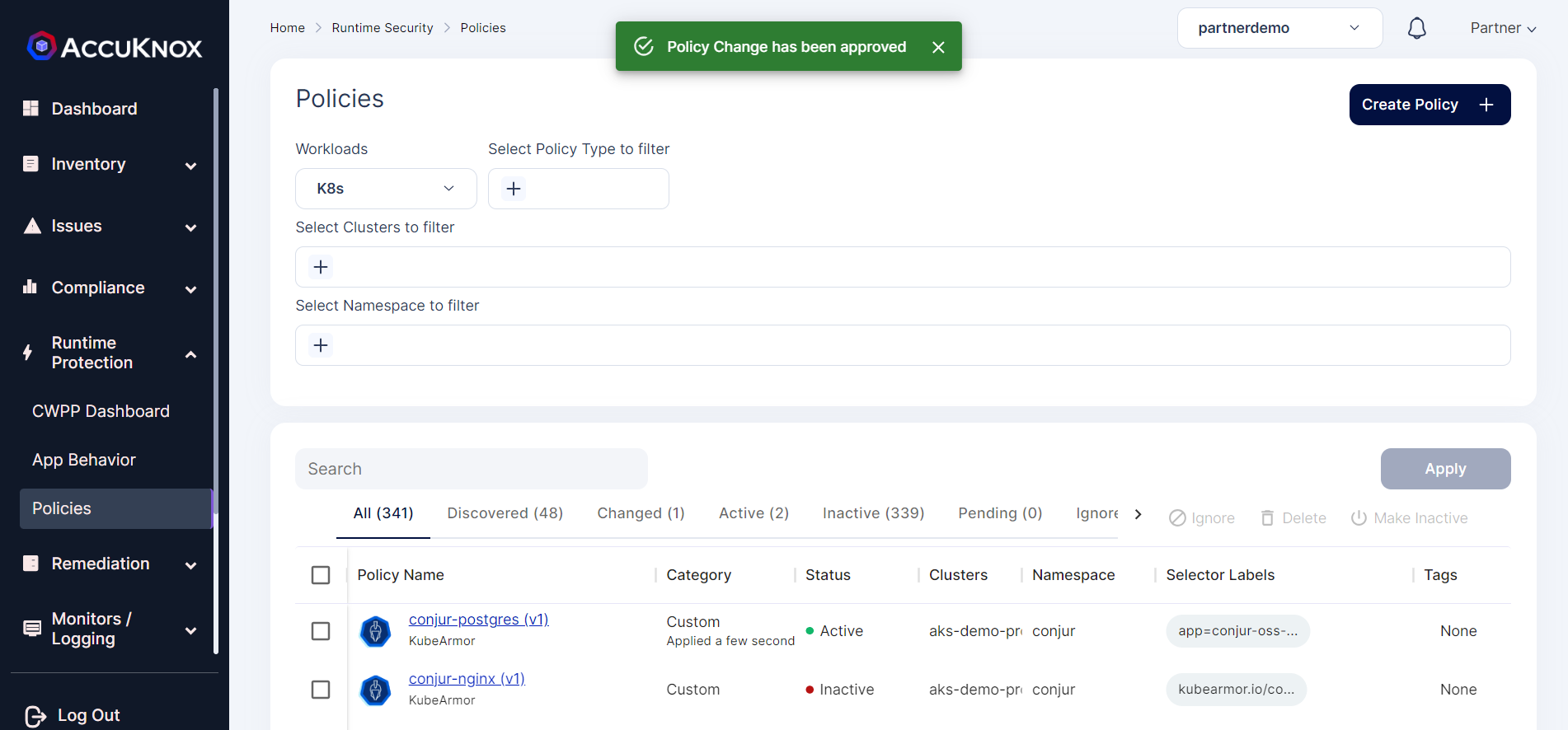
After Applying Policy:
With the KubeArmor policy applied, the attacker will not be able to access the Volume mount points /etc/certs and /var/lib/postgresql/data which contains the sensitive data.
@LAPTOP-9Q1ERBHE:~$ kubectl exec -it -n conjur conjur-postgres-0 -- bash
root@conjur-postgres-0:/# ls
bin   dev                         docker-entrypoint.sh  home  lib64  mnt  proc  run   srv  tmp  var
boot  docker-entrypoint-initdb.d  etc                   lib   media  opt  root  sbin  sys  usr
root@conjur-postgres-0:/# cd etc/certs
root@conjur-postgres-0:/etc/certs# ls
ls: cannot open directory '.': Permission denied
root@conjur-postgres-0:/etc/certs# cat tls.key
cat: tls.key: Permission denied
root@conjur-postgres-0:/etc/certs#
Karmor Logs:
We can view the log alerts by navigate to Monitors/Logging → Logs.
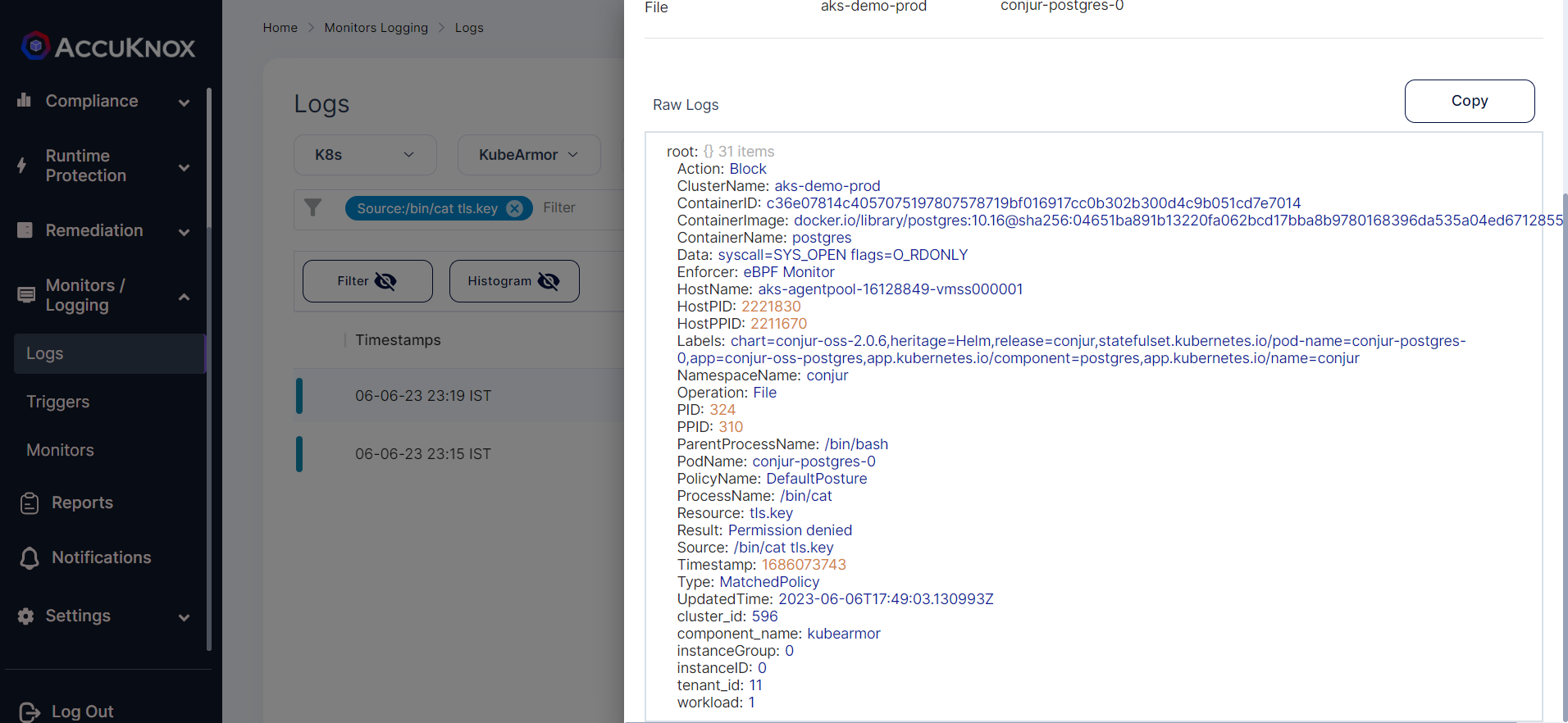
Thus using AccuKnox’s Runtime Security Engine KubeArmor we have protected the access to secrets kept in the CyberArk Conjur.