Installing ASPM Jenkins Plugin
This page walks through the one-time installation and global configuration of the AccuKnox ASPM Scanner plugin in Jenkins. Once finished, every per-scan integration (SAST, IaC, Secret, Container, SBOM, SCA) can be wired up in just a few lines of Pipeline code.
Prerequisites
- A Jenkins controller (
2.387.3 LTSor newer) with at least one build agent. - An AccuKnox SaaS account with a tenant / label you can upload findings to.
- Network egress from the Jenkins agent to the AccuKnox control plane (or a mirrored scanner image for air-gapped agents).
- Administrator access to Jenkins (
Manage Jenkins/Manage Plugins/System Configuration). - The built artifact
accuknox-aspm.hpi(or the published plugin).
- Download
accuknox-aspm.hpifrom https://accuknox-aspm-hpi.s3.us-east-2.amazonaws.com/accuknox-aspm.hpi if you do not already have the file.
1. Deploy the .hpi to Jenkins
- Go to Manage Jenkins → Plugins → Advanced settings (top-right).
- Under Deploy Plugin, click Choose File and pick
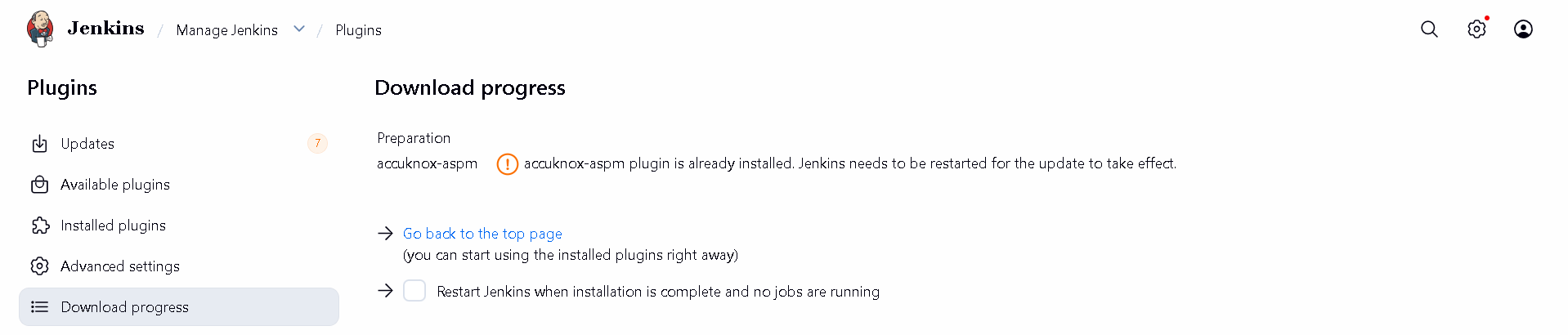
accuknox-aspm.hpi. - Click Deploy, tick Restart Jenkins when installation is complete, and wait for Jenkins to come back up.
- After restart, open Manage Jenkins → Plugins → Installed and confirm AccuKnox ASPM Scanner is listed.
Figure 1. Manage Plugins, Advanced settings.
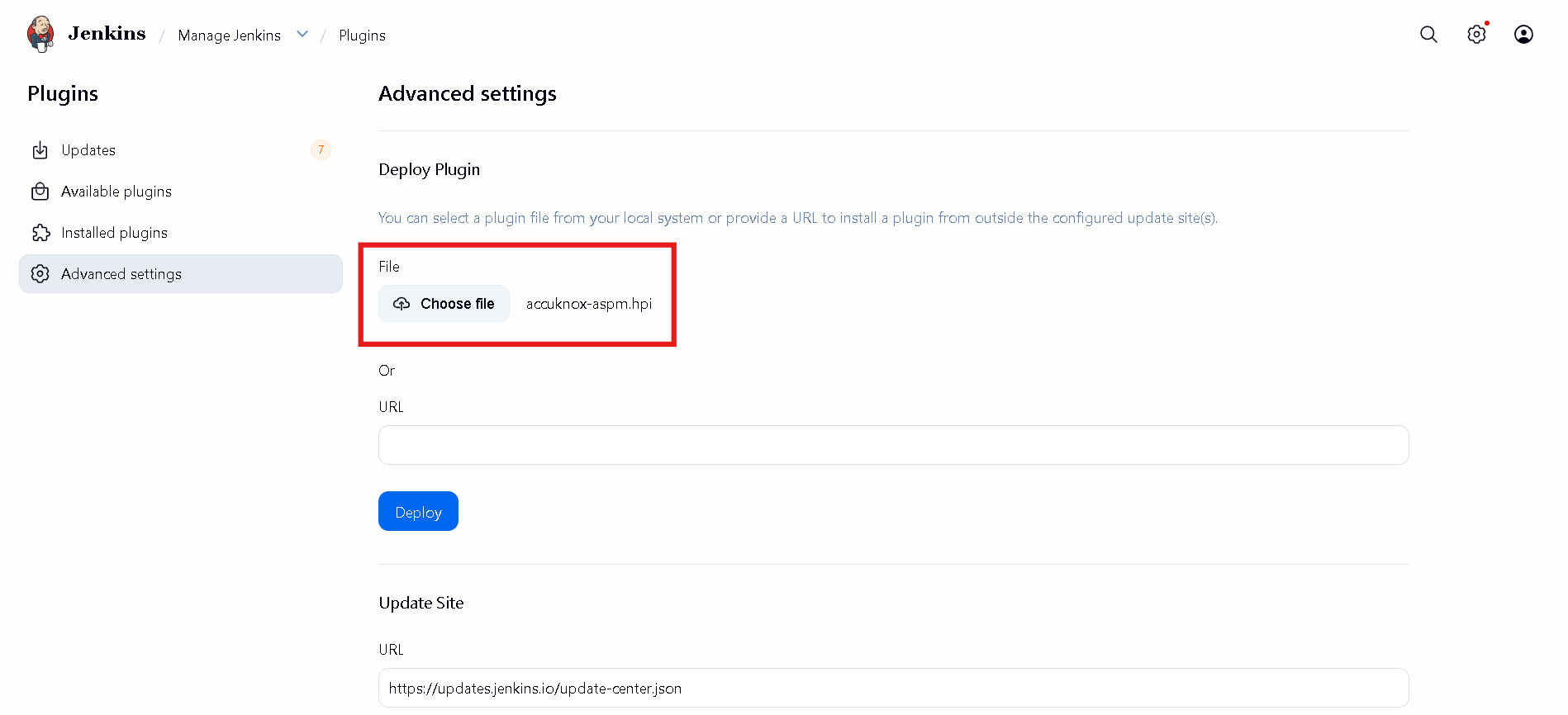
Figure 2. Uploading accuknox-aspm.hpi.
2. Generate an AccuKnox API token
- Log in to the AccuKnox SaaS console.
- Navigate to Settings → Tokens.
- Click Create Token, give it a descriptive name (e.g.
jenkins-ci), and copy the bearer token shown once.
Copy the token immediately
The bearer token is shown only once. Store it somewhere safe before leaving the page.
For step-by-step screenshots, see How to Create Tokens.
3. Store the token as a Jenkins credential
- Open Manage Jenkins and click Credentials under Security.
- Select System → Global credentials → Add Credentials.
- Kind:
Secret text. - Secret: paste the AccuKnox bearer token from the previous step.
- ID: use a memorable identifier such as
accuknox-token. You will reference this from the global plugin config. - Click Save.
Figure 3. Manage Jenkins → Security → Credentials.
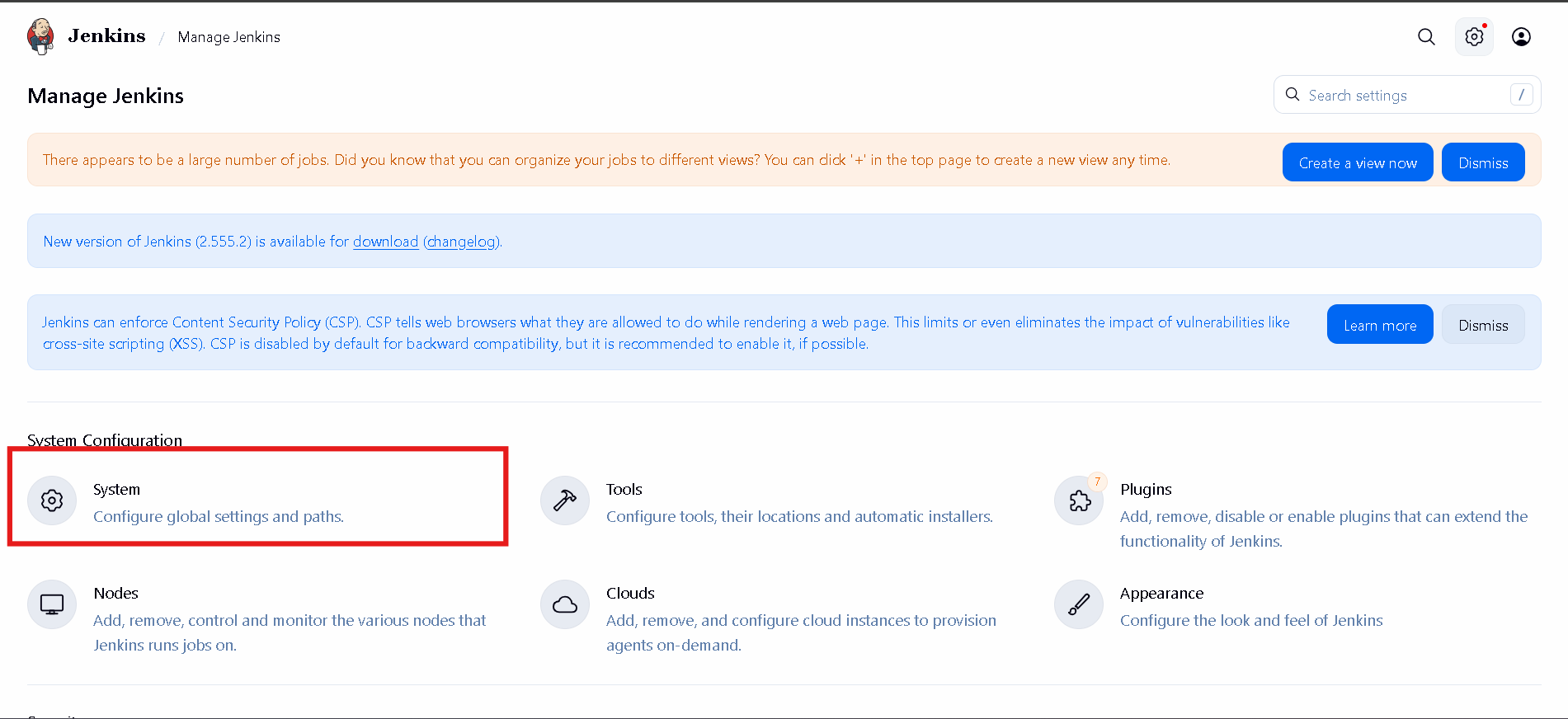
Figure 4. Global credentials with accuknox-token added.
4. Configure the plugin globally
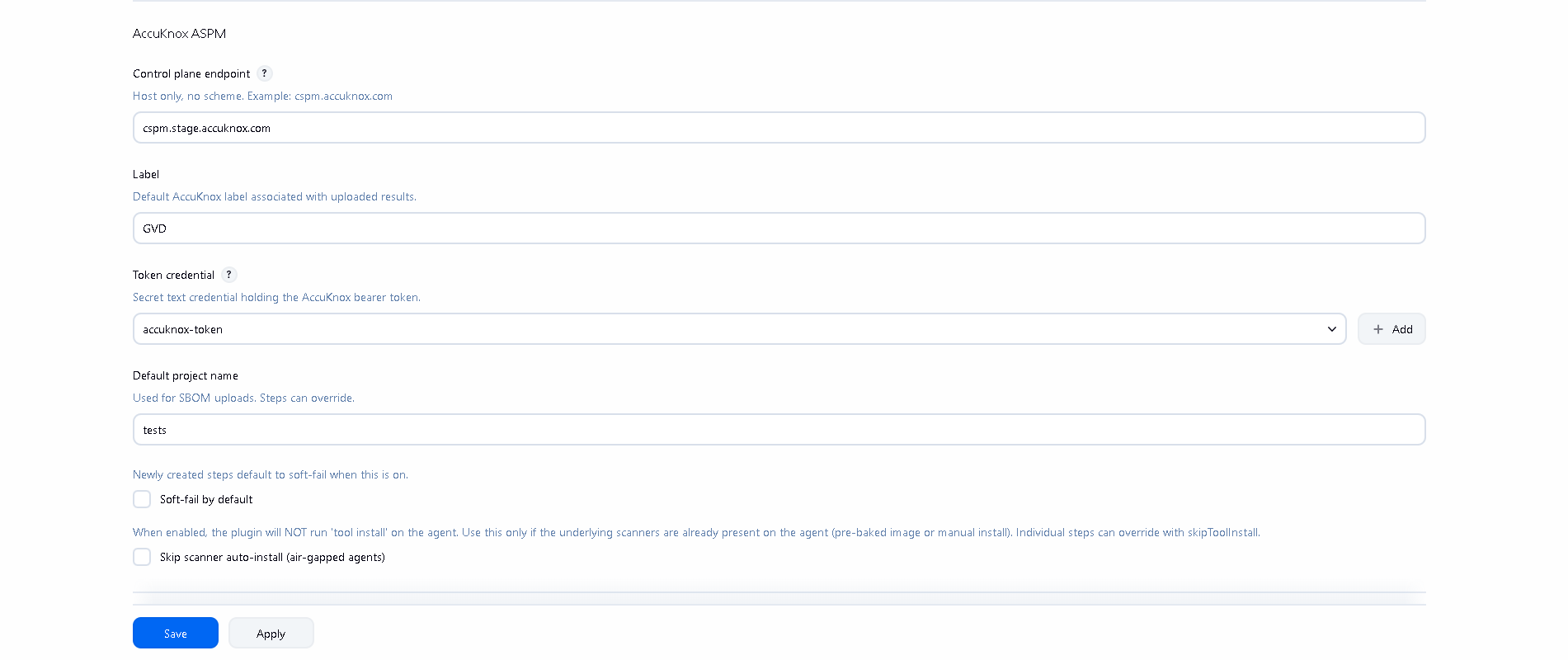
Back on Manage Jenkins, open System (under System Configuration) and scroll to the AccuKnox ASPM section. Fill in the fields:
| Field | Example | Notes |
|---|---|---|
| Control plane endpoint | cspm.accuknox.com |
Host only, no https:// prefix. |
| Label | your-tenant-label |
Becomes label_id on every upload. |
| Token credential | accuknox-token |
ID of the credential created in step 3. |
| Default project name | (optional) | Used by image-SBOM uploads when not set per step. |
| Soft-fail by default | off | Leave unticked unless every step should default to advisory. |
| Skip scanner auto-install | off | Tick only for air-gapped agents. |
Figure 5. Manage Jenkins → System Configuration → System.
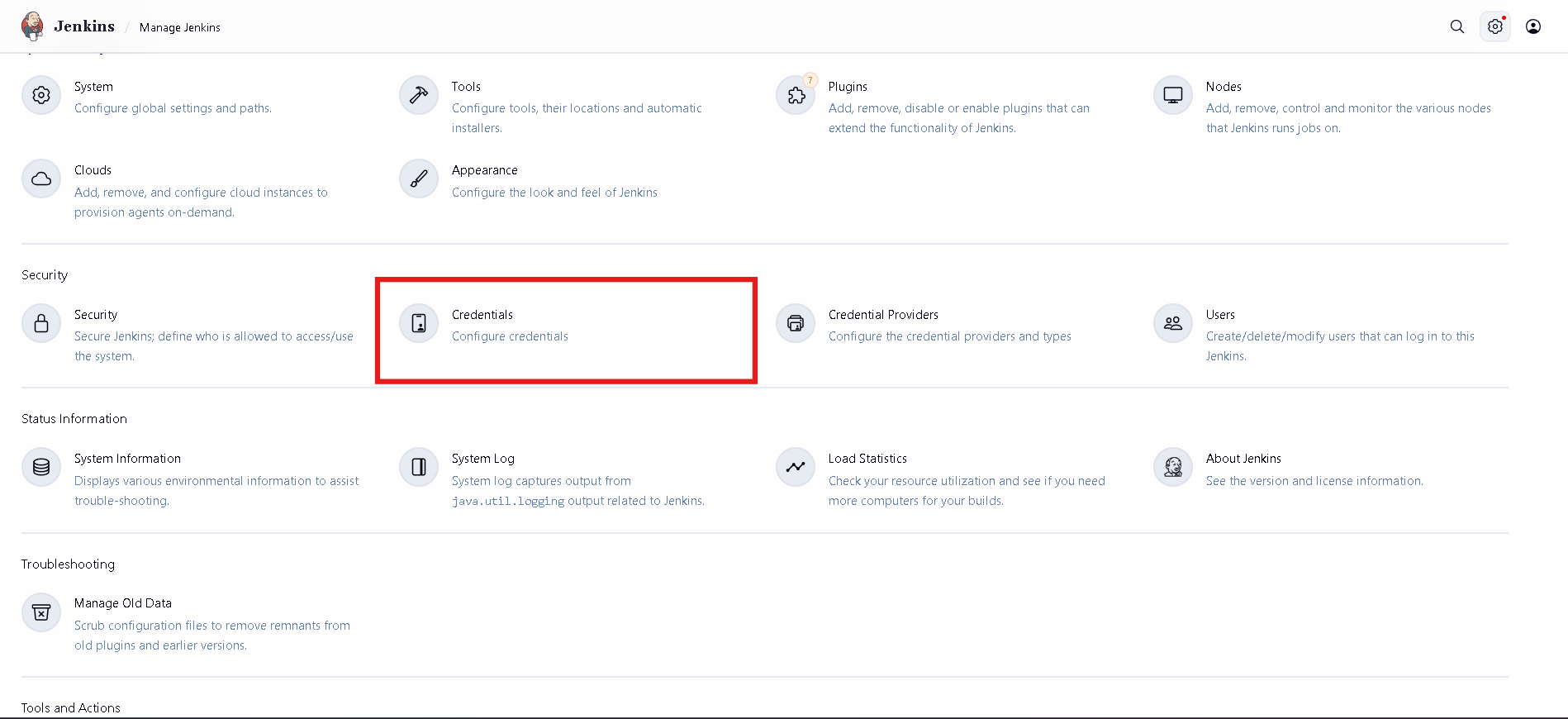
Figure 6. AccuKnox ASPM global configuration filled in.

5. (Optional) Create the SBOM project on AccuKnox
If you plan to use the accuknoxSbom step, the project name you pass must already exist on AccuKnox with classifier container. Create it from the AccuKnox console under Projects → Add Project.
6. Pick your scan
The plugin ships pipeline steps for every common scan type. Pick a guide:
-
Static Application Security Testing on source code.
-
Terraform, CloudFormation, Kubernetes, Helm, ARM, Dockerfile.
-
Walks full git history for committed secrets.
-
Pull and scan registry images for known CVEs.
-
Generate a CycloneDX SBOM for a container image.
-
Glob-scan jars, wheels, binaries, lockfiles.
Next steps
You now have a working AccuKnox ASPM plugin on Jenkins. From any pipeline you can drop in a single accuknox* step and have results flow to the AccuKnox console for triage, ticketing, and verification.