Gitlab DAST
To demonstrate the benefits of incorporating AccuKnox into a CI/CD pipeline using GitLab to enhance security, consider a specific scenario involving a domain with known vulnerabilities. By integrating AccuKnox scanning into the pipeline, we can identify and resolve these security issues.

Pre-requisites
-
GitLab Access
-
AccuKnox Platform Access
Steps for Integration
Step 1: Log in to AccuKnox. Navigate to Settings → Tokens to create an AccuKnox token for forwarding scan results to SaaS. For details on generating tokens, refer to How to Create Tokens.
Step 2: Configure GitLab CI/CD Variables. For details on configuring variables, refer to How to Create CI/CD Variables in GitLab.
-
ACCUKNOX_TOKEN: AccuKnox API token for authorization.
-
ACCUKNOX_TENANT: Your AccuKnox tenant ID.
-
ACCUKNOX_ENDPOINT: The AccuKnox API URL (e.g., cspm.demo.accuknox.com).
-
ACCUKNOX_LABEL: The label for your scan.
Step 3: Set Up GitLab CI/CD Pipeline
Create a new pipeline in your GitLab project with the following YAML configuration:
include:
  - component: $CI_SERVER_FQDN/accu-knox/scan/dast-scan@2.4.0
    inputs:
      STAGE: test
      TARGET_URL: "https://juice-shop.herokuapp.com/"
      SEVERITY_THRESHOLD: "High"
      DAST_SCAN_TYPE: "baseline"
      SOFT_FAIL: false
      ACCUKNOX_TOKEN: ${ACCUKNOX_TOKEN}
      ACCUKNOX_ENDPOINT: ${ACCUKNOX_ENDPOINT}
      ACCUKNOX_LABEL: ${ACCUKNOX_LABEL}
Initial CI/CD Pipeline Without AccuKnox Scan
Initially, the CI/CD pipeline does not include the AccuKnox scan. When you push changes to the repository, no security checks are performed, potentially allowing security issues in the application.
CI/CD Pipeline After AccuKnox Scan Integration
After integrating AccuKnox into your CI/CD pipeline, the next push triggers the CI/CD pipeline. The AccuKnox scan identifies potential vulnerabilities in the application.
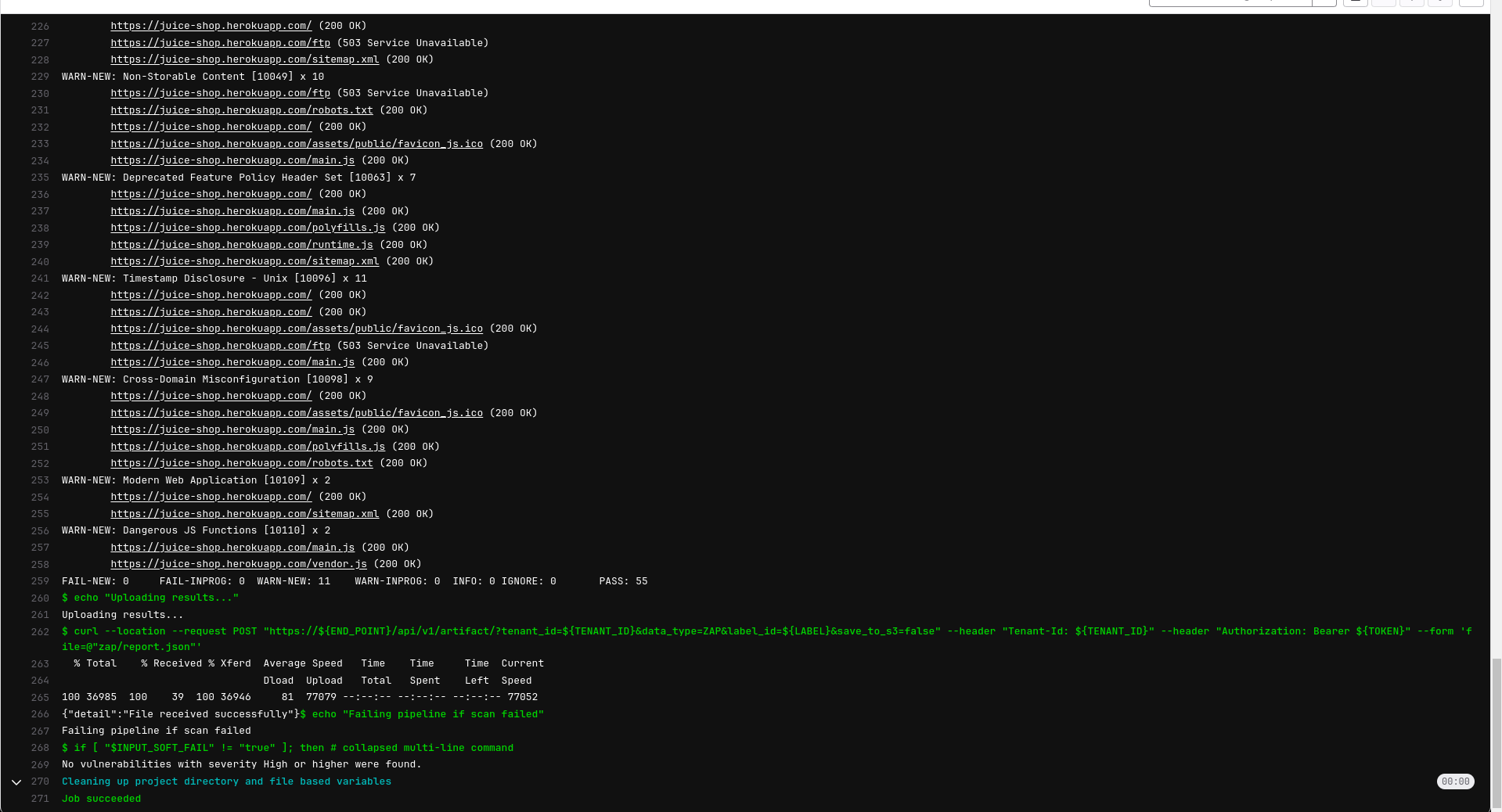
View Results in AccuKnox SaaS
Step 1: After the workflow completes, navigate to the AccuKnox SaaS dashboard.
Step 2: Go to Issues > Findings and select DAST Findings to see identified vulnerabilities.
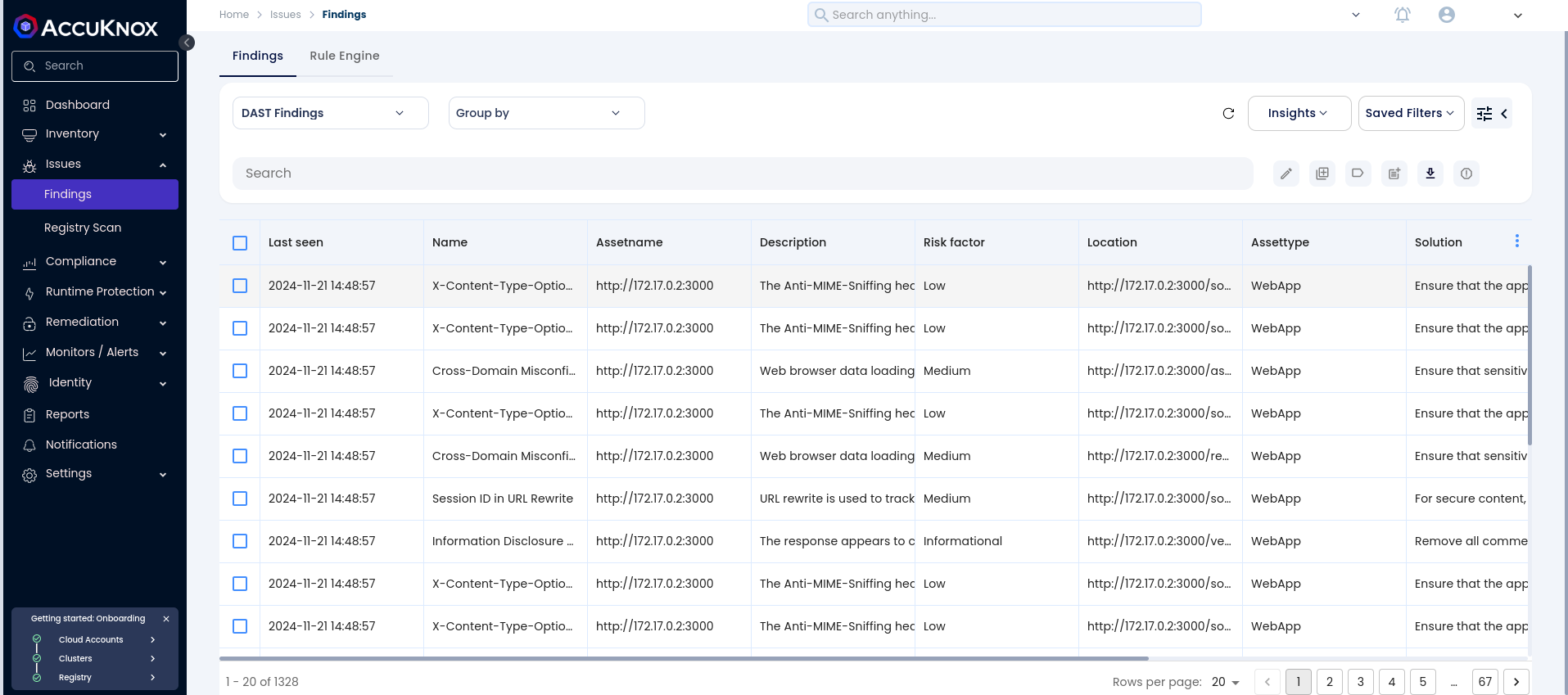
Step 3: Click on a vulnerability to view more details.
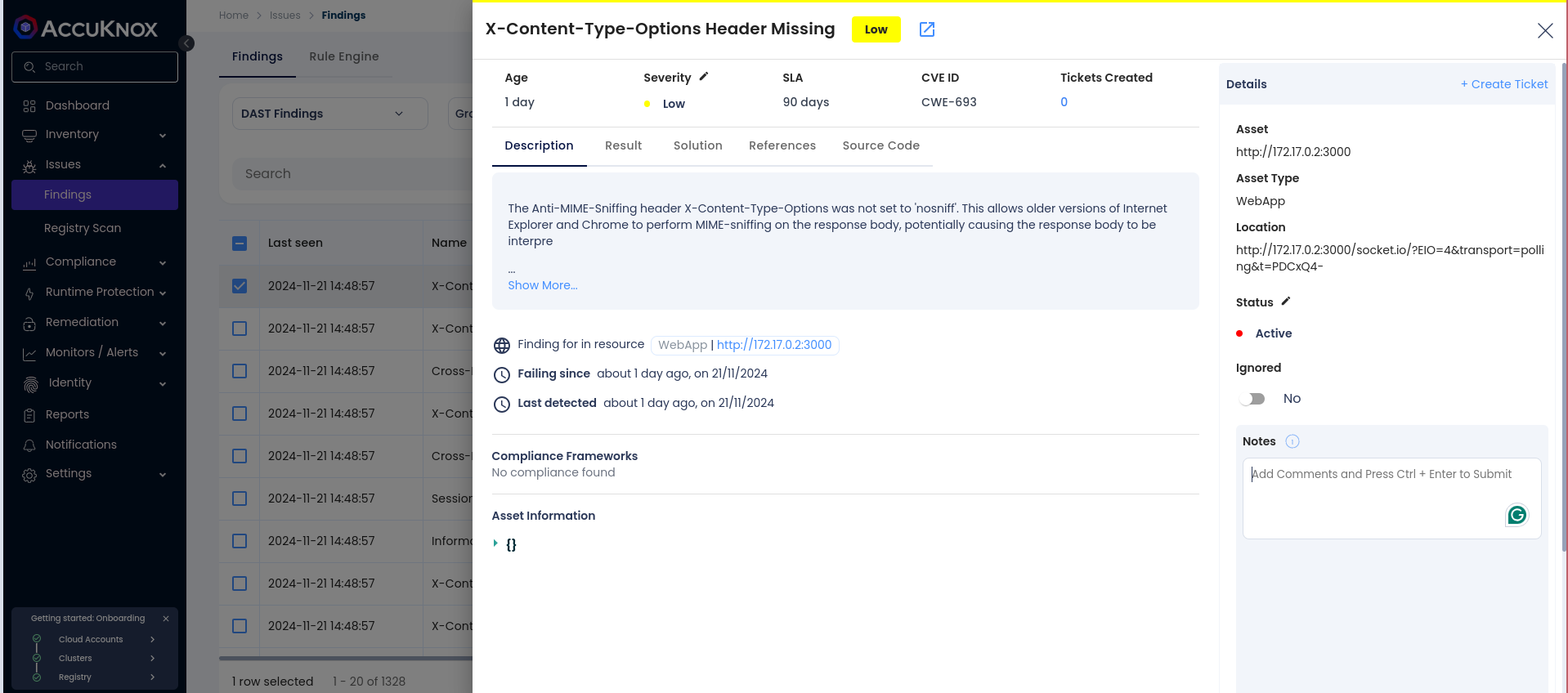
Step 4: Fix the Vulnerability
Follow the instructions in the Solutions tab to fix the vulnerability
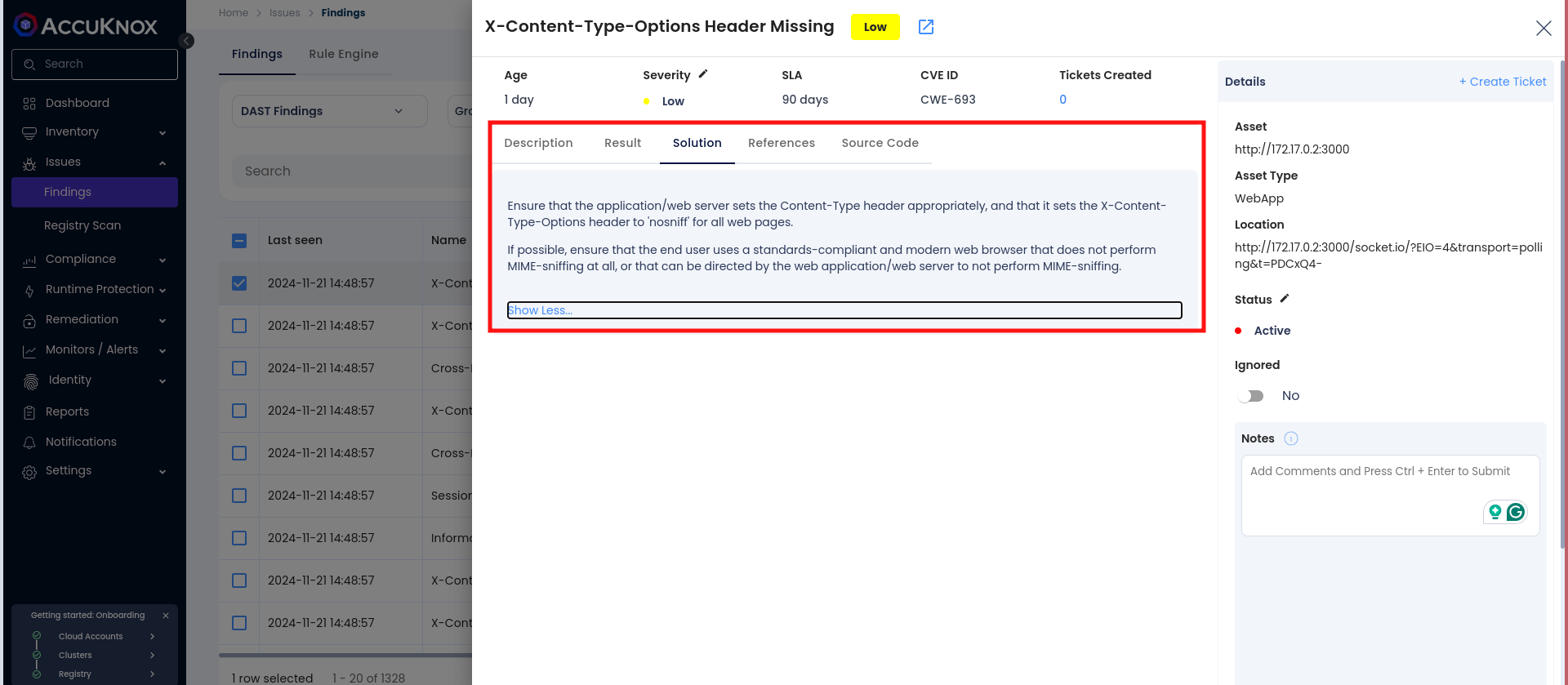
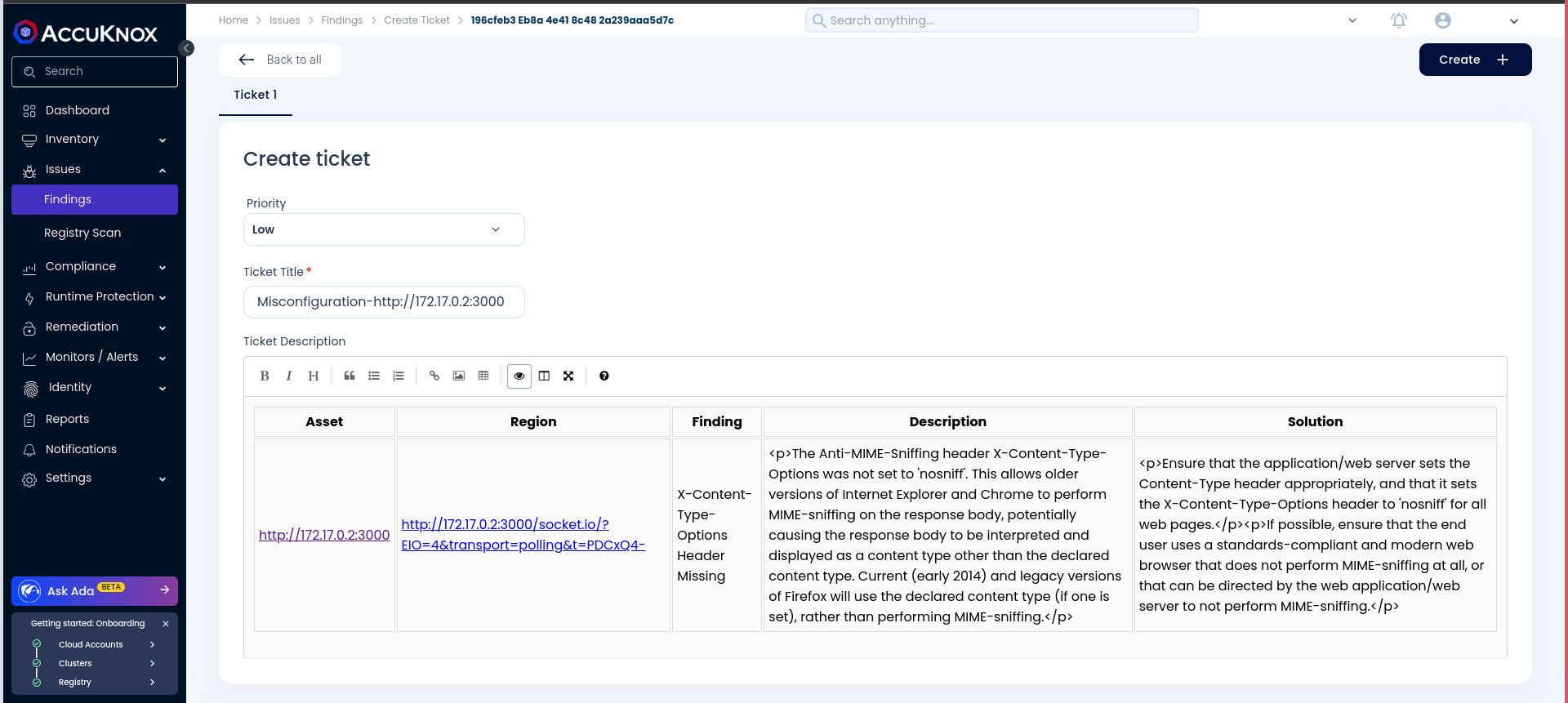
Step 5: Create a Ticket for Fixing the Vulnerability
Create a ticket in your issue-tracking system to address the identified vulnerability.
Step 6: Review Updated Results
-
After fixing the vulnerability, rerun the GitLab CI/CD pipeline.
-
Navigate to the AccuKnox SaaS dashboard and verify that the vulnerability has been resolved.
Conclusion
GitLab CI/CD, combined with AccuKnox scanning, provides enhanced security by identifying and mitigating vulnerabilities during the CI/CD process. This integration offers visibility into potential security issues and helps ensure a secure deployment environment. AccuKnox DAST integrates seamlessly with various CI/CD tools, including Jenkins, GitHub, GitLab, Azure Pipelines, and AWS CodePipelines.