Setting Up Container Scanning in GitHub CI/CD Pipeline
In this guide, we demonstrate how to incorporate AccuKnox's container scanning capabilities into a GitHub Actions workflow. The process ensures that vulnerabilities in Docker images are identified and remediated before deployment, significantly improving the security posture of your CI/CD pipeline.
Scenario Before Integration
-
Context: The Docker image was built using an outdated base image (
node:15-slim) with known vulnerabilities, introducing security risks into the deployment pipeline. -
Issues:
-
Vulnerabilities in the base image were not detected.
-
The image was pushed to the registry without any security validation.
-
Steps for Integrating AccuKnox
Step 1: Generate AccuKnox Token
Log in to AccuKnox. Navigate to Settings → Tokens to create an AccuKnox token for forwarding scan results to SaaS. For details on generating tokens, refer to How to Create Tokens.
Step 2: Configure GitHub Secrets
Store the following values as GitHub repository secrets:
-
ACCUKNOX_TOKEN: AccuKnox API token. -
ACCUKNOX_LABEL: Custom label for associating scan results. -
ACCUKNOX_ENDPOINT: (Optional) AccuKnox API URL (default:cspm.demo.accuknox.com).
Step 3: Set Up GitHub Actions Workflow
Create a workflow YAML file in your repository .github/workflows/accuknox-scan.yml:
name: AccuKnox Container Scan

on:
  push:
    branches:
      - main
  pull_request:
    branches:
      - main

jobs:
  container-scan:
    runs-on: ubuntu-latest
    steps:
      - name: Checkout code
        uses: actions/checkout@v4

      - name: Run AccuKnox Container Scanner
        uses: accuknox/container-scan-action@latest

        with:
          accuknox_token: ${{ secrets.ACCUKNOX_TOKEN }}
          accuknox_label: ${{ secrets.ACCUKNOX_LABEL }}
          accuknox_endpoint: ${{ secrets.ACCUKNOX_ENDPOINT }}
          image_name: "your-image"
          tag: "latest"
          severity: "UNKNOWN,LOW,MEDIUM,HIGH,CRITICAL"
          soft_fail: true
          upload_results: true  # (Optional) set true if you want to upload result to Github artefact
          generate_sbom: true   # (Optional) set true to generate SBOM
          project_name: ""      # (Optional) must match the project name created in the dashboard
          dockerfile_context: Dockerfile  # Path to Dockerfile for building image before scan
Inputs for AccuKnox Container Scan Action
| Input Name | Description | Optional/Required | Default Value |
|---|---|---|---|
| accuknox_token | The token for authenticating with the CSPM panel. | Required | None |
| accuknox_label | The label created in AccuKnox SaaS. | Required | None |
| accuknox_endpoint | The URL of the CSPM panel to push the scan results to. | Required | cspm.demo.accuknox.com |
| image | Name of the container image to scan to. | Required | None |
| tag | Version tag for the container image | Optional | None |
| severity | Severity levels to block pipeline (LOW, MEDIUM, HIGH, etc) | Optional | None |
| soft_fail | Fail the pipeline if secrets are found. | Optional | false |
Scenario After Integration
-
Workflow Enhancements:
-
The pipeline scans Docker images during the build process.
-
Critical vulnerabilities halt the pipeline, ensuring only secure images are deployed.
-
-
Outcome:
-
Vulnerabilities are identified and remediated before the image reaches production.
-
Secure images are pushed to the registry with confidence.
-
Viewing Results in AccuKnox SaaS
Step 1: After the workflow completes, navigate to the AccuKnox SaaS dashboard.
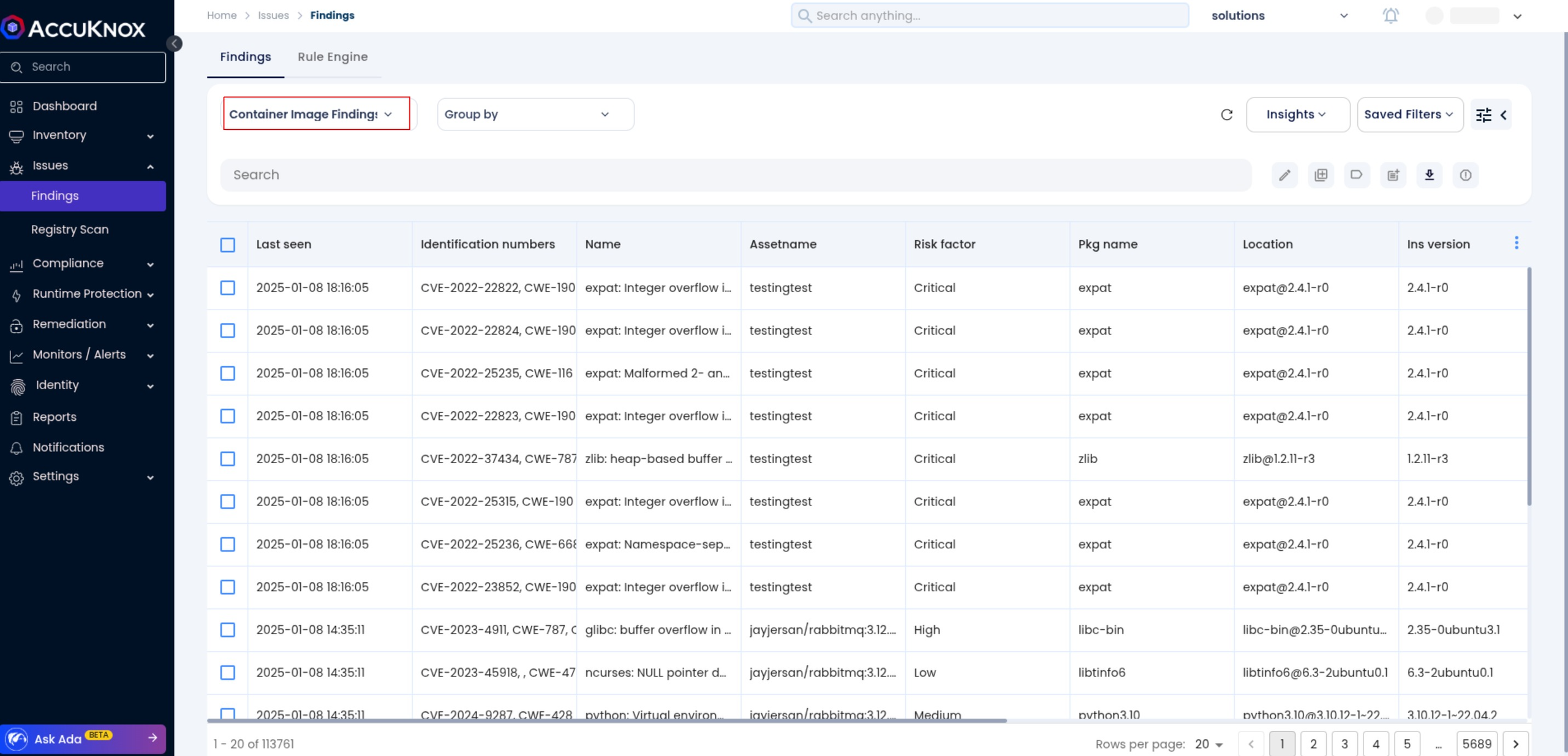
Step 2: Go to Issues > Findings and select Container Image Findings to see identified vulnerabilities.
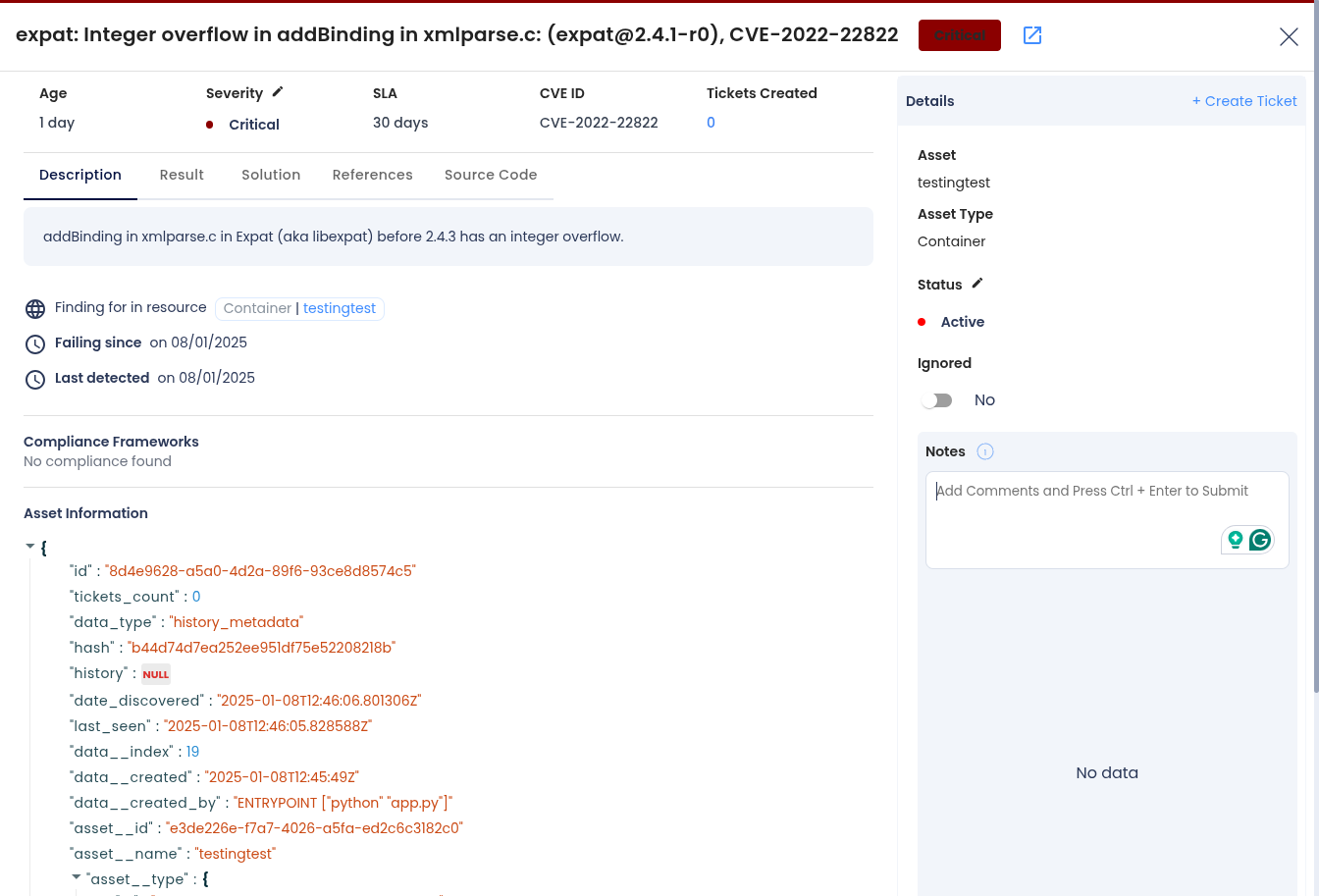
Step 3: Click on a vulnerability to view more details.
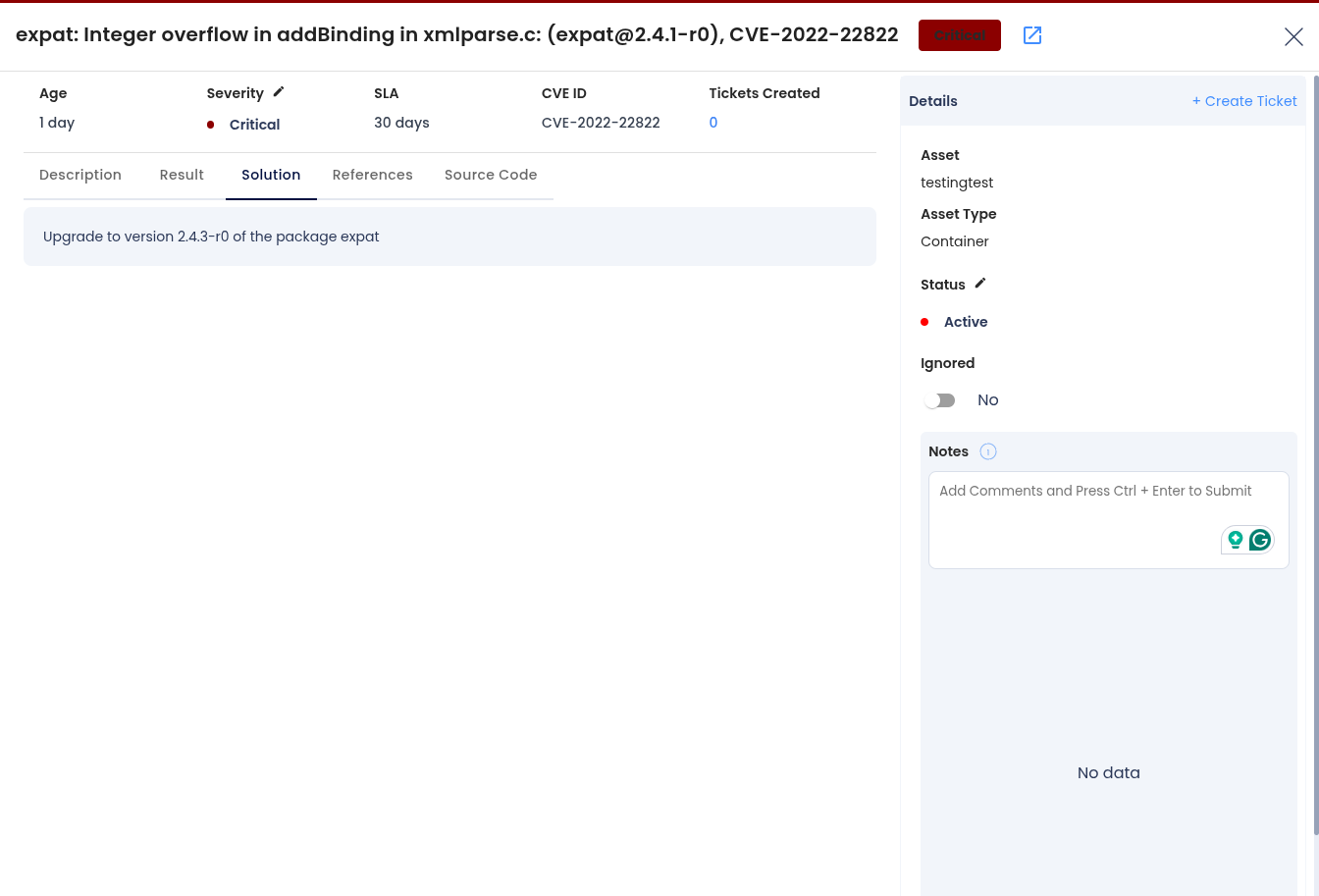
Step 4: Fix the Vulnerability
Follow the instructions in the Solutions tab to fix the vulnerability
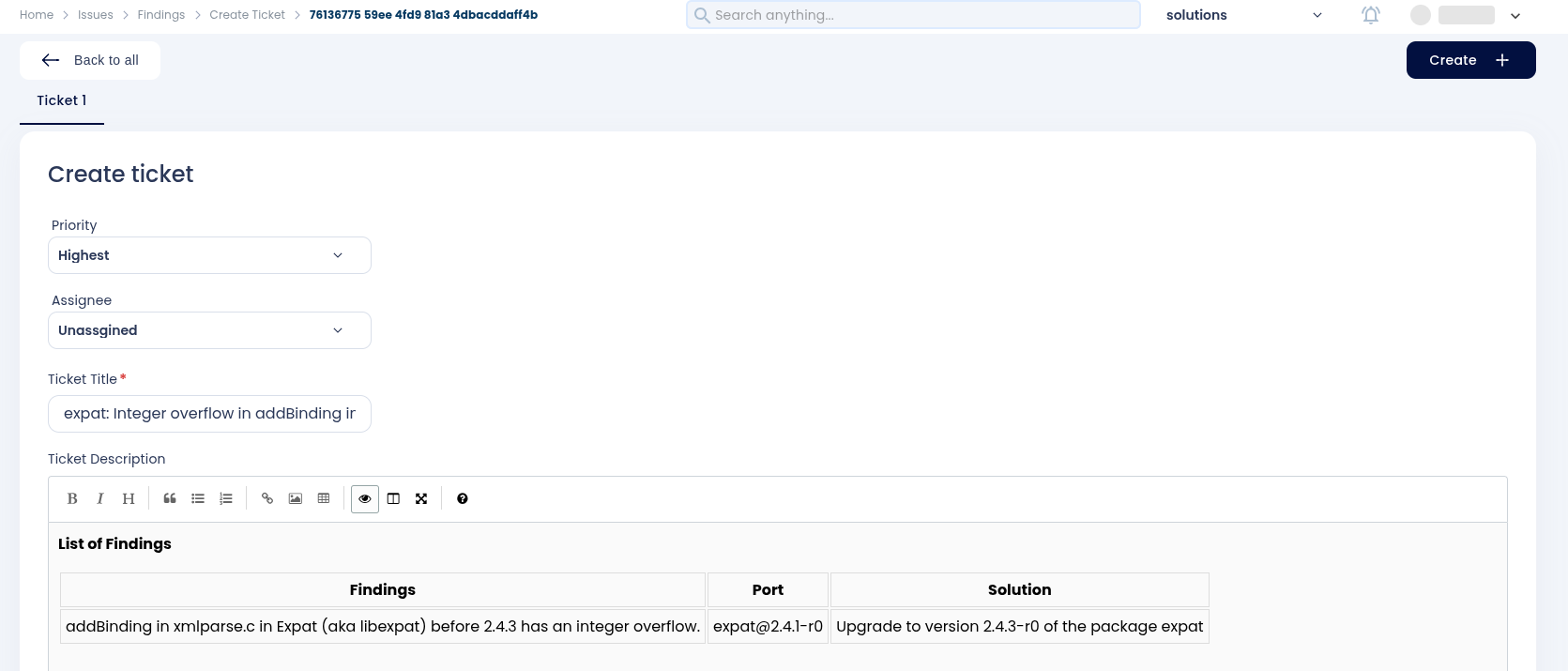
Step 5: Create a Ticket for Fixing the Vulnerability
Create a ticket in your issue-tracking system to address the identified vulnerability.
Step 6: Review Updated Results
-
After fixing the vulnerability, rerun the Github pipeline.
-
Navigate to the AccuKnox SaaS dashboard and verify that the vulnerability has been resolved.
Conclusion
By integrating AccuKnox into your GitHub CI/CD pipeline, container images are scanned and validated for security vulnerabilities. The integration prevents insecure images from being deployed and ensures a secure development lifecycle.