Pre-requisite for AWS Cloud Account Onboarding
CSPM Pre-requisite for AWS
When the AccuKnox control plane is hosted in a cloud environment, scanning is performed using Cloud account Readonly Access permissions.

AWS onboarding requires creating an IAM user. Follow these steps to provide the user with appropriate read access:
Step 1: Navigate to IAM → IAM users and click on "Create user"

Step 2: Give a username to identify the user
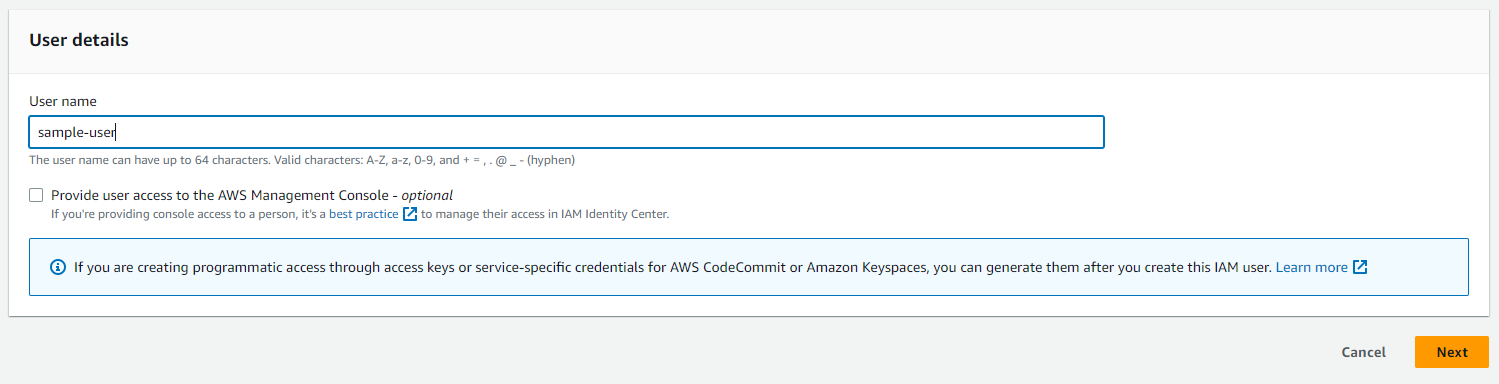
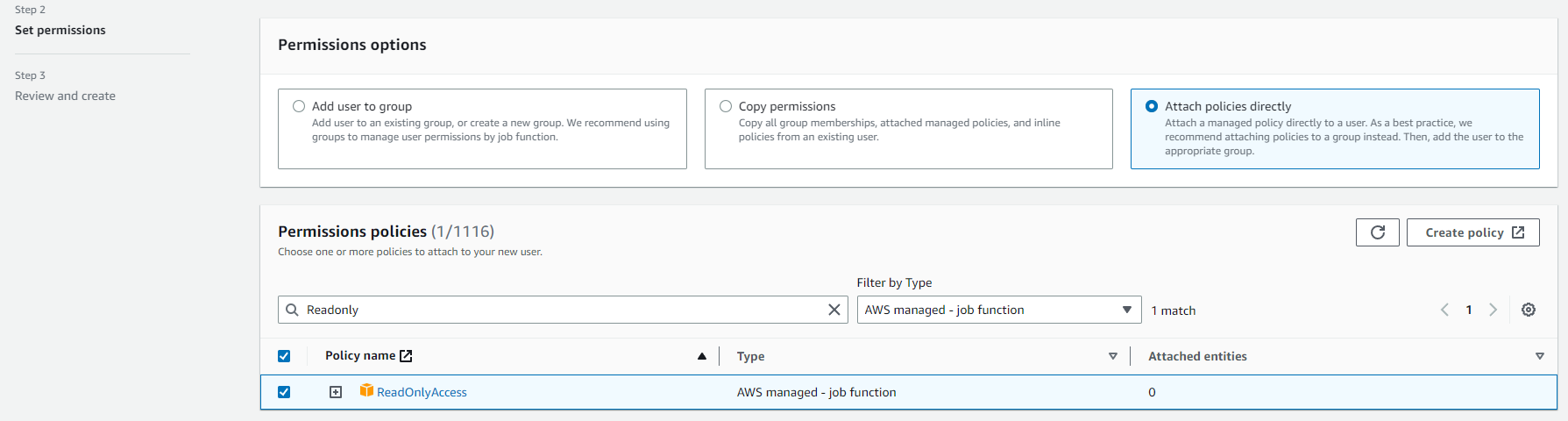
Step 3: In the "Set Permissions" screen:
a. Select "Attach policies directly"
b. Search "ReadOnly", filter by Type: "AWS managed - job function" and select the policy
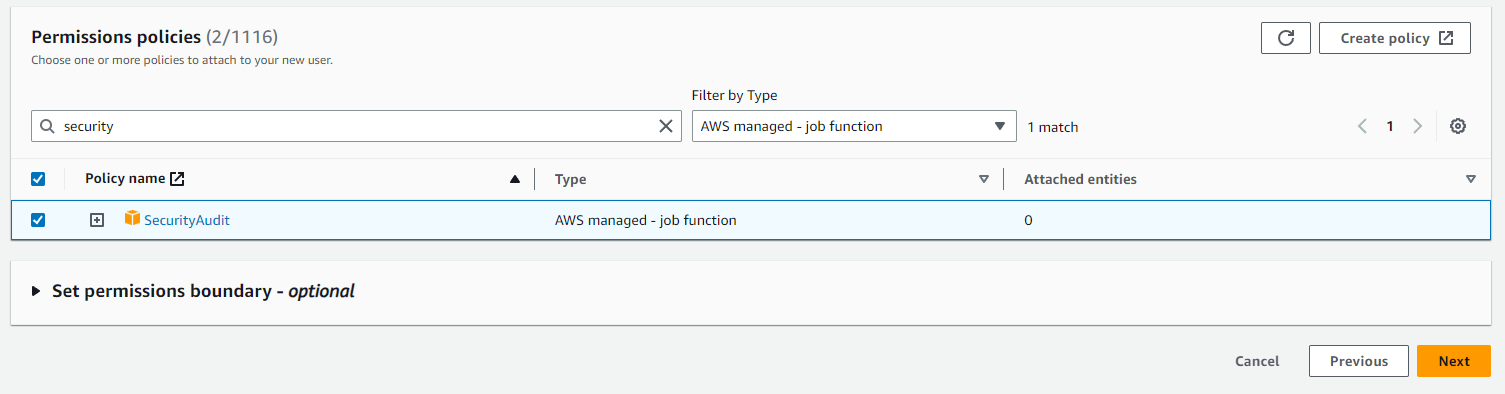
c. Search "SecurityAudit", filter by Type: "AWS managed - job function" and select the policy
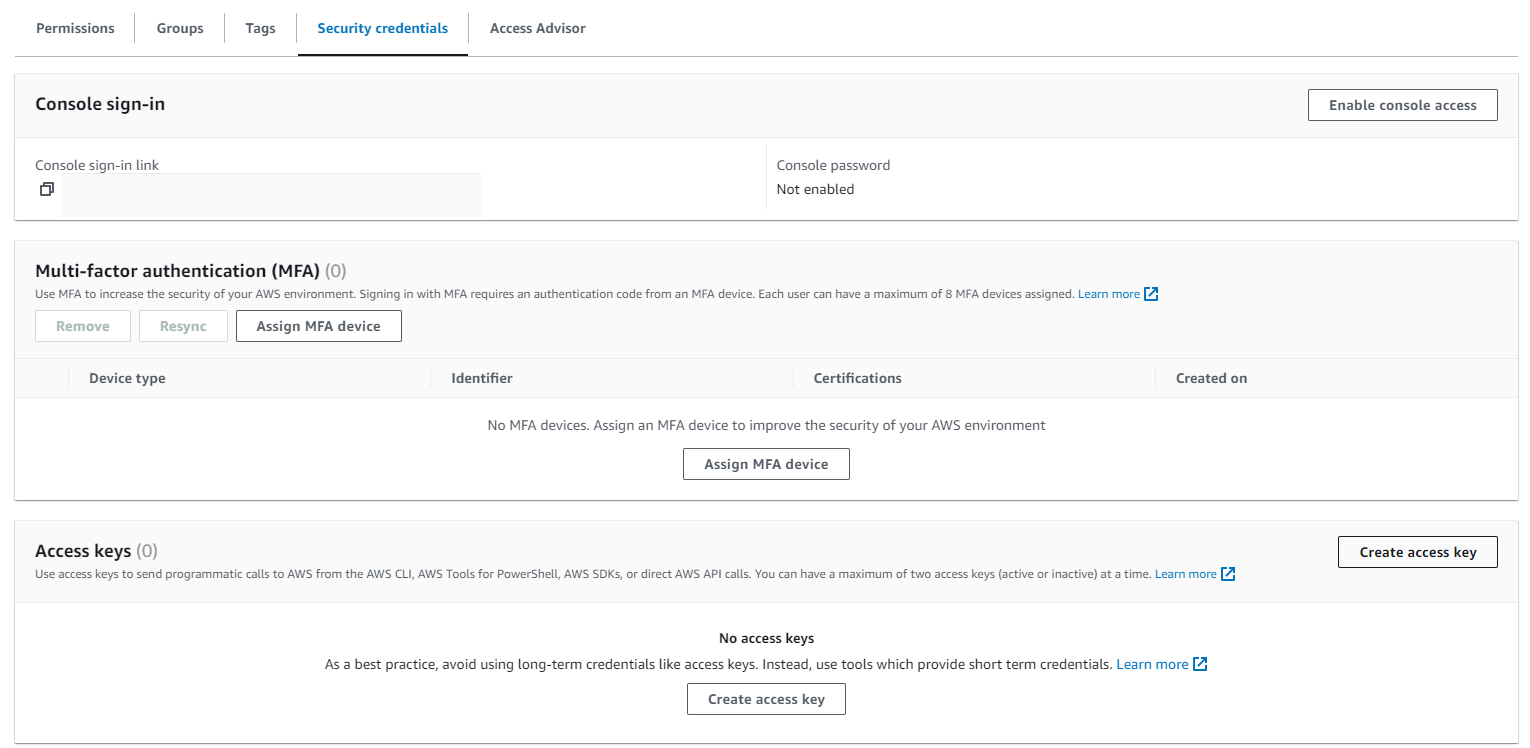
Step 4: Finish creating the user. Now, click on the newly created user, and create and save the "Access Key" and "Secret Key" from the Security Credentials tab, which is to be used in the AccuKnox panel
Permissions for AI Asset Scanning (AWS)
Required Managed Policies
Create an IAM User and attach the following managed policies:
ReadOnlyAccess(AWS managed — job function)SecurityAudit(AWS managed — job function)
Required Inline Policy
Create an inline policy with the following JSON. This covers Bedrock, SageMaker, Bedrock AgentCore, and AWS Marketplace access in a single policy:
{
    "Version": "2012-10-17",
    "Statement": [
        {
            "Sid": "AccuKnoxAIMLPermissions",
            "Effect": "Allow",
            "Action": [
                "bedrock:InvokeModel",
                "bedrock:InvokeAgent",
                "sagemaker:InvokeEndpoint",
                "sagemaker:ListTags",
                "bedrock-agentcore:InvokeAgentRuntime",
                "bedrock-agentcore:StopRuntimeSession",
                "aws-marketplace:Subscribe",
                "aws-marketplace:ViewSubscriptions"
            ],
            "Resource": "*"
        }
    ]
}
Note
aws-marketplace:Subscribe and aws-marketplace:ViewSubscriptions are required for invoking certain models (e.g., Claude Opus 4.5) that are distributed through AWS Marketplace.
Setup Steps
- Navigate to IAM > Users > Create User.
- Attach the managed policies ReadOnlyAccess and SecurityAudit.
- Go to Add Permissions > Create inline policy, paste the JSON above, and create the policy.
- After creating the user, go to Security Credentials and create an Access Key and Secret Key to use during AccuKnox onboarding.