GitLab IaC Scan via Accuknox
This guide demonstrates how to secure a CI/CD pipeline in GitLab using Accuknox to enhance security for Infrastructure as Code (IaC). We will identify code vulnerabilities and send the results to AccuKnox for analysis and remediation.
Prerequisites
-
Public Repository:
- You only need the repository URL containing the IaC files.
-
Private Repository:
-
Go to your GitLab repository Navigate to
Settings > Access Tokensto get the token.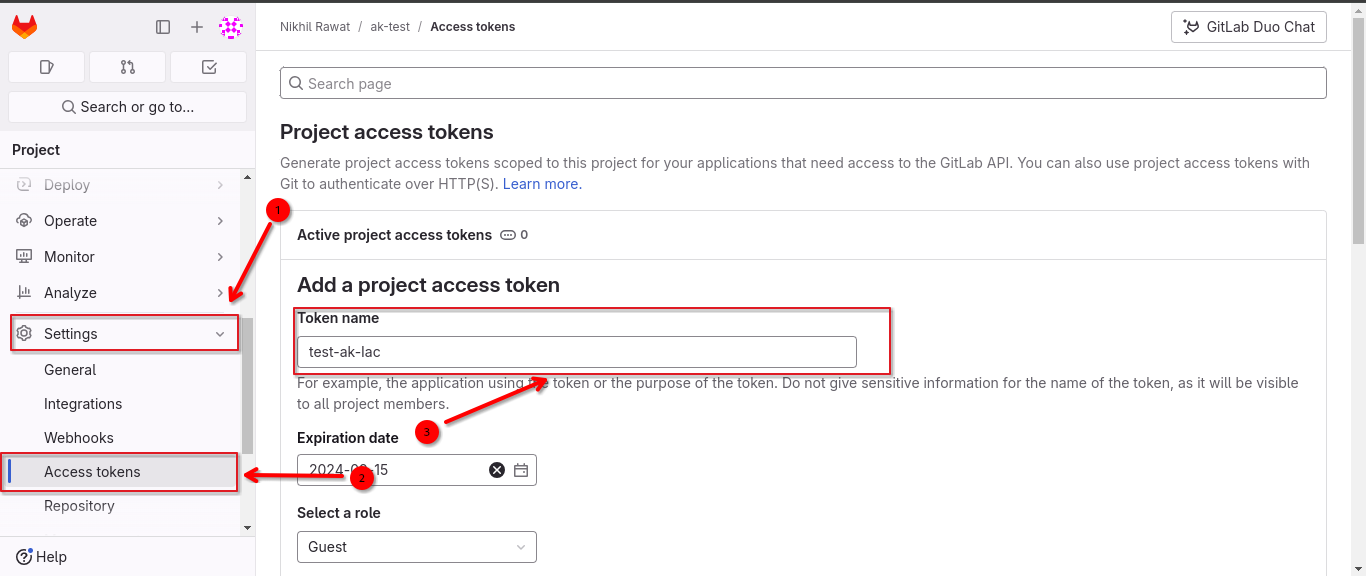
-
Add a new token with
read_repositoryas the scope and assign the role asReporter.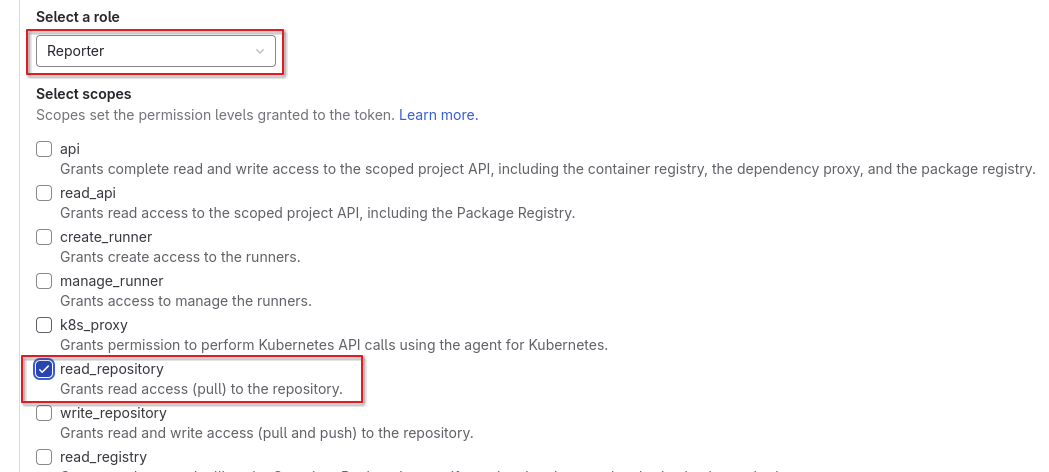
-
Configuring Code Source in Accuknox
-
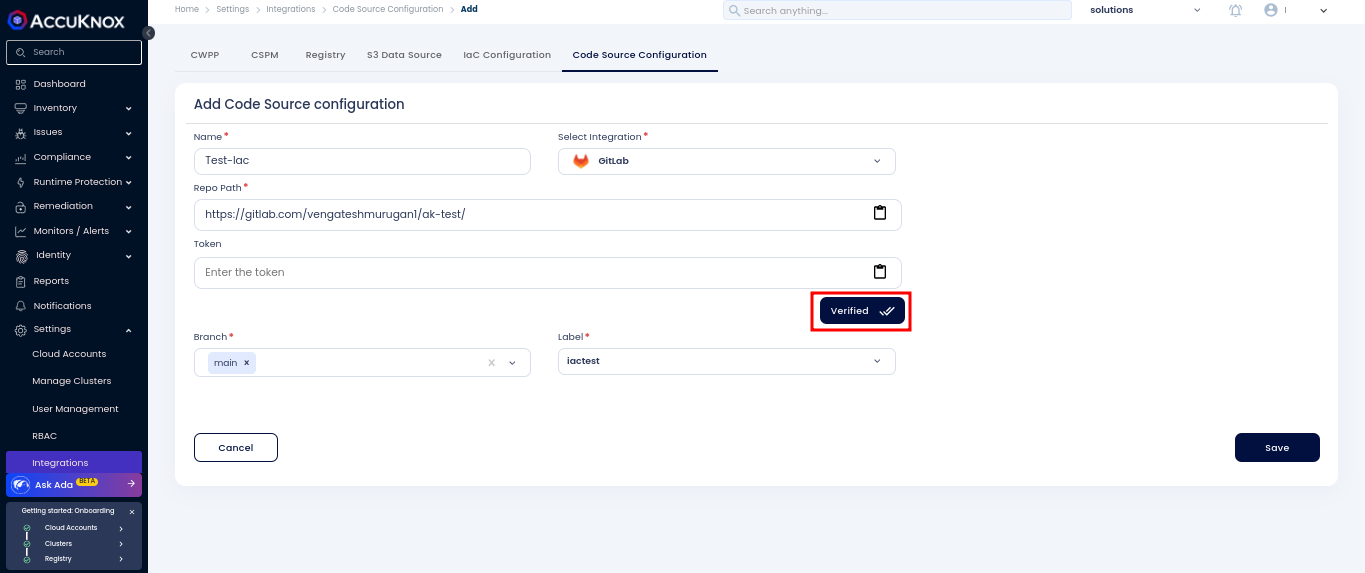
Go to
Settings > Integration > Code Source Configurationon the Accuknox platform.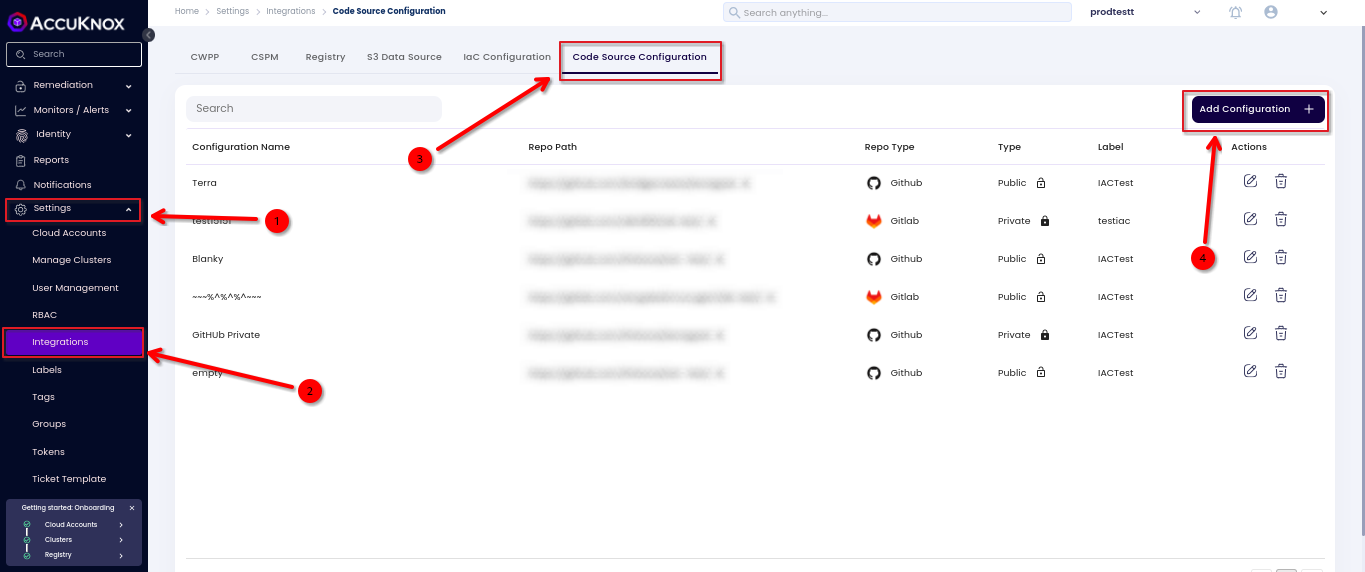
-
Enter the repository path:
-
Public Repository: No token is needed.
-
Private Repository: Enter the previously created access token.
-
-
Click on
Testto verify the configuration and ensure there are no errors. -
Select the branch type and label.
-
Save the configuration.
Setting Up IaC Configuration
-
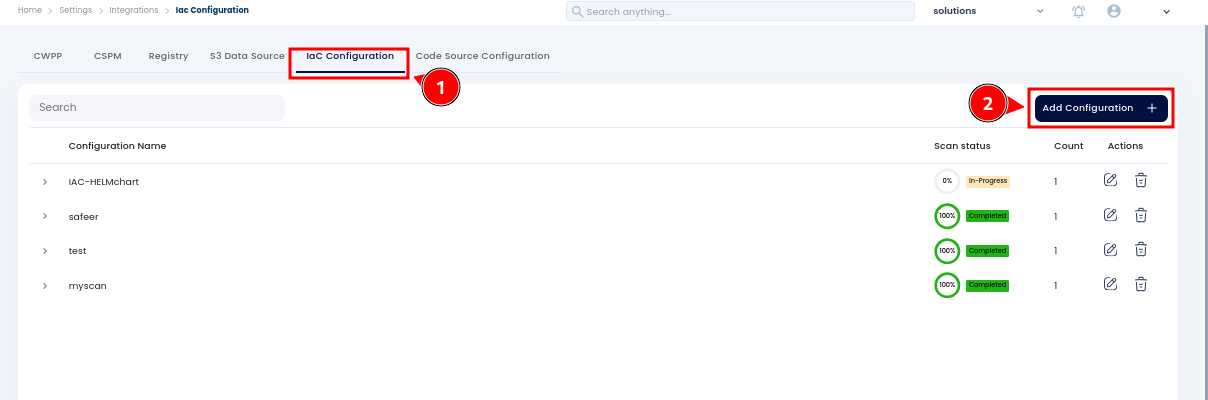
Navigate to the
IaC Configurationtab. -
Click on
Add Configuration.
-
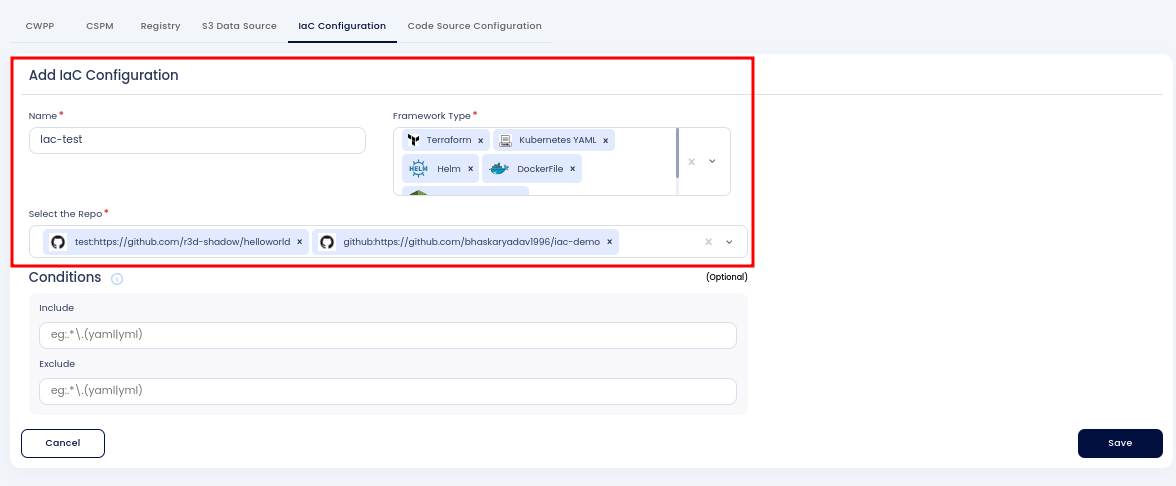
Fill in the following details:
-
Integration Name: Provide a name for this integration.
-
Framework Type: Select the file types you want to scan in the repository (e.g., Terraform, Helm, Dockerfile).
-
-
Select the repository from the dropdown menu that you previously added.
-
Under the conditions which is an Optional field, you can include or exclude specific files from the scan.
-
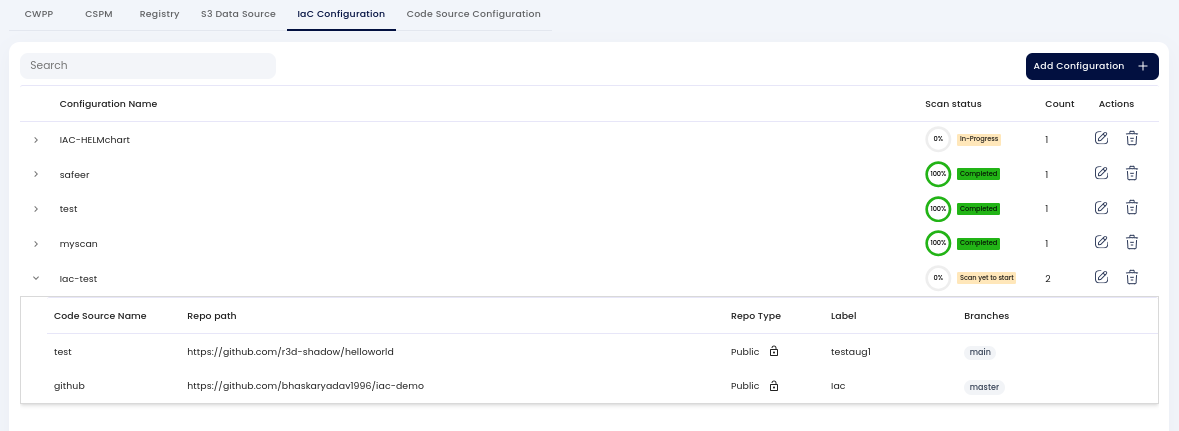
Save the configuration.
Viewing and Managing IaC Findings on Accuknox
-
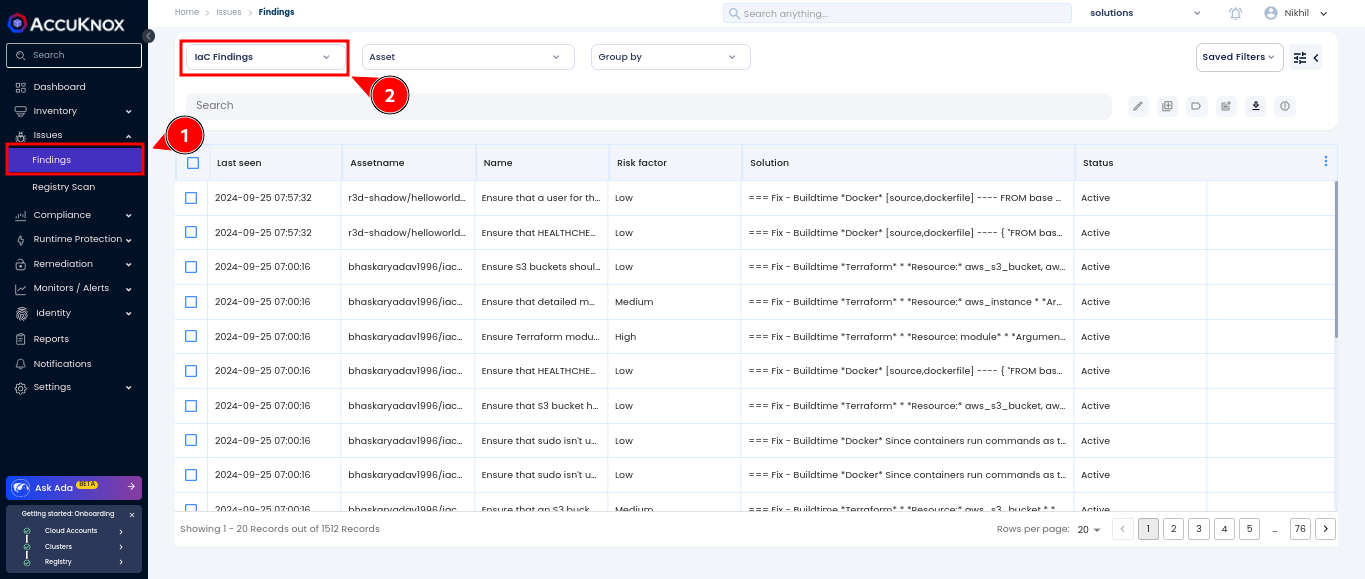
On the Accuknox platform, navigate to
Issues > Findings. -
Select the findings type as
IaC Findings. -
Add the appropriate labels to filter and view the specific IaC findings.