Summarized Custom Report
AccuKnox provides custom reporting capabilities that can help users get reports tailored to their requirements.
Note
For this feature to be enabled the customers need to inform the Support team(support@accuknox.com) regarding their requirements for custom reporting. Then the AccuKnox Support team can configure the report template from the backend. After which the users can generate an on-demand report or configure a scheduled report.
You can also read documentation on How to Configure Custom Reports
Summary Report
AccuKnox Summary report can give an overview of findings across code, cloud, cluster, and container-related findings. It can give a summarized view of the findings and actionable items that the users need to give more attention to improve their security posture. Here are some of the widgets that can be present in the summary report.
New Assets Discovered
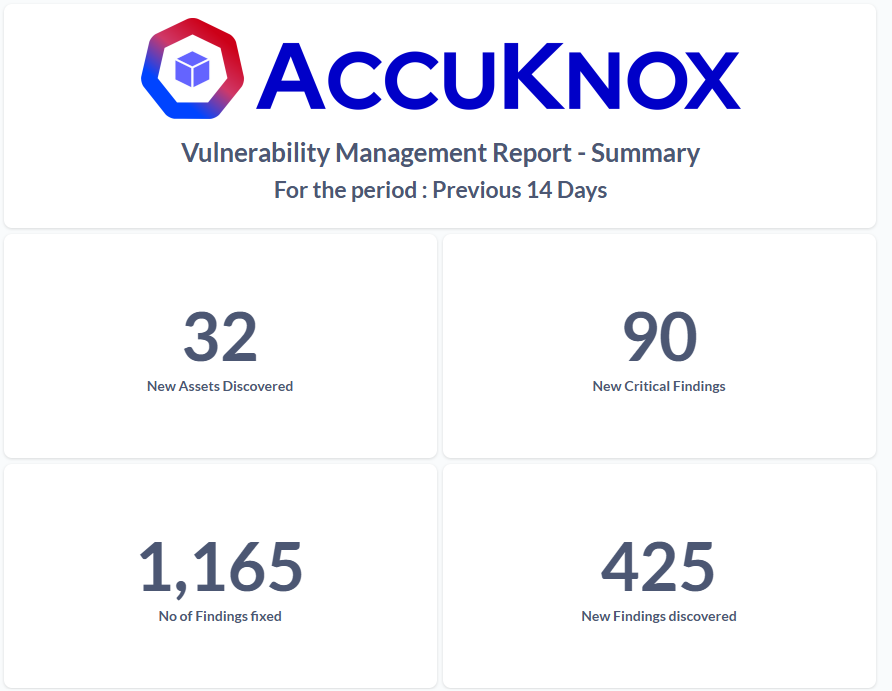
This widget provides the number of new assets discovered across your code repos, cloud accounts, clusters/VMs, and container images onboarded into AccuKnox SaaS in the defined period.
New Critical Findings
This widget provides the number of new critical findings across all assets onboarded into AccuKnox SaaS. It helps identify new critical findings discovered in the latest scans — an immediate action item for users.
New Findings Discovered
This widget will provide the new findings that were discovered across all the latest scans. This will also be an immediate action item for the users to act upon.
Number of Findings Fixed
This widget shows the number of findings fixed by the team in the predefined report period, helping to showcase security posture improvement.
Number of Critical Findings Unticketed
This widget shows critical findings that have not yet been ticketed. These should be prioritized for ticket creation and remediation, as they may affect your security posture.
Trend Analysis
New Assets discovered Weekly Trend
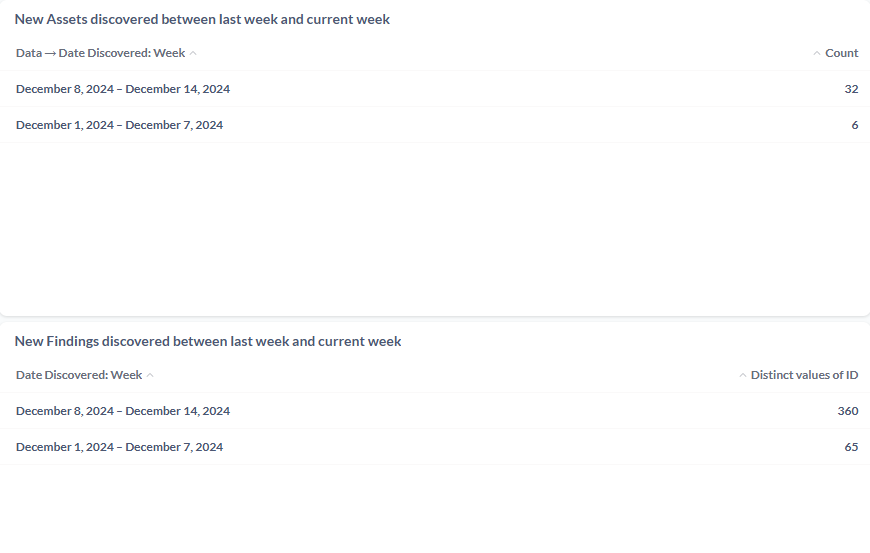
This widget shows the weekly trend of new assets discovered from onboarded cloud accounts, clusters, and containers — providing a clear picture of growing asset count.
New Findings Weekly Trend
This widget will provide the Weekly trend of the new findings discovered across the assets. This will show the rate at which the findings are occurring in the onboarded assets. This will also give users an idea of how their new findings discovered trend. Using this they can assess their security posture. If this widget shows the sliding trend they the users can safely believe that their new findings rate have gone down which will imply improvement in their security posture.
Critical Findings Weekly Trend
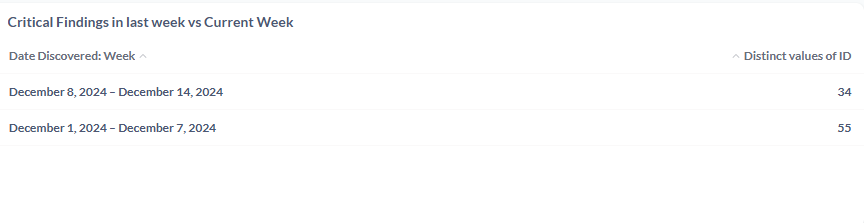
This widget will provide the Critical Findings weekly trends that are discovered every week. These will be another important actionable item for the users as increase in Critical Findings will be a security risk for their infrastructure or assets.
Note
The above are some of the sample widgets. These can be further customized based on the user requirements. Users can raise their request with support@accuknox.com for configuring this report with widgets of their choice.