Unified code analysis with Azure DevOps
One pipeline task runs SAST, SCA, Secret, IaC, and SBOM scans together and pushes every result to AccuKnox. You pick which scans run through a single scanType input, so you never configure five separate tasks.
| Scan type | What it finds |
|---|---|
sast |
Insecure code patterns in your source |
sca |
Known vulnerabilities in open-source and third-party dependencies |
secret |
Hardcoded credentials, API keys, and tokens in the repository |
iac |
Misconfigurations in Terraform, Kubernetes, and other IaC templates |
sbom |
A component and dependency inventory for supply-chain visibility |
Prerequisites
- Access to the Azure DevOps project that will run the pipeline
- An active AccuKnox account
- Permission to install extensions in your Azure DevOps organization
Step 1. Create a label in AccuKnox
A label groups the scan results this pipeline sends. In AccuKnox, go to Settings > Labels.
Click + Label, enter a unique name such as azure-uca, and click Save. The message Label name is available confirms the name is free.
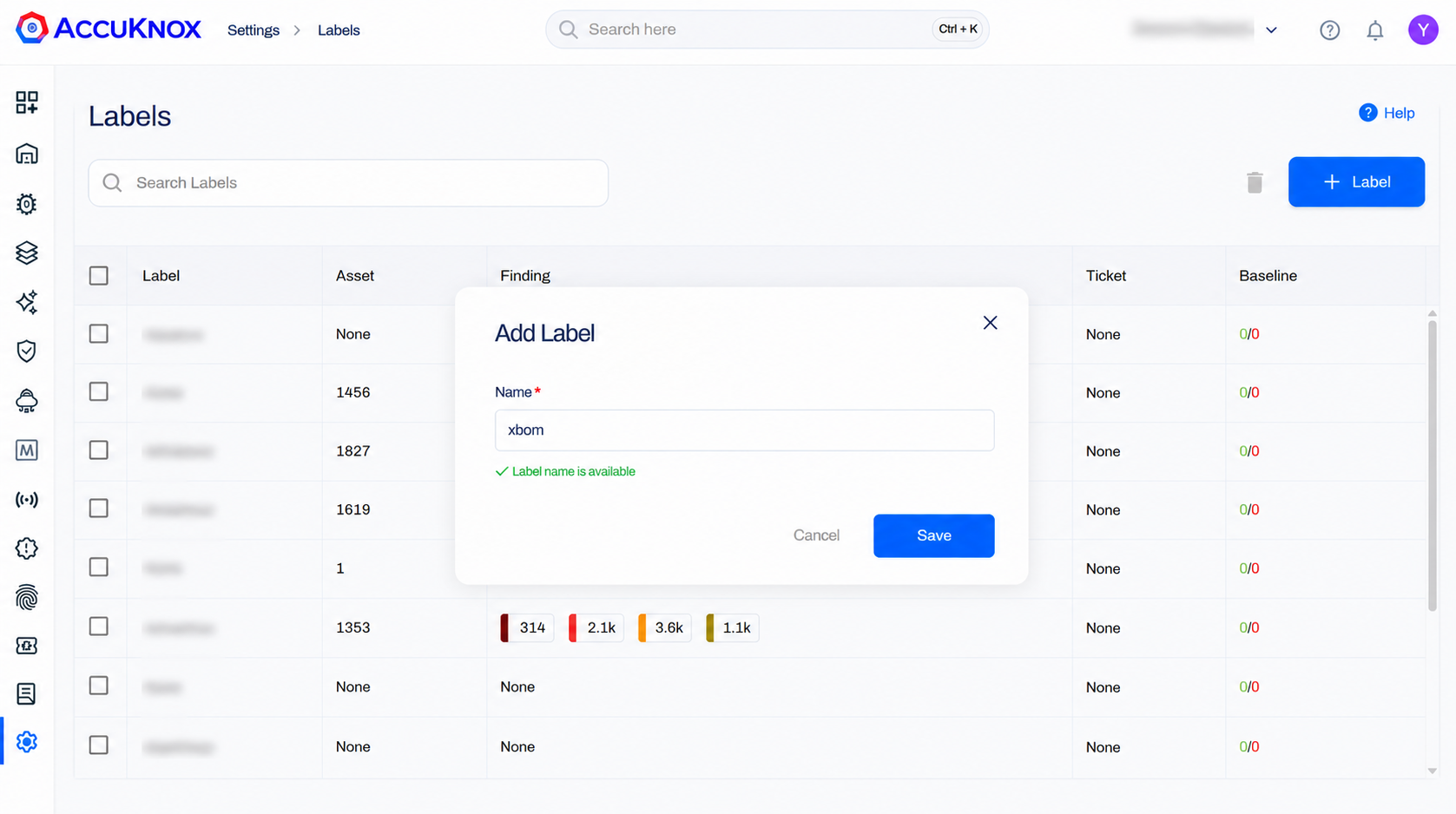
For the full walkthrough, see How to Create Labels.
Step 2. Create an API token
The token lets the pipeline push results to AccuKnox. Go to Settings > Tokens.
Click Create +, enter a name, choose an expiration period, and click Generate.
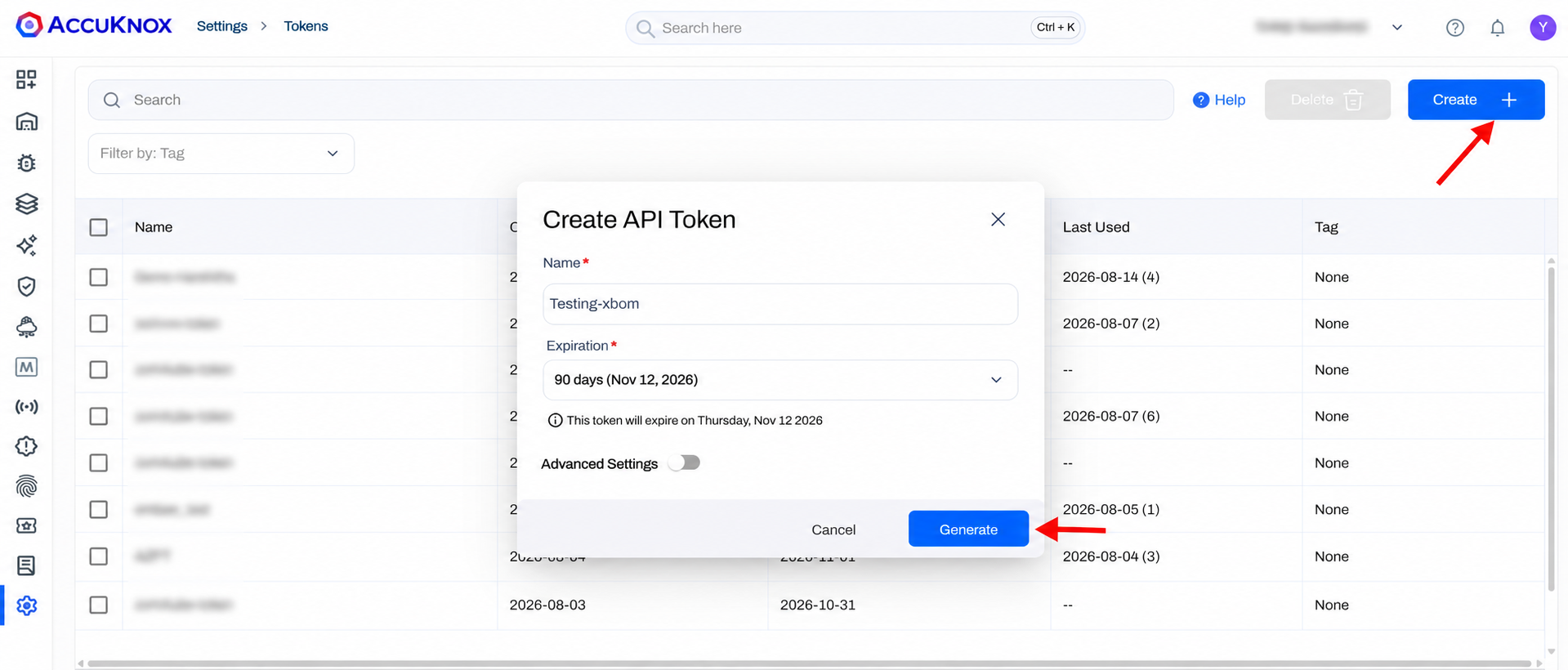
Copy the token now
Copy and store the token before you leave the page. You use it as a secret pipeline variable in Step 4.
For the full walkthrough, see How to Create Tokens.
Step 3. Install the AccuKnox Code Analysis extension
- Open AccuKnox Code Analysis on the Visual Studio Marketplace.
- Click Get it free.
- Choose your Azure DevOps organization and click Install.
The AccuKnox-Code-Analysis task is now available to every pipeline in that organization.
Step 4. Add the pipeline variables
Open Project Settings > Pipelines > Library > + Variable Group and add three variables.
| Variable | Secret | Value |
|---|---|---|
ACCUKNOX_ENDPOINT |
No | The CSPM panel URL that receives results, for example cspm.accuknox.com |
ACCUKNOX_TOKEN |
Yes | The token from Step 2 |
ACCUKNOX_LABEL |
No | The label from Step 1 |
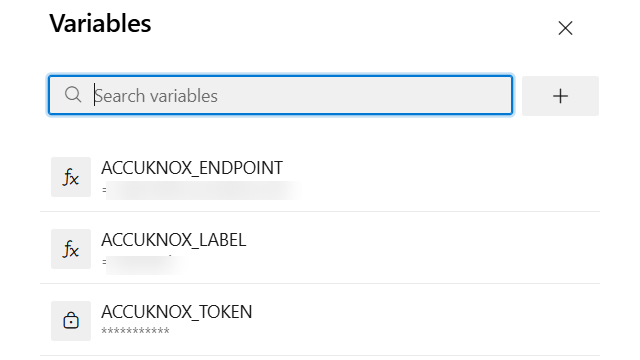
Mark the token as secret
Set the lock icon on ACCUKNOX_TOKEN. Azure DevOps then masks it in logs. Anyone with edit access to the pipeline can still reach the secrets that pipeline consumes, so restrict who can edit it.
Step 5. Add the task to your pipeline
Add the AccuKnox-Code-Analysis@2 task to your pipeline YAML. This example runs all five scans in one step.
trigger:
  - main

pool:
  vmImage: 'ubuntu-latest'

steps:
  - checkout: self

  - task: AccuKnox-Code-Analysis@2
    displayName: 'AccuKnox Unified Security Scan'
    inputs:
      scanType: 'sast, sca, secret, iac, sbom'

      accuknoxEndpoint: $(ACCUKNOX_ENDPOINT)
      accuknoxToken: $(ACCUKNOX_TOKEN)
      accuknoxLabel: $(ACCUKNOX_LABEL)

      softFail: true

      sastSeverity: 'HIGH,CRITICAL'

      sbomScanType: 'filesystem'
      sbomScanPath: '.'
      sbomProjectName: 'my-project'
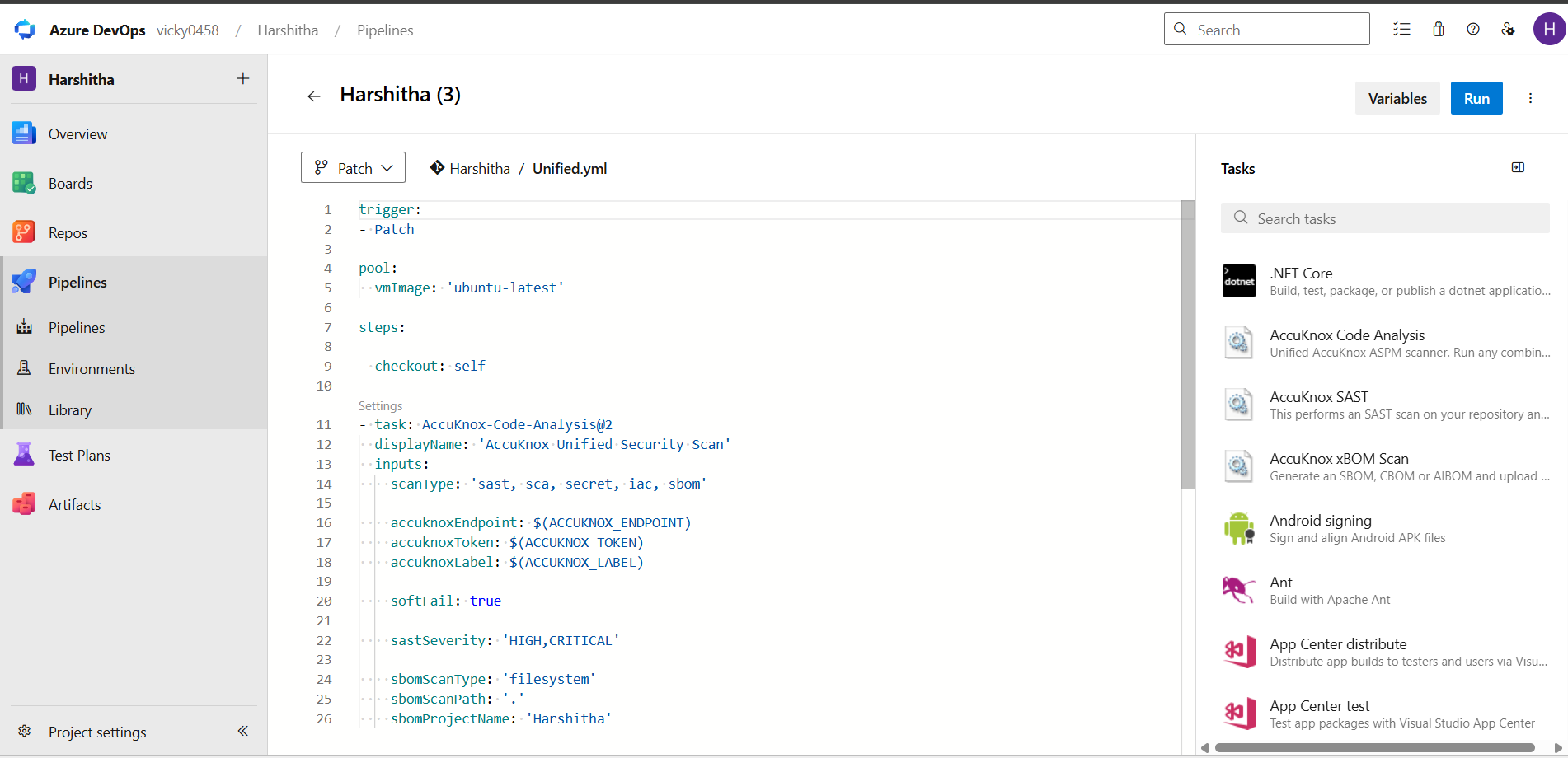
Drop the inputs you do not need
The task ignores inputs that belong to a scan you left out of scanType. Run only sast and the SBOM inputs do nothing, so a minimal pipeline stays minimal.
Task inputs
| Input | Required | Default | Description |
|---|---|---|---|
scanType |
Yes | — | Comma-separated list of scans to run: sast, sca, secret, iac, sbom |
accuknoxEndpoint |
Yes | — | AccuKnox CSPM panel URL |
accuknoxToken |
Yes | — | AccuKnox API token, supplied as a secret variable |
accuknoxLabel |
Yes | — | Label used to group the scan results |
softFail |
No | false |
Continue the pipeline even when a scan finds issues or fails |
sastSeverity |
No | All | Severity levels to report for SAST, for example HIGH,CRITICAL |
sbomScanType |
No | — | SBOM target type, for example filesystem |
sbomScanPath |
No | . |
Path to scan for SBOM generation |
sbomProjectName |
No | — | Project name attached to the generated SBOM |
Step 6. Run the pipeline
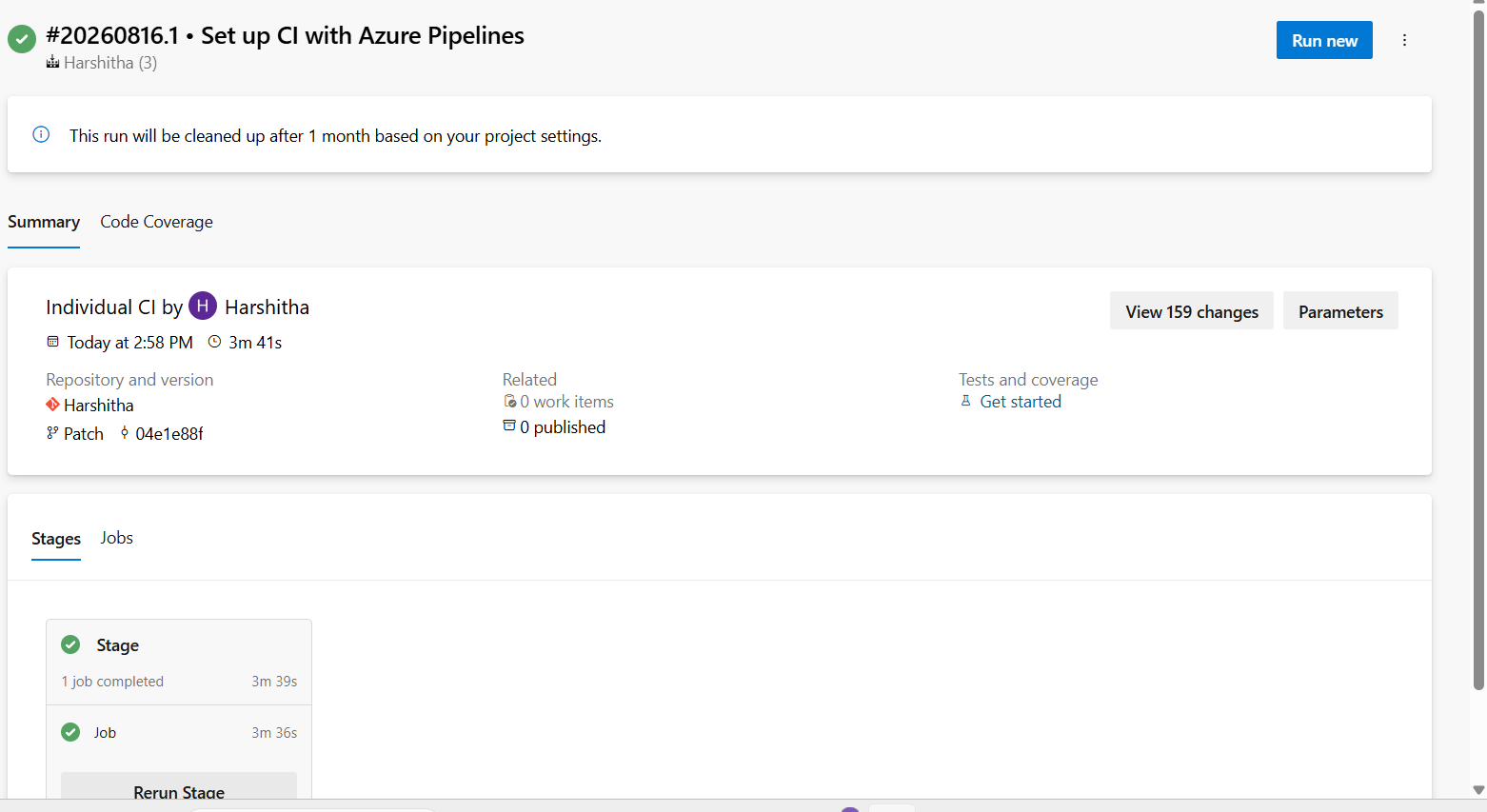
Trigger the pipeline manually or push a commit. Watch the logs and confirm the AccuKnox Unified Security Scan task finishes.
View the results in AccuKnox
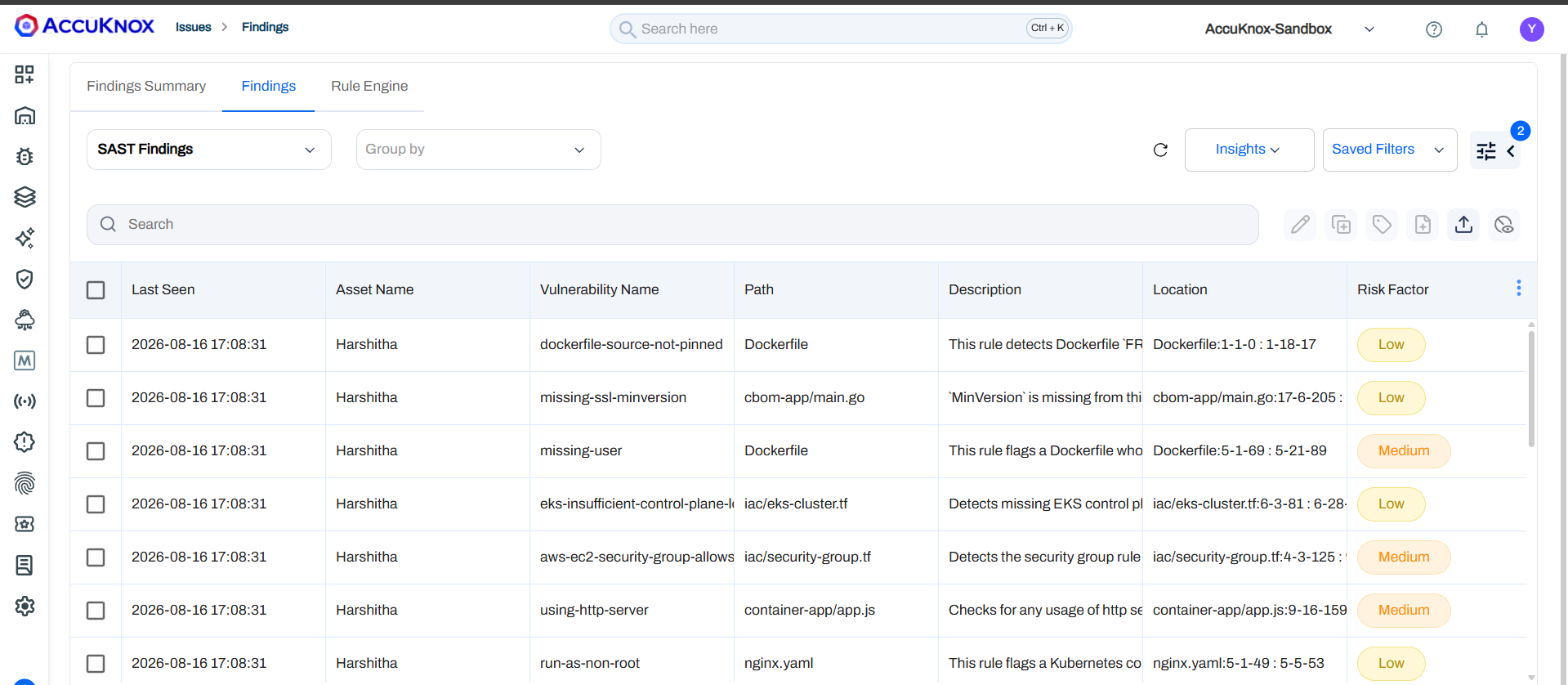
Log in to AccuKnox and go to Issues > Findings. The findings-type dropdown switches between the results the unified scan produced.
SAST findings show the asset, vulnerability name, file path, description, the file and line range, and the risk factor.
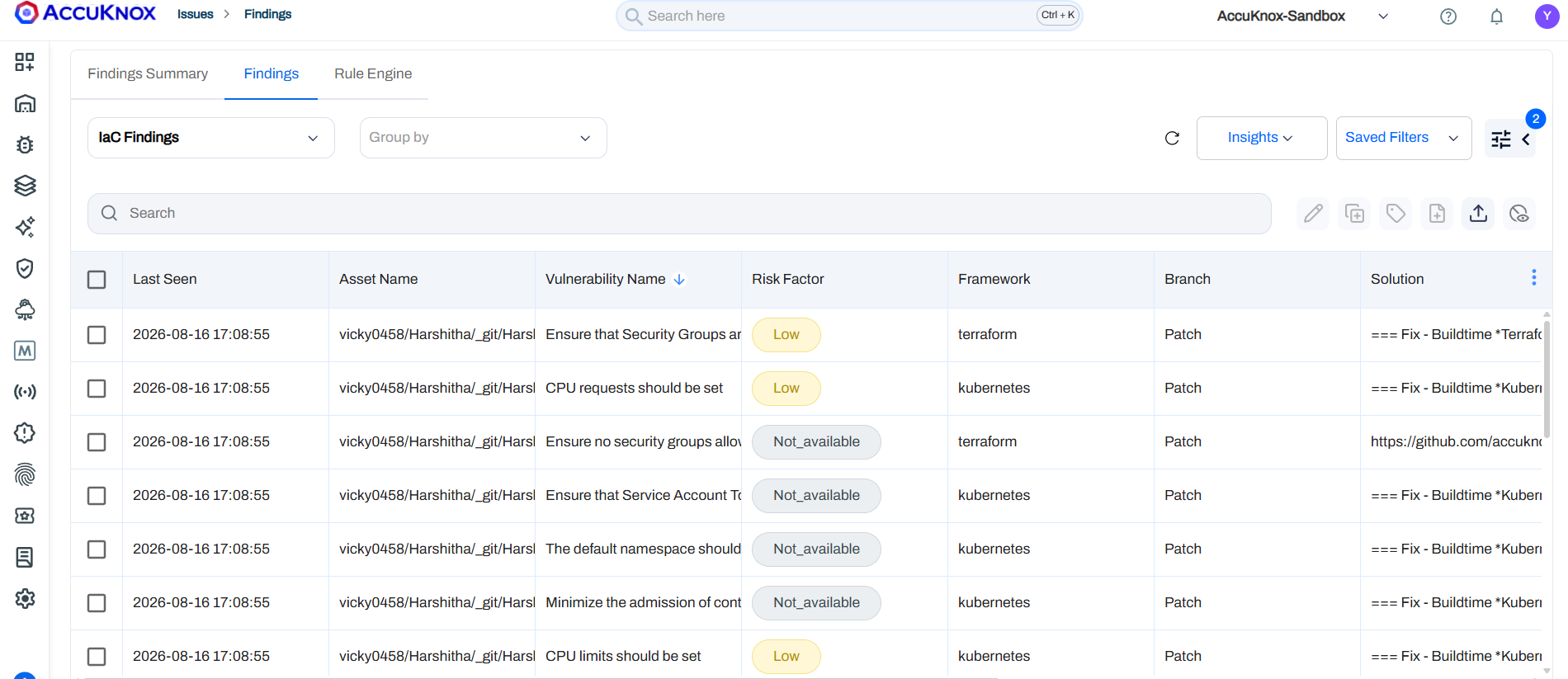
IaC findings show the affected asset, the rule name, the risk factor, and the branch. Each one names the framework, such as Terraform or Kubernetes, and carries a suggested fix.
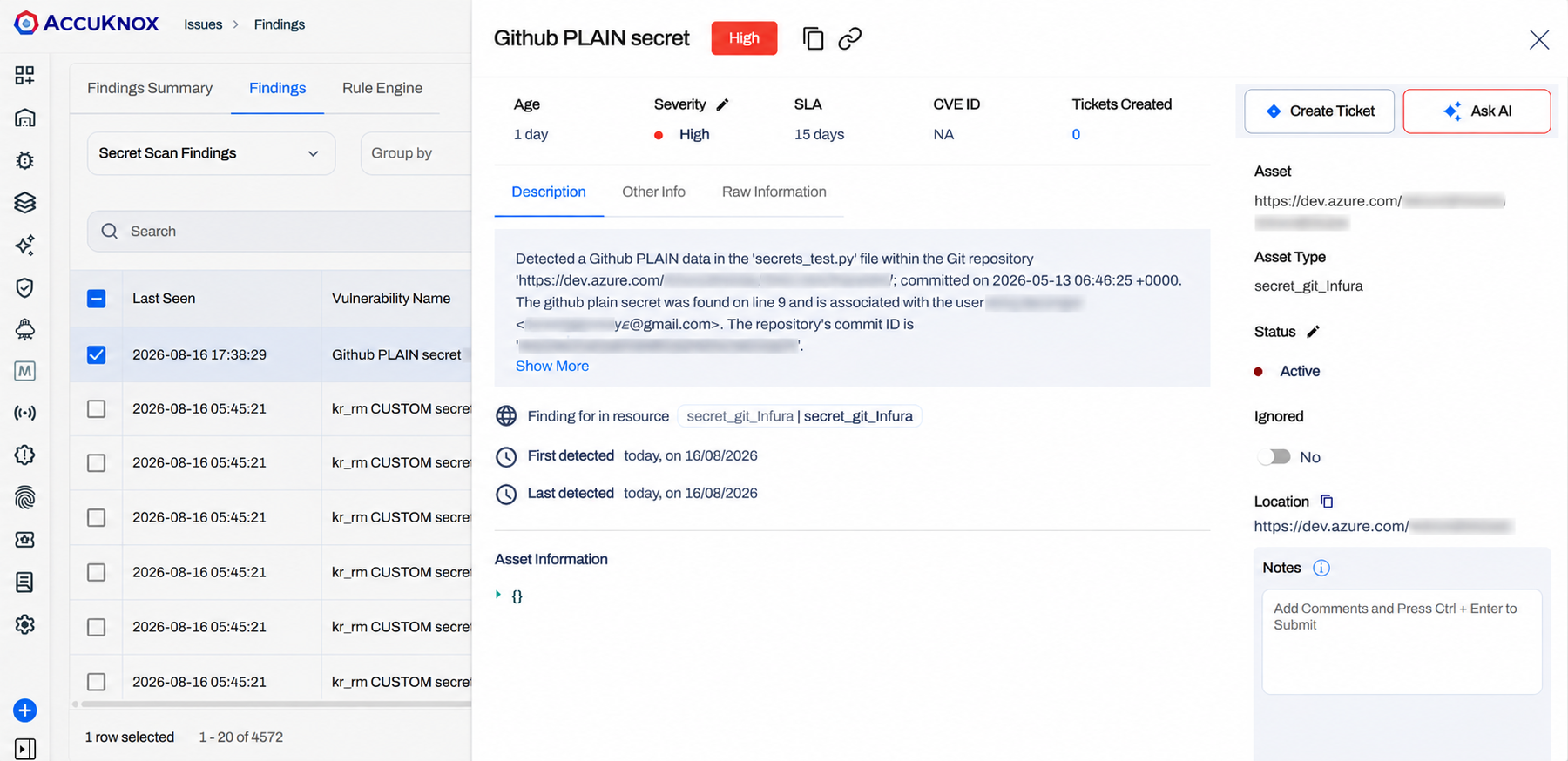
Secret scan findings open to show severity, SLA, the file and line holding the secret, the commit, and the asset location. Use Create Ticket to assign the fix, or Ask AI for remediation guidance.
A detected secret is already exposed
Rotate the credential first, then move it into a secret manager. Deleting the line from the repository does not remove it from git history. Mark the finding resolved in AccuKnox only after the credential is rotated.