Application Behavior
Zero Trust means deny by default, then allow only the whitelisted activity a workload actually needs. To get there, AccuKnox uses KubeArmor (a CNCF sandbox project) to control application behavior at runtime: process execution, file access, and networking. With KubeArmor a user can:
- restrict file system access for certain processes
- restrict what processes can be spawned within the pod
- restrict the capabilities that can be used by the processes within the pod
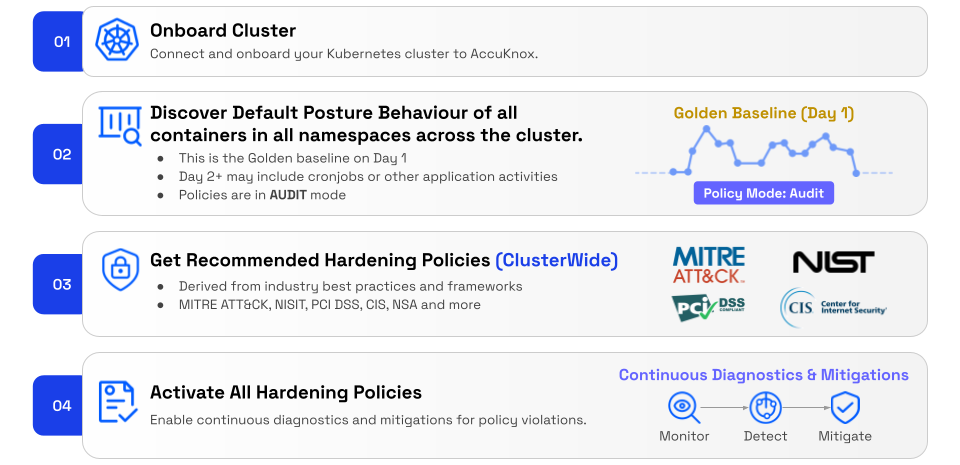
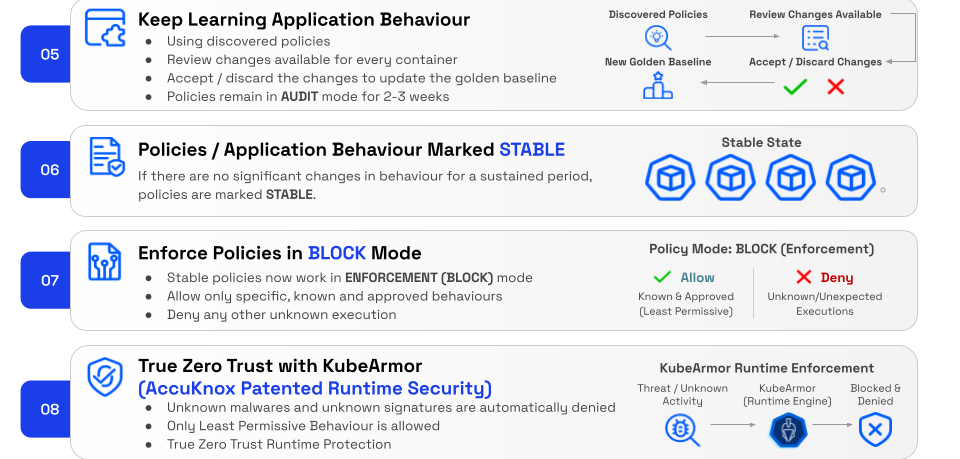
The AccuKnox Runtime Security Journey
Application Behavior discovery is the engine that powers steps 2, 5, and 6 of the journey. AccuKnox watches every container, builds a golden baseline of normal activity, and keeps learning as new behavior appears.
Discovery is continuous
Step 5 loops back to Step 2. Cronjobs, scale events, and new code paths produce fresh discovered policies. You accept or discard each change. Once behavior holds steady for 2-3 weeks, policies are marked STABLE and ready to move from AUDIT to BLOCK mode.
Use case example: Auditing Application Behavior of a MySQL workload
1.Install workload:
sh kubectl apply -f https://raw.githubusercontent.com/kubearmor/KubeArmor/main/examples/wordpress-mysql/wordpress-mysql-deployment.yaml
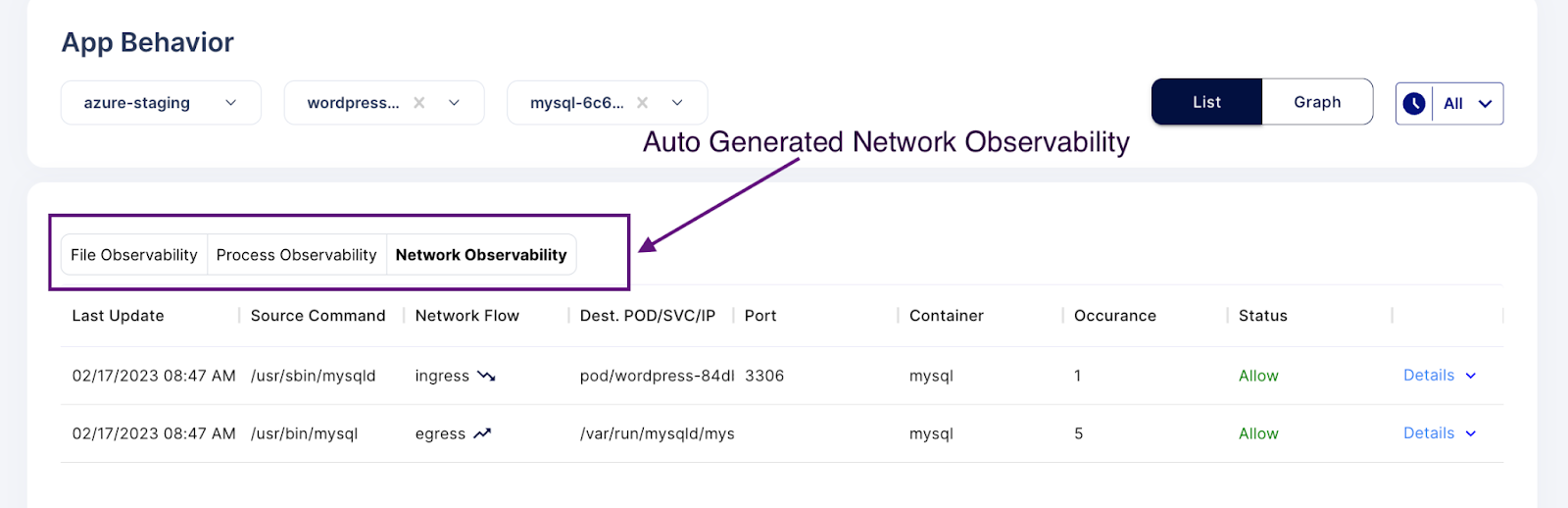
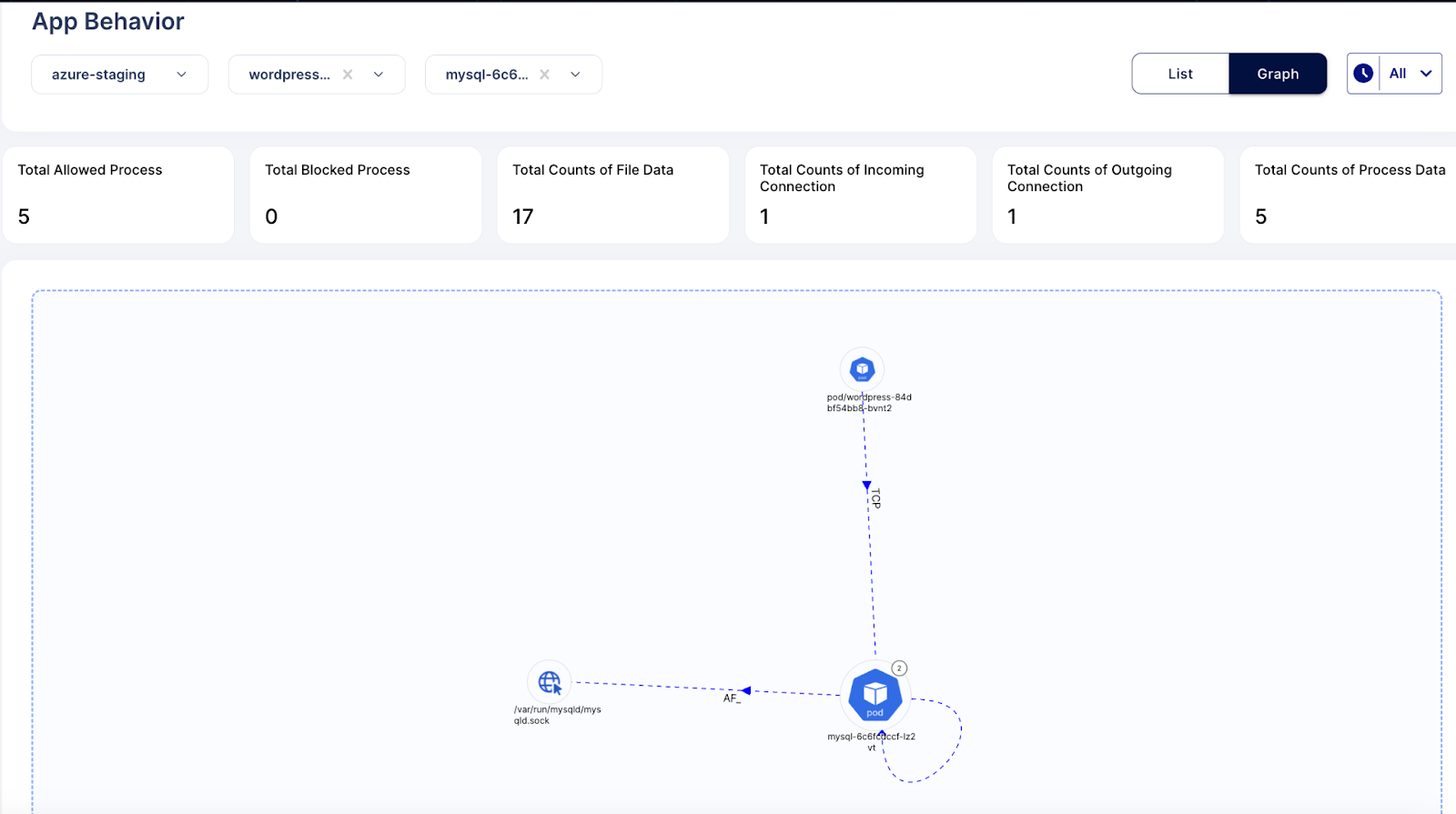
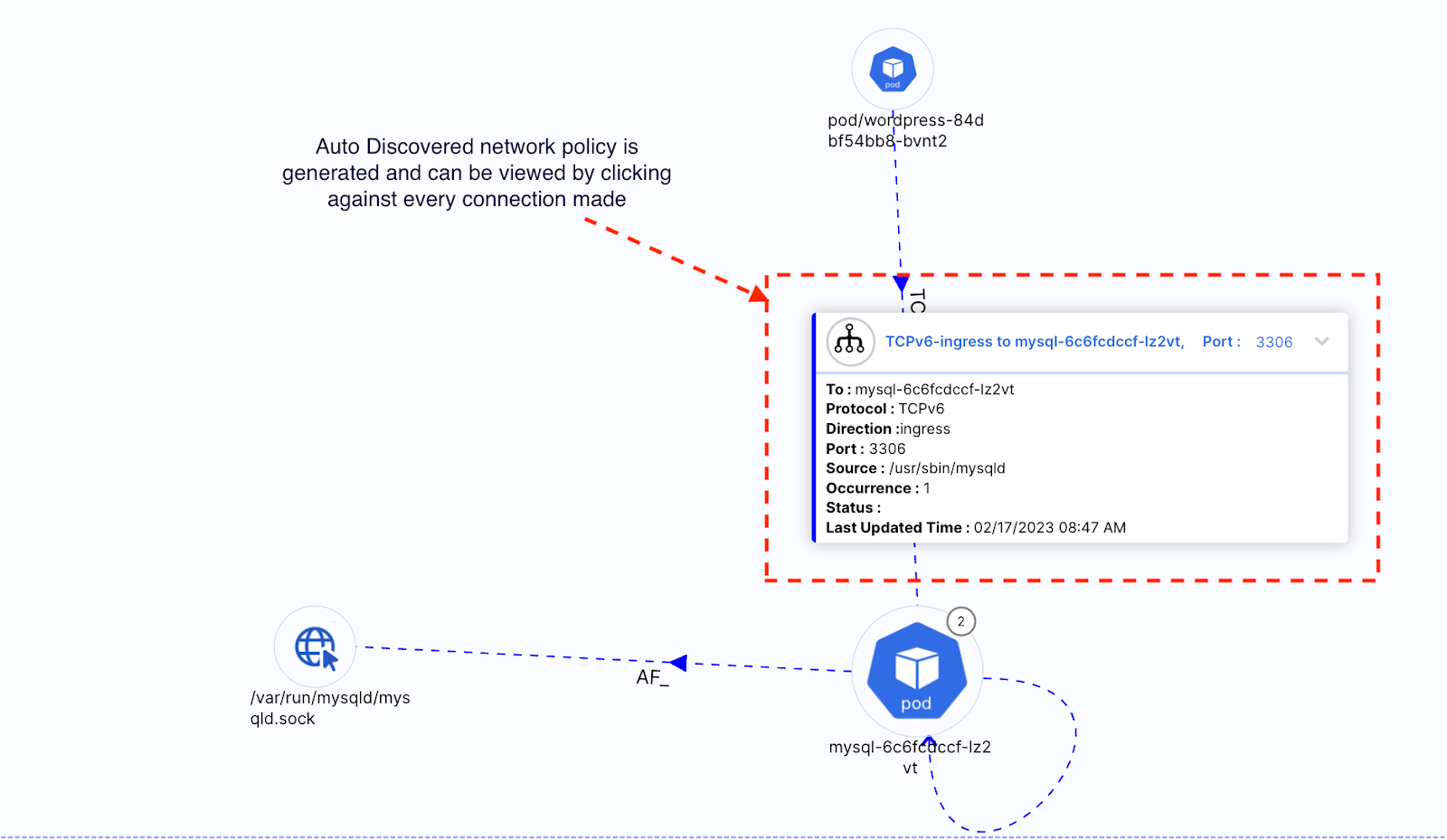
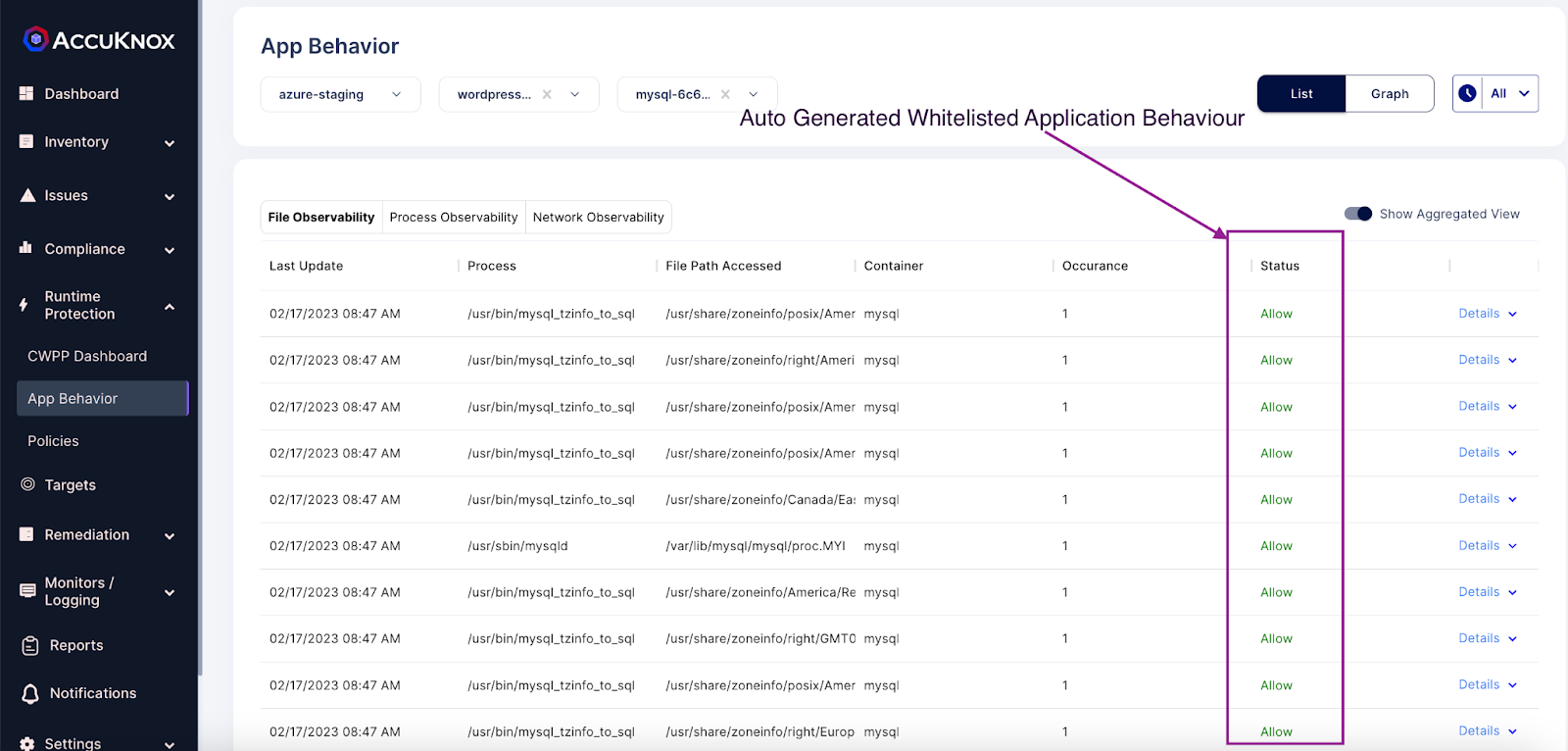
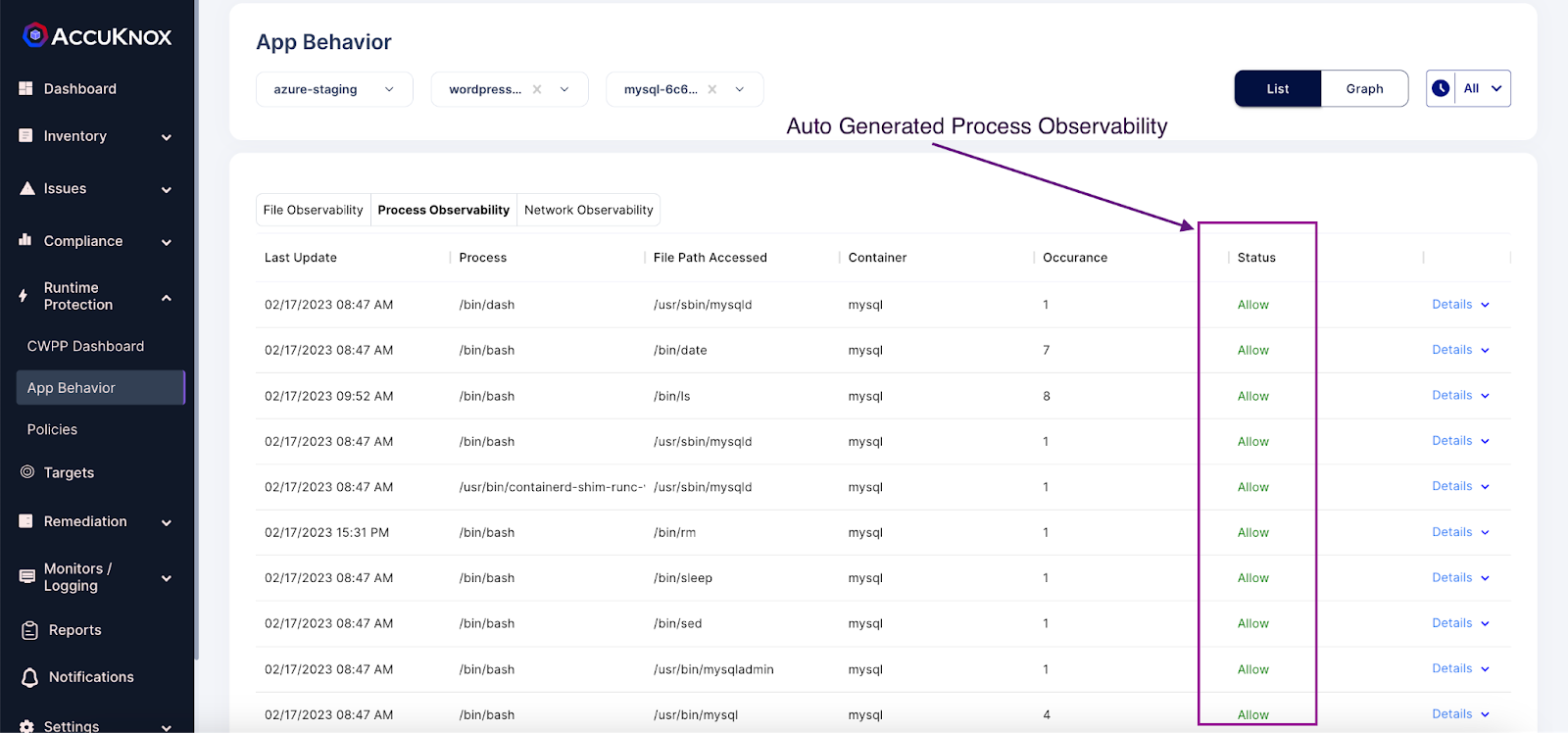
2.Showing App behavior screen in the context of the wordpress-mysql application.
- Network Graph
- File Observability
- Process Observability
- Network Observability