How to Create Labels
Labels are key-value pairs used to organize and manage resources like images, registries, repositories, policies, cloud accounts, and user profiles. In the Labels section, you can create labels and view associated assets, findings, tickets, and baselines.
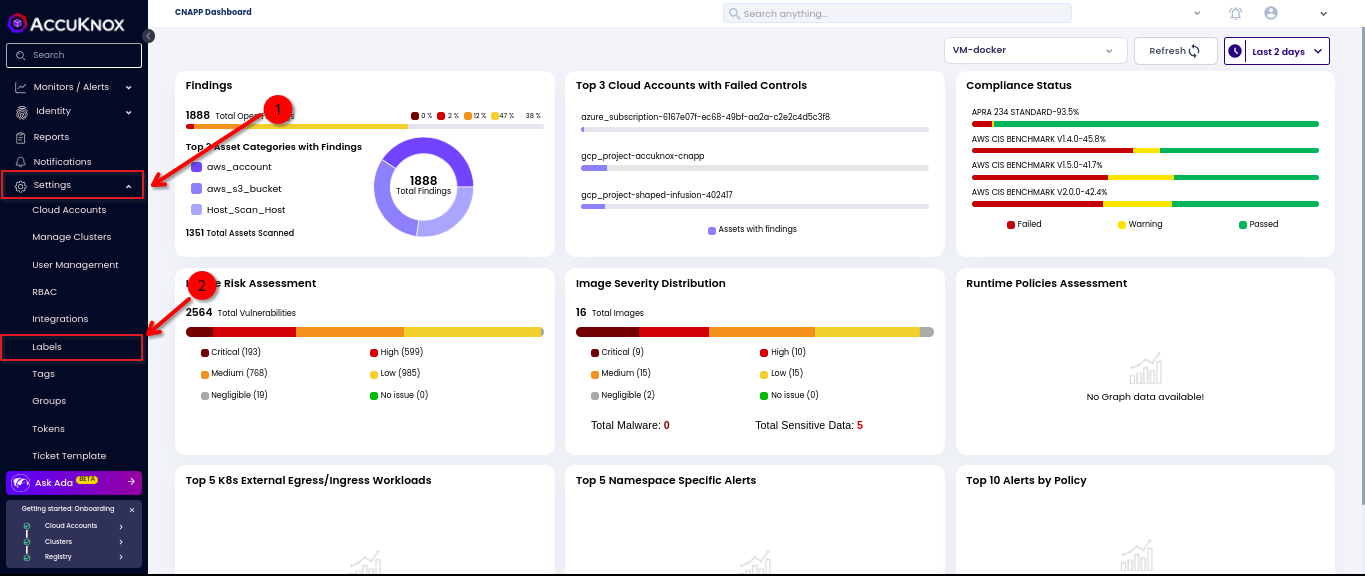
Step 1: Log in to AccuKnox SaaS and navigate to Labels under Settings.
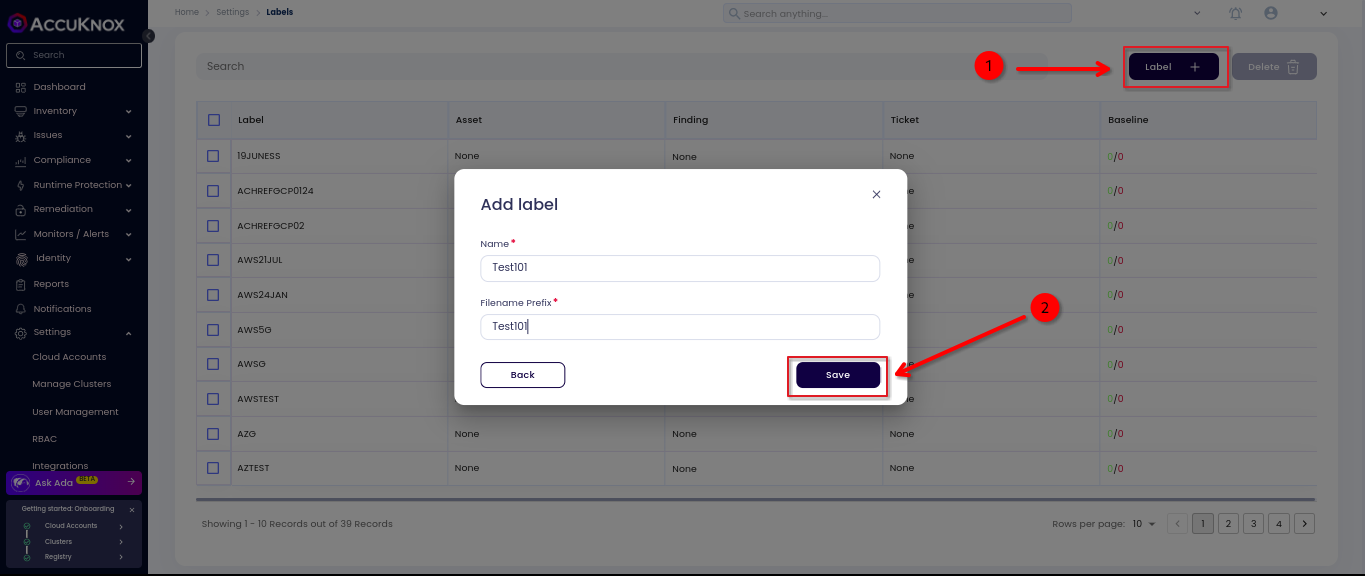
Step 2: Click on Labels, then click Add label. Enter the Name and Filename Prefix, and click Save. The new label will now appear in the list.