AccuKnox AI Gateway
AccuKnox AI Gateway is a secure endpoint that sits between your AI application and the LLM. Your application calls the gateway instead of calling the model. The gateway checks each prompt, checks each response, and logs every request.
You change two values in your application: the base URL and the API key. You do not change your application logic.
Where the Gateway Sits
You register the application in AccuKnox SaaS and receive an endpoint and a secret key. Your application sends prompts to the gateway with that key. The gateway returns sanitized responses.
AI Gateway adds a path. It does not replace Prompt Firewall.
You can still onboard an application with the SDK method or the API method. AI Gateway is the third option. Compare all three on the AI Security overview.
Not the same as third-party gateway integrations
This page covers the AccuKnox AI Gateway. To connect a gateway you already run, see Azure APIM, AWS API Gateway, Apigee, Bifrost, or LiteLLM.
How Requests Are Checked
Every prompt and every response passes through the Prompt Firewall. Your policy sets the outcome.
The firewall scans prompts for prompt injection, jailbreaks, secrets, and sensitive data. It scans responses for unsafe content, malicious output, and data leaks.
Why Teams Use It
- No application rewrite. Point your OpenAI-compatible client at the gateway endpoint. Your prompts and parsing code stay the same.
- One entry point for many models. Onboard OpenAI, Anthropic, Amazon Nova, Ollama, and more behind one gateway.
- Provider keys stay with AccuKnox. Your application holds a virtual key. You enter the real provider key once, in the AccuKnox console.
- Model control per application. Each application has a list of allowed models, shown in its integration details.
- Security in the same form. Turn on Prompt Firewall in the form that you use to onboard the application.
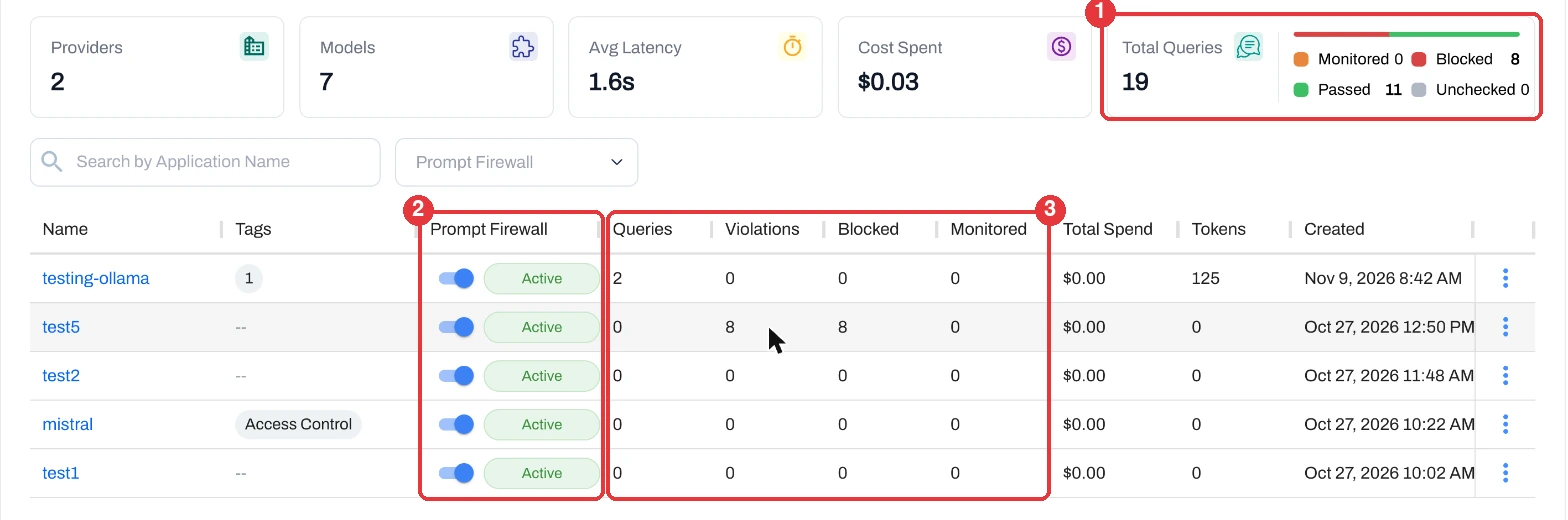
- Usage you can read. The dashboard shows queries, blocked and passed counts, average latency, tokens, and spend.
What Changes in Your Code
Only the API key and the base URL change. The rest of your code stays the same.
from openai import OpenAI

client = OpenAI(
    api_key="<virtual-key>",         # was: your provider API key
    base_url="<gateway-endpoint>"    # was: the provider URL
)

response = client.chat.completions.create(
    model="gpt-4",
    messages=[
        {"role": "user", "content": "Explain Kubernetes"}
    ]
)

print(response.choices[0].message.content)
Copy your own endpoint and virtual key from Integration Details. See Onboard an application with AI Gateway.
Works With Many Providers
The provider list in the onboarding form is long. It includes Anthropic, Amazon Nova, AI21, Anyscale, and Ollama.
- Cloud providers. Select the provider, pick a model, and enter your provider API key.
- Self-hosted models. For frameworks such as Ollama, enter the model endpoint. AI Gateway also supports vLLM, Azure Foundry, and NVIDIA Triton.